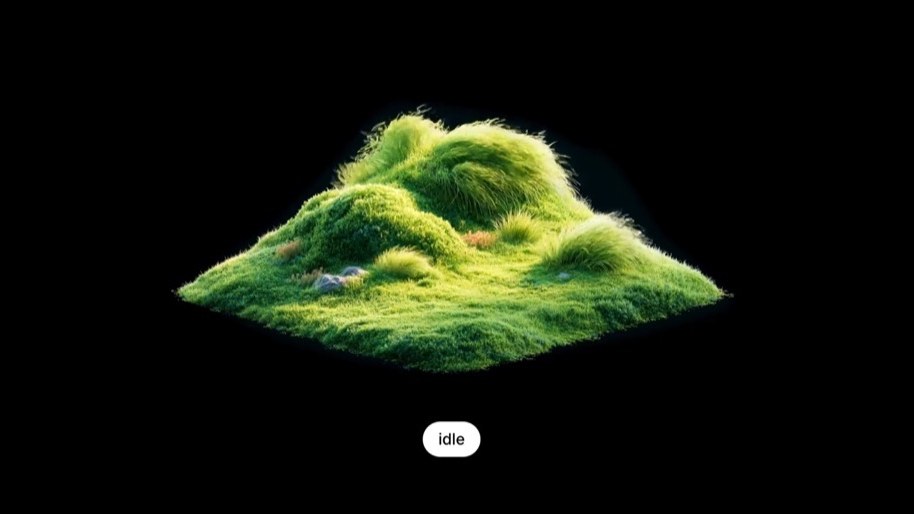
AVAL gives pre-rendered video real hover, click, and success states
Small, polished 3D icons on the web need to move and react to the mouse, but plain video tends to stutter. AVAL is a dedicated format and player for exactly these short, interactive clips.
- The Problem: Short, pretty, interactive animations — like small 3D icons or a favorite button — tend to stutter when you loop them or switch states with plain video. Lottie, on the other hand, struggles with complex rendered scenes.
- The Idea: AVAL is a web-specific interactive video format (files end in
.avl) plus a browser player. Animation states live inside the file; the page just says "switch to the success state." - Why It Feels Smoother: Loop seams try not to "jump back and replay." Transitions try to start from a pre-defined frame. Transparency is supported. If the browser can't handle it, you show a static fallback image.
- Status: It's an open-source technical preview. You can see demos on the site or clone the repo. Similar closed-source ideas have been discussed publicly (e.g., Airbnb Lava), but AVAL is a directly accessible open-source implementation.
A note on perspective: this is based on the project's official site and GitHub docs — an open-source project's own description. This is a breakdown of the problem and its capabilities, not a third-party benchmark.
The Problem: pretty web animations vs. "clickable" don't mix
You want to put a pre-rendered short animation on your page (like a 3D icon made in Blender). It should loop gently on its own, change when you hover over it, and switch to a "saved / loading complete" state when you click. With standard video techniques, switching states often causes a visible hitch or a dropped frame.
Three main reasons this hurts:
- Regular video has to "seek": When a loop ends, it has to jump back to the start. Switching from "default" to "hover" often means adjusting the playback time. That jump forces the decoder to re-locate, which your eye sees as a stutter.
- Vector animation tools (like Lottie) are great for lines and flat UI. But trying to fit complex lighting, fur, or 3D materials into them is a losing battle.
- State logic lives scattered in your code: Knowing which segment plays from second X to Y, and what hover triggers, is all manual. Update the animation, and you have to update the timing table in your code too.
Switching between multiple MP4s, or changing timecodes on one long video. The more interactions, the more it feels like fast-forwarding through a DVD — the seams show.
The animation itself knows it has "default / hover / success" states. The page only says "enter success now." Where the transition starts, and whether it can reverse, is built into the animation asset.
AVAL Goes After Exactly This Sweet Spot
Watch the launch demo (~37 seconds). The key takeaway: the picture changes state with your interaction, without feeling like you're dragging a video progress bar. To try it yourself, head to pixelpoint.io/aval.
What AVAL Actually Is (In Plain English)
AVAL = a file format + a set of compile/playback tools.
- Artists/animators create the short animation (as video or an image sequence).
- A compiler packages it into a single
.avlfile: it contains the visuals *and* the instructions for "what states exist, and how to transition between them." - The webpage includes a player tag like
<aval-player>, pointing to that file. The browser handles playback; your business code just says "switch to success."
The positioning is specific: small file size, low CPU usage, and aimed at short icon animations like those from Blender. This is for small, polished interactive clips on websites — not long videos, not movies.
What All Those Features on the Site Actually Mean
Here's what you'll feel. The official keywords are in parentheses so you can cross-reference, but the plain-English explanation is below.
1. Animations Have Built-in "Personas"
Think default, hover, pressed, success. Which segment plays for each persona is decided at authoring time. The page just calls the persona's name. Latest intent wins: if you quickly hover and un-hover, the most recent action takes priority.
deterministic state graph · latest-wins
2. Transitions Start From the Frame They Should
Going from default to hover usually starts from a frame determined during the animation's creation, avoiding a random cut. You have options like "finish this sequence first," "cut hard," or "reverse from halfway through."
frame-accurate routes · portals / finishes / cuts / reversals
3. Loop Seams Don't Rely on "Jumping Back"
With regular video, hitting the end usually means snapping the progress bar back to zero, which can cause a glitch. AVAL's goal is to continue into the next identical loop at the seam, reducing those hard jumps.
seekless loops
4. Transparent Backgrounds Work
Small icons usually need their background "cut out" to sit on the page. Standard video formats handle transparency poorly. AVAL uses a method to pack transparency info, which the browser's graphics API unpacks and composites.
packed-alpha transparency · WebGL2
5. Plays Nice with Native Browser Abilities
Decoding and rendering lean on modern browsers' built-in video and graphics capabilities, without forcing a large WASM player into your bundle.
WebCodecs · WebGL2 · web-native runtime
6. Shows Your Fallback Image If It Can't Play
When the browser is too old, the user prefers reduced motion, or the machine can't handle it, AVAL shows the fallback image you've put in your page. That fallback is never packed inside the .avl — it always belongs to your site markup.
progressive fallback · host-owned markup
What You Can Do With It Now — and What Not to Expect
Want to See It?
The official site, pixelpoint.io/aval, has playable demos. Or you can clone the repo and run the playground (see the repo docs). This is a technical preview, so things will change.
Integrating It Into Your Page (Conceptually)
Integration looks something like this (illustrative):
<aval-player src="/icon.avl" width="320" height="320">
  <img slot="fallback" src="/icon.png" alt="">
</aval-player>
// Your code only sends state names
await player.setState("success");
npm install will just work.Why It's Not a Production Default Yet
- The repo self-identifies as a technical preview, so expect rapid changes.
- The TODO still mentions: Safari support, React wrappers, more encoding formats, and better demos. (There have been commits related to Safari fixes, but whether that counts as "supported" depends on your own testing.)
- Animators have a new step to learn: beyond producing the visuals, you must define states and transition rules. This isn't a "just drop an MP4" workflow.
- Browser capabilities vary: if it can't play, you're relying on your static fallback, which means a degraded interactive experience.
Remember the problem first: those "short, polished, interactive" pre-rendered animations on the web stutter with the old methods. AVAL wants to package visuals + a state manual into one file so the page just calls state names. It's viewable and cloneable now, but it's still an early preview — not a polished industry standard yet.
Primary sources: Official Site · GitHub · Launch Post. Airbnb Lava is mentioned only as a publicly discussed comparison; we haven't verified it independently.
AVAL bakes hover, click, and success states into a single file, so pages never hard-cut video
Pixel Point's Alex Barashkov open-sources AVAL — a state manual for short web animations, explained here with visuals.
One page, including an animated diagram
Many small web animations — 3D icons, favorite buttons, loading spinners — need to look great and react to gestures. The common approach is to cut between videos: the loop hits the end and jumps back, state changes mean adjusting the playback time, and that jump often causes a visible stutter or a dropped frame.
Loop = jump back. State change = change timecode. The seams show.
Animation carries its own states and transition rules. It starts from a defined frame, and loops don't need to jump back.
AVAL is a web-specific file format (the .avl suffix) plus a player. After you create the animation, a compiler packages the visuals and the state rules together. Your webpage includes a player tag, and your business code just sends state names.
Each state defines a starting frame. If the mouse goes in and out quickly, the last action wins. Loops don't jump back to the start; they continue forward into the next identical cycle.
- Transparent backgrounds: Icons with cut-out backgrounds sit on the page, using a method that packs transparency info and unpacks it in the browser via a graphics interface.
- Keeps it lean: Decoding leans on browser-native capabilities, so you don't need to ship a large player program.
AVAL went public on GitHub on July 13, 2026. This analysis is from July 16, 2026. The repo is split into five packages: graph / format / compiler / player-web / element. The numbers below: stars and forks are public GitHub data; the size limit is from Pixel Point's own testing.
- × Safari not stable
- × H.264 only
- × No React wrapper
Members can copy or download the full Markdown, and let their AI subscribe and ask.
Found this useful? Leave your email — every new explainer, the moment it's out. Unsubscribe anytime.