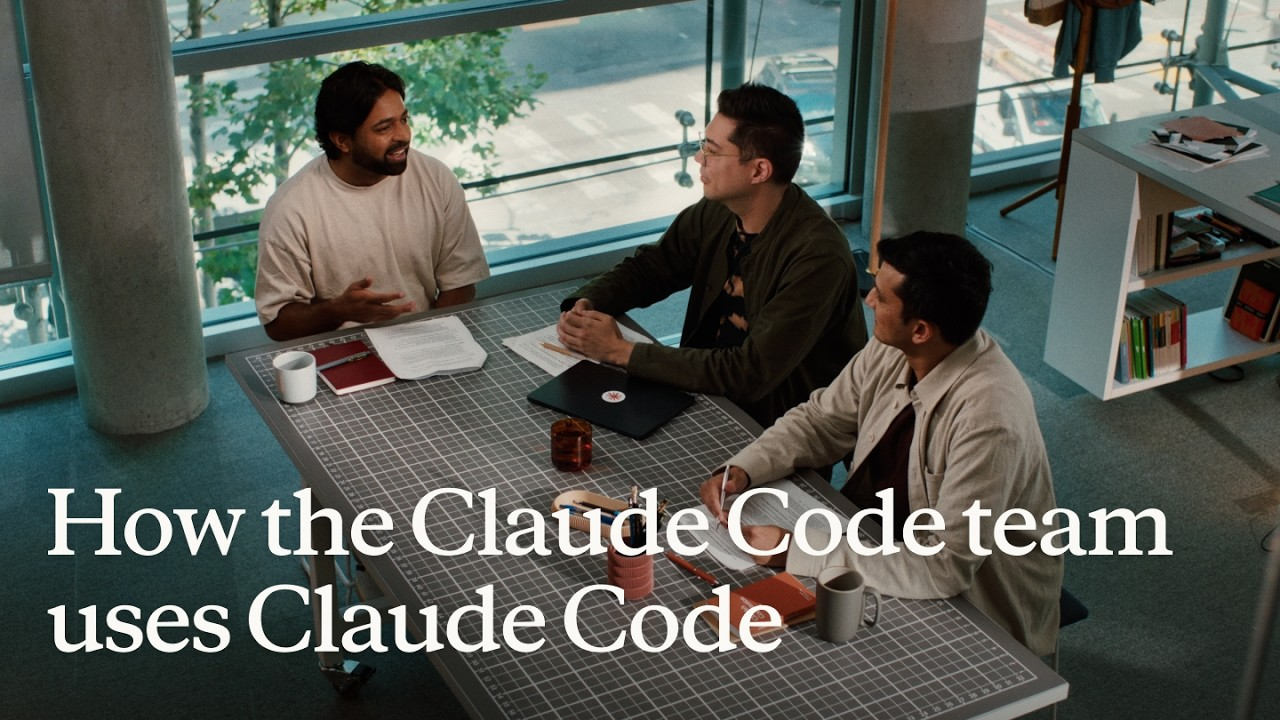
How the Claude Code team's own use of Claude Code has evolved over the past year—from writing code to driving product goals
From writing functions to pursuing product goals, the Claude Code team has been connecting environments, workflows, and feedback. As the model improves, they are also redesigning their tools and ways of working.
- Delegating product goals requires access to team context and room for Claude to analyze observations and propose solutions.
- As model capabilities improve, older compensatory tools may lose value; larger tasks will demand new environments and ways of collaborating.
- Let Claude design the division of labor and how results connect across workflows, then use programs to orchestrate execution and reviews to converge on findings.
- When tests, reviews, and usage feedback are linked together, developers can spend less time on step-by-step supervision and more on product direction and real-world experience.
Claude's official channel recently published a roughly 22-minute interview, “How the Claude Code team uses Claude Code”. In it, Thariq Shihipar, Sid Bidasaria, and Robert Boyce from the Claude Code team discuss how they use their own tool to handle day-to-day work, and look back on how their workflow has shifted over the past year.
In the past, they typically gave Claude a very specific instruction, like "write this function," then reviewed the output and requested tweaks. Now they're handing over much larger chunks of work: discussing product direction, building prototypes, writing code, running tests, and even collecting feedback after a tool ships. One team member described a moment where he initially planned to tell Claude exactly what fix he had in mind. Instead, he changed his approach and simply said, "Users aren't completing this flow; think about how to improve it." That opened the door for Claude to take part in analyzing the problem and proposing solutions.
That style of work requires preparation. Claude has to know about past decisions the team has made, needs a proper development environment where it can actually run software and run tests, and has to be able to bring back artifacts like screenshots, test results, and user feedback so that a person can decide what comes next. The team also found it necessary to revisit whether older tools still earn their keep. When earlier models routinely dropped tasks, they added a todo list to compensate. As the models got stronger, that same list became less valuable, so they adjusted it. The interview digs into these practical details and describes how the team adapts as Claude's capabilities evolve.
Full interview · Chinese and English subtitles
From writing a function to delivering a goal
Claude Code is an AI tool that helps developers with programming tasks. The interview also touches on Claude Tag, a native Slack agent that the team is actively using and developing. Slack is their team communication tool, and Claude Tag operates in that context, where it can take on tasks, review product discussions, and consult decisions the team has already made.
One team member estimates that roughly 70%–80% of his work now happens within Claude Tag, with the rest done by opening a terminal or desktop app for finer-grained work. That's just his own habit, but it points to a broader shift: the point of entry has moved into the tools the team already uses to collaborate every day, and the scope of what gets handed to Claude has grown well beyond "implement this class" or "write this function."
A lot of context never makes it into the code itself: why the product is designed this way, which ideas were tried and abandoned, what constraints shaped a given decision. A model with only the codebase might know how to build something; a model that also has the surrounding discussions and reasoning has a much better chance of knowing what it should build to serve the team's actual goals.
That changes what people focus on. The team used to scrutinize every tool call and every model decision. Now they often set a goal and wait for Claude to return with a result. Saying "make the change I've specified" leaves the planning to the human. Saying "improve how users make it through this flow" hands over territory like analyzing the problem and weighing alternative approaches.
Delegating at that level raises the bar for the agent. It has to gather context, organize the work, run things, and bring results back in a form that gives the human enough to decide what comes next. The tooling changes the team describes were all aimed at supporting exactly that kind of workflow.
Bigger goals mean tools have to change with the model
The team ran into an unusual problem: the models their tools depend on are improving far faster than typical software dependencies. One speaker notes that technologies used to stay relevant for years, but now the underlying capability shifts noticeably about every two months. Tool development has to be about solving today's difficulties while also trying to anticipate which of those difficulties might soon disappear on their own.
The todo list is a good example. Around the Sonnet 3.5 era, the team noticed that when asked to do five things, the model would often stop after finishing three, silently dropping the others. Adding a checklist made things better. Later, as model capability and memory access changed, team members concluded that the list was no longer doing the same work, so they re-evaluated.
There's a continuous cycle here: spot a specific failure mode, build a tool to bandage it; when the model improves, reassess whether the bandage is still necessary; then expand the scope of the task, and you encounter new problems with coordination and state management. Tooling has to keep evolving alongside the model, but that doesn't mean piling up fixes for every previous generation.
The team calls the system that organizes tools, state, and execution around a model the harness: the runtime framework that enables the model to complete work. Removing outdated mechanisms also creates design space for new kinds of tasks.
The evolution of asking questions illustrates another kind of change. Early on, they wanted Claude to present a plan and then ask the user for input. Later that became an actual tool call, AskUserQuestion, that the model could invoke on its own; at the time, the interface needed careful design so the model could use it well. As the model got better still, Claude began generating HTML artifacts directly, bundling diagrams, interface prototypes, and questions together in one view.
When discussing interface ideas, for instance, the human can now make decisions while looking at an actual on-screen prototype, rather than both parties squinting at prose and trying to imagine the same layout. The stiff, predefined question form has become a flexible artifact Claude can generate on demand. Capabilities like permission management, visualization, and asking for input still matter, but they can be assembled into different workflows instead of being locked into a fixed, early-stage interface.
To move forward, work has to leave the laptop
When your goals get bigger, execution rarely fits inside a single conversation or a single work session. When the team started talking about running recurring tasks, they cited a mundane obstacle first: if the agent runs on your laptop, then closing the lid and leaving the office puts everything on hold.
They started using remote development machines to get rid of the constant tethered laptop, but connecting to those machines and getting back into the right workspace was still friction. Eventually, managed containers on the web provided a more convenient entry point, letting the dev environment keep running reliably in the background.
There are two distinct problems here. The first is whether a task can simply keep running. The second is whether Claude is actually able to do real development in that environment. Moving code to a remote server is only the start — it also needs to launch the software, access required dependencies, run the tests, and verify the whole loop from beginning to end.
That's exactly where Robert says he spends most of his energy when using Claude Tag to build Claude Tag: giving the agent the same kind of setup and end-to-end tests a human developer would want. The more complex the software's dependencies, the more effort this takes — and the more it determines how much the agent can eventually handle on its own.
Once the environment is stable, an instruction can become more like an ongoing responsibility. Something like, "each day, look at the feedback that came in, sort it by importance, and then act on the items with the highest confidence." This kind of loop runs across multiple executions without a person having to kick off the same task each time.
One team member describes roughly a tenfold improvement in personal productivity after moving work to a remote environment, though the interview doesn't include a methodology for that measurement. A more concrete lesson: treat the environment itself as part of what you delegate. Whatever actions the goal requires, give Claude the conditions to actually perform those actions.
For harder tasks, Claude organizes its own workflow
Complex goals have a separate challenge: how to break the work down. The team uses code review as their example. The idea is to start with several agents exploring parallel paths for potential problems, then run competing perspectives over each candidate issue, and finally narrow down to a short list of significant items worth a human's attention.
The key sequence is widening the search first, then narrowing it down in stages.
- Parallel explorationAgents search from different angles for potential issues.
- Multi-angle verificationEach candidate issue is checked to confirm whether it actually exists.
- Filtering for what mattersSurface the items that need human review.
- Human judgmentDecisions are made with product intent, interface design, and service boundaries in mind.
Their concrete approach is to examine one candidate issue from three different angles to check whether it's real. The result is that the human doesn't just receive a pile of vague warnings; they get findings that have already gone through another round of analysis and triage. That multi-perspective review helps lower false positives, and every conclusion still has to be backed by evidence.
They use the term test-time compute for this deliberate investment in extra reasoning during problem solving. In practice it means spending more analysis on the task at hand: exploring more directions, doing more review passes, and converting that extra work into better, more useful output.
At the next level, Claude can even design the workflow itself. Given a problem, it can decide which agents to spin up, which directions should run in parallel, how outputs from one layer should feed the next, and how to bring it all together at the end. Then it writes the code that wires those agents together and executes the plan. Delegation has thus expanded from a single analysis task to deciding how a whole analysis should be organized.
Code and model play different roles in this setup. The programmatic loop makes sure the same steps are applied consistently for every item; it exists to prevent the kind of miss where you said you'd check five things but only covered three. The model handles the parts that need real understanding and judgement. The code keeps the process from drifting, but it doesn't guarantee that every individual analysis is correct — that still needs separate scrutiny.
The same pattern also works for ordinary research. The team gives the example of planning a trip to Tahoe with parents: lodging, activities, and other tracks can each be searched independently, then passed through filtering, cross-checking, and synthesis. Converging at the end is essential, or parallel work just hands the human a larger collection of disconnected material.
In code review, this also shifts what the human should pay attention to. Claude can handle the tedious details; the human is better used thinking about why an interface is shaped that way, why a service boundary sits where it does, or whether the implementation actually matches the team's product intent. It goes right back to the earlier point about context: a piece of code can look perfectly fine in isolation while still being wrong for the system's overall design.
Less step-by-step supervision, more reviewable results
When work can run in the background, the interface between human and agent has to change too. Claude Tag separates ordinary chat messages from the full execution log: sending a message is just another tool the model can call, so Claude decides when to update the user and what to surface. If you need to trace what happened step by step, you can open a link to the full transcript.
That means the product doesn't need to display every model output or tool call in the chat itself. One speaker admits that at first it felt uncomfortable not being able to watch the details the way he had before. After seeing consistently good results, that discomfort faded and the new style of work started to feel natural. The interface nudged them toward a different kind of collaboration, one focused on goals, open questions, and deliverables.
Concrete verification is what supports that trust. When Claude submits a code change, it runs the tests and sends screenshots of the interface. One internal tool developer went further and had Claude record a video of itself working in the terminal. After watching the recording, he pulled the code to his own machine, tried it himself, and confirmed he actually liked how it felt.
Each type of feedback plays a different role: tests help check functionality, screenshots reveal what the interface looks like, a video of the interaction shows how a flow actually plays out, and using it yourself fills in the subjective experience. The developer doesn't have to watch over Claude's shoulder at every step, because the artifacts tell him how far the work has progressed and whether it's on track.
Judging whether an implementation matches the original goal takes two more things: code review and real user feedback. The former catches code and design issues; the latter shows the team what actually happens once a tool is being used for real work.
Connecting implementation and feedback to push a complete product forward
The interview's most complete example is a team member building an internal tool that needed support from several colleagues. He started by asking Claude to figure out who should be part of the conversation — who would care about this idea — and then had it generate an interface prototype. People could review that prototype on their phones in Slack and discuss specific choices, which made it much easier for the idea to move toward actual implementation.
Once the code was written, a new question came up: is anyone really using this tool, and can they make it through the full flow? He added event tracking to the tool, deployed it internally, and then had Claude continuously monitor usage data. Claude also kept an eye on what colleagues were saying about it and would remind him to jump into a conversation when needed.
Within this product development loop, every stage feeds useful information into the next.
| Stage | Claude's role | How it drives the next step |
|---|---|---|
| Finding relevant colleagues | Locating people likely to care about the idea | Knowing who needs the pitch and whose support to win |
| Creating a visible prototype | Generating a UI, discussing it in Slack | Turning an abstract idea into a tangible set of choices |
| Implementing and deploying internally | Writing the implementation; adding event tracking for internal use | Setting up ongoing visibility into how the tool is actually used |
| Observing usage and feedback | Tracking events, watching discussions, and alerting the developer | Seeing where users get stuck and what problems they run into |
| Proposing the next round of changes | Analyzing the data to suggest directions | Turning real usage into the next set of product goals |
The final shift in this story is the most telling. The developer saw that some users never completed the full flow, and his first instinct was to hand Claude his own specific fix. Instead, he rephrased the request: improve this flow, come up with an approach, and treat my idea as just one example.
The team calls this concept a "funnel": the series of steps a user goes through between starting and reaching the goal. Knowing where users drop off is only the beginning of the analysis. By handing the improvement goal to Claude, you let it investigate causes and compare possible solutions, instead of forcing it to start from a fully predetermined answer.
Relevant stakeholders, prototypes, implementation, event tracking, and feedback all hook together around a single objective. Tests and code review help check the change; usage data informs the next round of choices. Claude's role now spans from a single block of code to the ongoing improvement of a real product, while the human sets direction, weighs priorities, and checks the actual experience.
Engineers have to update their sense of what they can do, too
As the tooling changes, so does the team's idea of what their own work looks like. One person used to enjoy diving deep into performance optimization; another once spent a full day carefully reproducing the CSS gradient behind macOS Aqua-style buttons. Today they're more likely to hand over that kind of implementation to Claude and reserve their own energy for new ideas and pushing prototypes into real products more quickly.
One team member remembers trying to make games in PowerPoint as a kid, because he couldn't program yet. That story maps onto a very familiar constraint: having an idea but being blocked by skills you don't have. Working with Claude, more ideas like that can be pulled apart, attempted, and actually turned into things. People have to re-estimate the boundaries of their own abilities as the tool's capabilities expand.
To apply this approach, start with a task you are already working on. Clarify the goal and context, provide a suitable runtime environment, involve Claude in planning the work, and agree on the deliverables and feedback it should bring back.
| Where the work is stuck | How to change the delegation approach |
|---|---|
| Always having Claude implement your own changes | Provide the goal, observed issues, and constraints, and let Claude propose comparable options first |
| Having to break up complex tasks step by step yourself | Let Claude propose the division of work, result handoffs, and review method; run it by you before execution |
| Work stops when it leaves your machine | Prepare a continuously running environment with development and testing capabilities |
| Having to read long execution logs every time | Agree on when key decisions are communicated, as well as deliverables such as tests, screenshots, or screen recordings |
| Having built it but not knowing whether it is useful | Feed in usage events and feedback, and make them the starting point for the next round of tasks |
| Old rules and helper tools keep accumulating | Revisit what problem each mechanism was originally compensating for, and decide whether it’s still needed |
These practices come from the team’s work in its own environment, so the exact configuration will need adjustment for your project. The more worthwhile habit to keep practicing is updating two kinds of judgment at the same time: which work can be handed over more fully, and which old tools and habits deserve a redesign.
Giving Claude a whole goal
From implementing fixes to improving user completion.
Change the brief
In an official interview, the Claude Code team described moving from functions to product goals.
Enable the work
Context guides choices; environment enables action.
Context
Team discussions, decisions, constraints.
Environment
Always-on remote setup; dependencies; end-to-end tests.
Workflow
Claude designs subtasks and handoffs; code executes.
Explore, then filter
Code review: parallel exploration → multi-angle rechecks → filter findings → people assess product intent and system boundaries.
ProgramRun agreed steps for every item.
Model and peopleJudge each finding. Agreement needs evidence.
Use feedback
↻ Prototype → build, deploy internally → observe usage and feedback → propose improvements.
Inspect the results
Tests, screenshots, recordings, hands-on use.
Revisit old tools
Do the failures they compensated for still occur? Adapt these team practices to your project.
From following instructions to driving the goal forward
The internal tool is built, but some users don't complete the whole flow.
A team member changes the brief: give Claude the observations and the goal.
Give it context from the discussion, plus an environment to keep building, running, and testing.
Complex tasks start with broad exploration, then review and filter; the program organizes steps, the model evaluates each one.
Tests, screenshots, and screen recordings come back for review; a human checks them and tries the tool hands-on.
Turn usage feedback into the next goal. As the model improves, also revisit whether old tools are still needed.
Members can copy or download the full Markdown, and let their AI subscribe and ask.
Found this useful? Leave your email — every new explainer, the moment it's out. Unsubscribe anytime.