
An Every consulting lead's Codex field notes: how a non-technical operator builds and maintains her own personal work systems
- Natalia Quintero, who leads Every's consulting business, has a non-technical background. Over the past month or two she's moved from Claude Code to OpenAI Codex, using it to build and maintain several personal work systems.
- Her favorite move so far: give Codex a goal — clean up hundreds of customer records in her CRM based on calls and emails — then go to sleep. Six hours later, she woke up and the job was done.
- She built 3 custom apps in Codex: a tool that auto-converts study material into comic strips she can read on her commute; an email triage tool for her own inbox with 7 action buttons that drafts replies in her own voice; and a caregiving coordination app for her 81-year-old father, built in 13 hours.
- Even though she's capable of building her own CRM with AI, she deliberately walked away from the one she'd hacked together and bought Attio instead: software is the skeleton, the AI model is the brain and ligaments — maintaining data quality is literally a CRM company's entire business.
- A year into running Claudia, Every's internal AI employee, the team found it still needs constant human oversight and direction, so they hired an additional human operator.
What she gained by switching from Claude Code to Codex
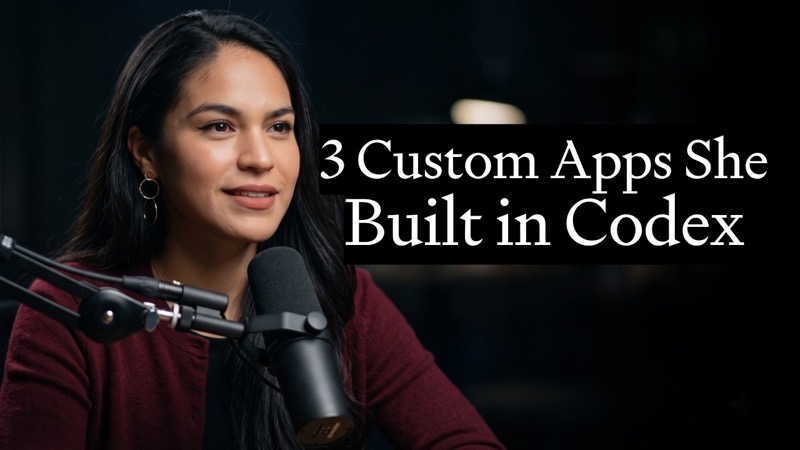
Natalia Quintero, who leads Every's consulting business, recently went on the AI & I podcast to demo the personal work systems she's built and maintained entirely with OpenAI Codex over the past month or two.
She used to be a heavy Claude Code user, comfortable in the folder structure she'd built herself. Dan Shipper spent weeks nagging her to install Codex; her verdict after switching: the tool changed, and life changed along with it.
For someone who doesn't write code, two changes stood out. First, Codex folds the terminal and browserThe terminal is the black command-line window that makes the machine do things; the browser is the web window. Both are embedded in the same chat interface straight into the chat interface, and paired with a strong, hard-grinding model (5.5), you can feel the compute leaning into hard problems. Second, the burden got lighter: with Claude Code, she used to have to manually plan out the folder structure first, keeping Finder open to watch where things were saved, before AI would work inside that structure. With Codex, the structure grows as it works, so she doesn't have to lay the foundation in her head first.
Running through the whole conversation is a mental-model shift she and Dan keep circling back to: knowledge work is moving from "sculpting" to "gardening."
Sculpting means every outcome is carved by your own hands; gardening means you set up the soil, light, and water so the crop grows itself — you don't tend every single plant by hand. Applied to work: her job is no longer writing every email or updating every record by hand — it's building a system that produces those outcomes automatically, stepping in only at a few key points.
Give it a goal, sleep on it, come back to a finished job
Her favorite move so far happened while setting up Attio (a CRM — customer relationship management software). Her team needed to fill in each customer's record accurately based on what had actually happened in calls and emails.
She didn't do it record by record. She gave Codex a goal: make the CRM accurately reflect everything that had happened in her conversations and inbox, across hundreds of customers and prospects — backed by a solid prompt and set of directions. Then she went to sleep. Six hours later, work that would have taken weeks of manual effort was completely done.
This is what everyone's talking about but rarely explains clearly — "the Loop." Its structure is a human sandwich: a person decides at the start whether something is even worth doing, hands the whole category of task to AI to build a system that runs it in the middle, then a person reviews and refines the result at the end, and feeds what was learned that round back into the system so the next round is more accurate.
People hold both ends of the loop; the middle is entirely handed to AI to execute:
1. Start (human): decide whether this is worth the investment — is it a goal worth pursuing at all
2. Middle (AI): don't process tasks one by one — build a system that can handle this entire category of task at scale
3. End (human): review and refine what AI produced
4. Feedback: feed what was learned this round back into the system so the next round is more accurate
It's not automating one individual task — it's building a lasting mechanism for a whole category of task. More like setting up irrigation and crop rotation for a field, rather than hand-watering every seedling every day. A person only steps in to ask "is this worth doing" at the start and "is this good enough" at the end.
On the podcast, she talked through the loop's structure and how each app was built, but the verbatim prompts for each workflow stay behind Every's paid tier and weren't made public. What's copyable is the pattern and structure — not text you can paste directly.
Auto-converting study material into comics for the commute
This is the skill she's proudest of building, and what she calls her "guiltiest pleasure." It started about six months ago from a prompt (originally built by Nateesh, an engineer on the consulting team, based on Claudia, the internal AI employee).
It hard-codes four questions she habitually asks whenever she's learning a new topic into a framework. On weekends she'll spend long stretches reading deep-dive guides; when she doesn't have a full Saturday, she uses Codex's vision model to turn a long guide into a strip of comic panels she can read on the subway, on a walk, or over coffee.
1. What's the history of this topic?
2. What are the first-principles that govern how it works?
3. How did we get here, step by step?
4. What variables are at play in the market this topic sits in?
An example from when she was learning anatomy: she learned that muscles get stronger before ligaments do, and ligaments get stronger before bones do — so strength gains happen on different timescales across different parts of the body. (This detail — bone being the slowest to strengthen — comes back up later when she explains why she bought a CRM.)
Her Codex projects are literally named after her courses of study — "Sales Strategy," "Your Dad," "NZQ Epistemology" (Aristotle's system of syllogisms). You can take this same 4-question framework and apply it directly to learning anything else.
Building a triage tool for her own inbox
This section is the most immediately actionable sample of her whole playbook: hit a piece of repetitive work, and have Codex build you a button for it on the spot.
The tool is built on top of an email app Dan open-sourced (originally called inbox sweep, now called Tend), which turns emails into cards and redacts sensitive content. She's heavily customized it — the most important piece being training it, using her 150 most recently sent emailsThe "ghostwriting" skill she built about a year ago, teaching AI how she talks in different contexts, was one of her earliest skills, to draft replies in her own voice. In her words: my inbox knows what's going on better than I do, so what it drafts is probably closer to accurate than what I'd come up with myself on the spot.
New email arrives
One-click routing
She added 7 action buttons to this tool, each mapping to a real action she takes when handling an email. This list is directly copyable:
1. Approve and send (AI has already drafted a reply in her voice — one click sends it)
2. Request a rewrite (not happy with the draft, have AI redo it)
3. Archive
4. Archive into the corresponding customer's markdown file (even without a reply, the context still gets saved into that customer's dedicated file)
5. Convert to an Asana task
6. Mark as spam
7. Save
What matters more is where this logic comes from: she hand-drew a flowchart of her sales-pipeline triage process, mapping out the whole complex logic of "what conditions does a cold email need to meet to move to the next stage of the pipeline," then saved that flowchart as a PDF and fed it to Codex. The same logic drives both her email triage tool and her Attio CRM.
The fastest way to get started: by the time the podcast goes live, Every plans to open-source Tend (this email app). Dan offered a shortcut: you can drop this video into Codex, let Codex watch the whole thing, and have it build you a version that works the same way but is entirely your own.
A coordination app for her 81-year-old father's multi-caregiver care
The same "build your own system on the spot" playbook shows up in a place most people would never think to try it themselves. Her father is 81 and is cared for by multiple nurses.
This was a 13-hour Codex project, going from prototype all the way to a password-protected, fully live web app that became this family's operating system for coordinating care.
Google Form reports
ad-hoc updates
open items highlighted · done items grayed out
1. Ingests Google Form reports submitted by multiple nurses
2. Ingests ad-hoc updates from the family WhatsApp group (how an appointment went, medication dosage status)
3. Surfaces a "latest status" summary at the top
4. One-tap Spanish/English toggle (care updates are usually in Spanish; switch to English for a quick daytime read)
5. Nurses can see each other's notes too, so care stays continuous
6. Accountability tracker: each family member's open items are highlighted until resolved, then grayed out once done
She's Colombian, so care updates usually come in in Spanish; she switches to English when she wants a quick read during the day. The nurses have their own version too, and can see what each other has done, which gives the care continuity. The value isn't in the tool itself: the nurses simply find this family more proactive and reliable, and the app takes the administrative busywork off everyone's plate — so the family can spend their energy actually being present, instead of managing logistics.
She could build her own CRM — so why did she buy one instead?
Every has the resources to hack together its own CRM (Fable can practically generate a content management system in one shot), but she still deliberately walked away from the AI-and-Claudia-assembled Google Sheets system she'd built, and bought Attio. Her reasoning is a genuinely useful general-purpose test.
In the AI era you can build almost anything, so the real question isn't "can I build it" — it's "should I build it, and should I be the one maintaining it long-term." Data quality only stays good enough to do anything interesting with through continuous maintenance, and maintaining a CRM properly is literally Attio's entire business.
= a limp jellyfish
= standing upright
= a pile of sticks
1. First ask: can this be built ≠ should it be built. The real question is whether it should be built, and whether it should be maintained long-term
2. Real software is a collection of thousands of specific logic rules you'd never think of in advance — a software company's entire job is continuously collecting those rules and fixing them when they break
3. AI is very good at working and writing code inside this kind of deterministic rule system, but it won't get every rule you need right, or complete, in one pass
4. The framing: software is your skeleton, the AI model is your brain and ligaments — no skeleton and you're a limp jellyfish, no brain and nervous system and you're a pile of sticks
| Dimension | Vibe-code it yourself | Buy Attio off the shelf |
|---|---|---|
| Can it be built | Yes | Yes |
| Who fills in the thousand rules you'd never think of | AI won't get them all right the first time — you keep patching gaps | The company is continuously collecting and refining these rules |
| Long-term data-quality maintenance | The maintenance cost sits on you | Maintaining the CRM is literally Attio's whole business |
The upshot: she's become an advocate for PRDs (product requirement docs) and scoping, and now judges buy-vs-build earlier. For the same reason, the team also switched project management over to Asana, to take one more maintenance burden off the team.
A year in, Claudia still can't do it alone
Claudia is the internal AI employee on Every's consulting team, and previously got her own dedicated episode. A year into running her, model updates over the past two months have significantly expanded what she can do.
Claudia now has her own LinkedIn and Twitter accounts, manages dashboards, and runs on a "trust battery" mechanism — she operates in a loop, self-assessing performance and improving based on feedback.
Like a phone's battery indicator, it measures how much "you can trust me to make my own calls" credit an AI employee has banked. Good performance charges it up; mistakes or needing a human to step in drain it. The team uses it to decide how much autonomy to give: full charge means she's trusted to go handle things on her own, low charge means someone needs to watch closely.
But the boundary here is an honest one: AI is very good at executing against a defined standard operating procedure, and Claudia does that excellently. But she still needs two things. First, ongoing human oversight and management — taste, and getting things exactly right, still requires a person to set direction and provide management support, and that work is both tedious and time-consuming. Second, people still just want to deal with people.
So the team's move was: hire another human operator in parallel. Claudia's job is to surface the rich data and dashboards; the human's job is to pick out what's worth paying attention to and drive those conversations. AI serves up the data, the human handles judgment and action.
Her 3 tips for trying this on your own team
These are her 3 recommendations for anyone wanting to bring this approach into a larger organization:
Aside — two small things she whipped up with AI on the spot. While traveling in New Orleans, she had Claude generate a Spanish-language walking tour for her and her mom on the go; she also had it read her Spotify playlists to pick out which bands at a French music festival she and her mom would most likely enjoy. Both are the same "hit a need, build it on the spot" habit.
What Codex basically did for me was build an operating system. My inbox knows what's going on better than I do. Natalia Quintero · Every consulting business lead, AI & I podcast
How a non-coder works with Codex: from "hand-crafting everything" to "give it a goal, the system runs itself"
Every consulting lead Natalia used the same loop to build a CRM, an email triage tool, and a caregiving app for her dad — the method is copyable, told here in one illustrated page
↓ One page, full story · includes one animated diagram
Our subject, Natalia Quintero, leads Every's consulting business, teaching big companies how to use AI — but she doesn't write code herself. Her problem is a common one: hundreds of customers to maintain, a mountain of emails to answer, and her dad's care to coordinate — all repetitive administrative work that two hands simply can't get through.
Until now there was only one way to handle it, what the piece calls "sculpting": every email, every record, done by hand.
✘ But output is capped by two hands: hundreds of records, an overflowing inbox — even working till midnight doesn't clear it
Result: all your time goes to busywork, and there's no time left for what actually matters — calls, real conversations with customers.
She changed her approach: instead of hand-crafting each individual thing, she builds a system that lets the outcome grow on its own — what the piece calls "gardening." A gardener doesn't tend every seedling by hand — they set up the soil, light, and water so the crop grows itself. Her job shifted the same way, from "writing every email" to "building a system that automatically produces those outcomes," stepping in only at the key moments.
But what does "letting the system run itself" actually look like structurally? She breaks it into a loop — see the next diagram.
Her proudest moment: while setting up Attio (a CRM — customer relationship management software used to store customer info), she needed hundreds of customer records filled in accurately based on calls and emails. Instead of doing it record by record, she gave Codex a goal and went to sleep — six hours later she woke up to find work that would have taken weeks of manual effort completely done.
The same loop also produced three copyable apps — full details in the article, ready to reuse:
- Study comics: using a fixed 4-question framework (history / first principles / how we got here / market variables), auto-turns long guides into comic strips readable on the commute.
- Email triage: trained on her 150 most recently sent emails so AI drafts replies in her voice, with 7 action buttons for one-click routing.
- Caregiving app for her dad: aggregates multiple nurses' form submissions plus family group messages, with a top "latest status" summary, bilingual EN/ES toggle, and an accountability tracker.
Want to try this on your own team? Her starting sequence is in the article too: start from the KPIs/OKRs/SOPs (your team's existing goals and process standards) you already have → clearly define which things only humans can do (phone calls, for instance) → start with one small thing, rather than trying to become an "AI-first organization" in one leap.
"Much faster" doesn't really land until you compare how long the same task takes, old way vs. new. Take that CRM data-entry job:
but runs a whole business solo
two hands aren't enough
- × Hundreds of customers to maintain
- × An overflowing inbox to answer
- × Dad's care to coordinate
give Codex a goal
just get them accurate
Codex = OpenAI's AI coding assistant
hundreds of records, all accurate
humans on both ends, AI in the middle
it's worth doing
run at scale
feed lessons back
AI surfaces data, human judges
it's judging what's worth building, worth maintaining long-term.
Software is the skeleton, AI is the brain and ligaments. Need both.
Members can copy or download the full Markdown, and let their AI subscribe and ask.
Found this useful? Leave your email — every new explainer, the moment it's out. Unsubscribe anytime.