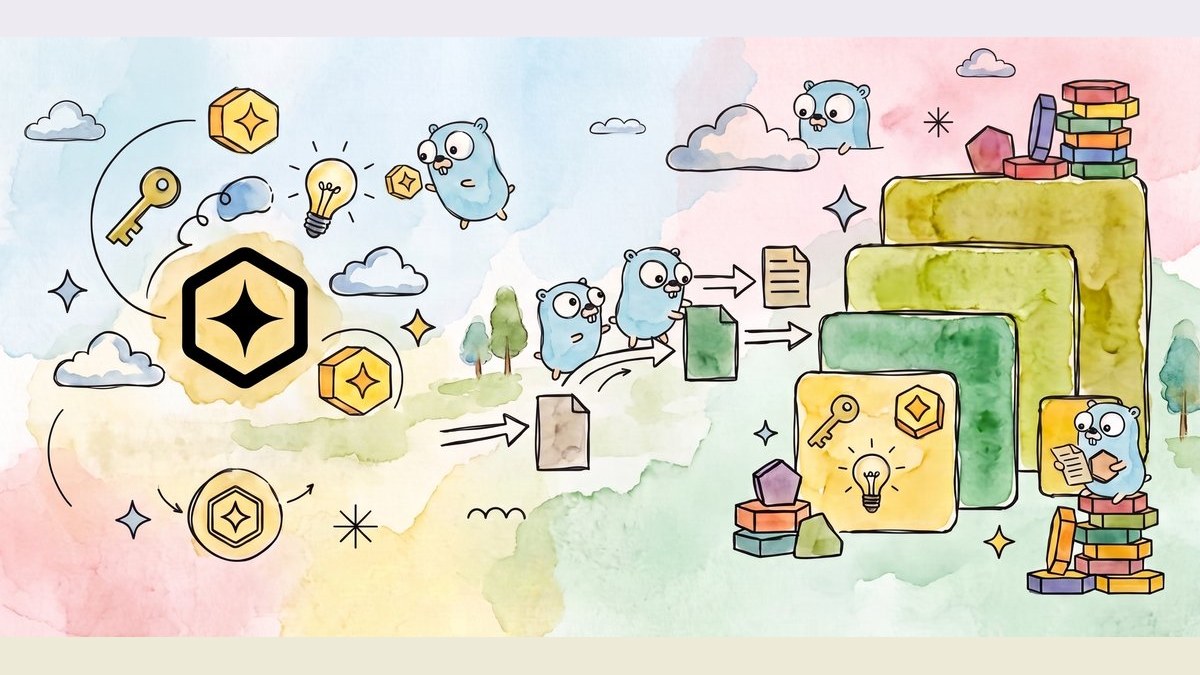
Google wires Agent Skills into its Genkit framework for on-demand skill packs
- AI agent manuals keep piling up, and cramming them all into context burns tokens and distracts the model. Google wired Agent Skills into its own framework, Genkit: the manuals stay on disk, and the right one loads only when needed.
- The skills standard started with Anthropic, and Google hooked it into all four language versions. Enabling it takes one line of code.
- Google's official test image is the original painting of "Monkey Jesus" (disfigured in 2012). The model correctly identifies it as an oil painting and summons the matching restoration skill.
Stuffing the manual into the AI's head is a losing game
The Google Developers Blog just published a refreshingly practical tutorial: Genkit, their open-source AI application framework, now officially supports Agent Skills — the "AI skill pack" format started by Anthropic and now open as an industry standard. The short version: you used to have to shove every operating manual into the prompt, but now the manuals stay on disk and only the one you need gets loaded. The tutorial includes two directly runnable Go examples: a recipe bot, and an AI art restorer that picks its own restoration approach.
Every agent builder knows this problem: the more tasks your agent takes on, the more manuals you have to hand it—operating procedures, reference guides, assorted docs. Keep all of it resident in the context window and three problems hit at once: tokens burn fast (every request re-reads the whole pile), attention dilutes (the few lines that matter get buried in hundreds of pages), and the odds of a wrong answer actually climb. It's like making an employee memorize the entire corporate rulebook every morning when they'll only need one page all day.
Agent Skills is the answer: package expertise into individual skills that sit in the background until the moment they're needed. If you've used Skills in Claude Code, this will feel familiar—same format, and Anthropic has opened it up as a standard (agentskills.io). Genkit now plugs into that same spec. We've previously broken down Anthropic's official take on using Skills to build a validation loop:
A skill is just a folder
So what does an "on-demand" skill actually look like? Surprisingly simple: a skill is a folder containing exactly one required file, SKILL.md. That file has two parts. At the top is the frontmatter — a small block of metadata wrapped in --- that says what the skill is called and when to reach for it. Below that is the body: the actual operating instructions. The folder can also hold three types of optional resources: scripts/ (executable code), references/ (documentation), and assets/ (templates or other resources).
skill-name/
├── SKILL.md          # Required: metadata + instructions
├── scripts/          # Optional: executable code
├── references/       # Optional: documentation
├── assets/           # Optional: templates, resources
└── ...               # Any additional files or directories
Because a skill is just Markdown plus regular files, you can distribute it with Git like any code—no extra server to stand up. For the frontmatter, Google's docs include an official template. The key is the description field: that's your trigger.
---
name: adr-template
description: Activate this skill when proposing significant architectural changes, documenting codebase refactorings, or resolving design/technical debates. Use this skill to author and maintain Architecture Decision Records (ADRs) to preserve engineering context.
license: Apache-2.0
metadata:
  author: example-org
  version: "1.0"
---
Progressive disclosure: the catalog stays resident, the body is summoned by name
With the folder ready, how does the model know when to use it? Through a mechanism called progressive disclosure, in three steps:
- Discovery: at startup, the framework scans the skills directory and injects just the name and description of each skill into the system prompt — the model only sees the table of contents;
- Activation: when a task matches a skill's description, the framework invokes the
use_skilltool, pulling the full SKILL.md body into the context; - Execution: the model follows the instructions, reading references or running bundled scripts as needed.
That's how the token bill gets trimmed: the only thing living permanently in the context window is a few dozen characters per skill—the card. Hundreds of pages of fine print stay on disk, and only the one that gets called loads into memory. This design buys you three things:

One line to hook in, powered by middleware
Now that you understand the mechanism, how much code does it actually take? One line. Add an ai.WithUse argument to your genkit.Generate call, point it at the skills folder, and you're done:
resp, err := genkit.Generate(ctx, g,
    ai.WithPrompt("How do I run tests in this repo?"),
    ai.WithUse(&middleware.Skills{SkillPaths: []string{"./skills"}}),
)
Behind that one line is Genkit's middleware system—a layer that sits between your code and the model. Every request passes through it, and at that point the middleware can add stuff, reroute things, or keep a ledger. Think of it like a package-sorting station. There are three types of hooks, each intercepting a different stage: WrapGenerate intercepts the per-turn conversation loop, handling jobs like system-prompt injection that need to see the full conversation. WrapModel intercepts each model API call, handling retries, fallbacks, and caching. WrapTool intercepts each tool execution. The Skills middleware sits on these hooks and does exactly three things: scan the directory for SKILL.md files → inject the cards into the system prompt → activate when a request matches a description.
Example 1: Say "cheese," summon the cheese bread skill
Let's start with the smallest possible example. The first one in the tutorial is a command-line recipe tool: you give it an ingredient, it gives you a recipe. The skills folder holds two skills, banana-bread and cheese-bread. Run go run main.go cheese, the model matches the description on cheese-bread, activates the skill, and prints out a full recipe for Brazilian cheese bread (Pão de Queijo) straight from the skill's instructions:
+-------------------------------------------------+
|         TRADITIONAL BRAZILIAN CHEESE BREAD      |
|                 (Pao de Queijo)                 |
+-------------------------------------------------+
INGREDIENTS
* Tapioca Flour (Sour Starch) .. 2 cups (240g)
* Grated Parmesan/Queijo ...... 1.5 cups (150g)
  ……
PRO TIP: You can freeze the unbaked dough balls
on a tray, then store them in a bag.
This example demonstrates the most basic loop: a user sentence matches a skill's description, the card gets swapped for the body, and the model follows the recipe.
Example 2: An AI art restorer that picks its own skill by looking at the image
The minimal example only shows matching. The second one is closer to a production scenario: a multimodal AI art restorer. You feed it a photo of a damaged artwork, and the model first decides whether it's a drawing, a painting, or a photograph, then activates the matching restoration skill — drawings, paintings, and photography each have their own restoration protocol. Finally, Gemini 3.1 Flash Image (a.k.a. Nano Banana 2) generates the restored image. The skill-selection step needs zero branch logic in code. The model just looks at the image and decides.
The paintings skill's SKILL.md reads like the professional restorer's rulebook: absolute fidelity (strictly no adding elements that aren't in the original), anti-modernization (keeping brushstrokes, not smoothing out texture), respect for craquelure (the crack network is part of the artwork's history, don't fill it in). Then a three-step process: varnish correction → grime reduction → inpainting. The file itself is a model example of "turning a professional protocol into a skill":
---
name: paintings
description: Restoration protocol for fine art paintings.
---

# Painting restoration

Perform direct, minimal-intervention restoration of fine art
paintings. Prioritize historical integrity, original pigment
depth, and surface textures over cosmetic modernization. Do not
include any elements, nor introduce any techniques not present
in the original piece.

### 1. Core conservation mandates
* **Absolute Fidelity:** Strictly forbidden to add new subjects,
  figures, scenery, details, or narrative elements under any
  circumstances.
* **Anti-Modernization:** Retain original brushstroke
  characteristics. Do not flatten support textures.
* **Patina & Craquelure:** Respect the natural crack network
  (craquelure) as part of the artwork's history. Do not fill or
  erase cracks unless they pose an active risk of paint loss.

### 2. Step-by-step restoration process
1. **Varnish Correction:** Gently balance aged, yellowed natural
   varnishes to recover original pigment chromaticity without
   forcing modern, high-contrast saturation.
2. **Soot & Grime Reduction:** Isolate and lift surface grime
   while protecting delicate, thin underlying glaze layers.
3. **Inpaint Major Loss:** Where paint layers are missing, use
   references from the surviving elements to bridge the gap.
   Replicate the original brush direction, speed, height,
   transparency, and light source.
The test image is an old friend: Elías García Martínez's Ecce Homo. In 2012, an amateur restorer turned the church fresco into "Monkey Jesus," and the internet went wild. The tutorial feeds the model the pre-incident original, and the model correctly identifies it as a classical religious oil painting, activates the paintings skill, and outputs a restoration plan: first remove the yellowed varnish and grime to recover the deep reds and flesh tones, then reduce distracting cracks while keeping the purple robe's mottled texture, and finally give the background scroll a deliberately aged parchment feel.


The restoration skill is still an early attempt: LLMs have randomness built in, so the same image may need several runs to get a good result, and the protocol itself would need a professional restorer to fine-tune. The full code for both examples is open-sourced in the GoogleCloudPlatform devrel-demos repository — links at the end of this article.
Four tips for writing your own skills
Before you write your own skills, run through the four pieces of advice the tutorial closes with:
AI manuals don't have to live in the conversation. Mount them on demand, like apps.
Google wired Anthropic's Agent Skills standard into its own AI framework, Genkit. Here's the whole story on one illustrated page.
↓ One page to read · includes an animated diagram
The more jobs your AI agent (an AI assistant that can call tools and do things) takes on, the more manuals you have to hand it: operating procedures, reference guides, assorted docs. In the past, all of that had to sit permanently in the conversation.
Tokens (the billing unit for model processing) burn for nothing — every question re-reads the whole pile
Attention gets diluted — the few useful lines drown in hundreds of pages
The odds of a wrong answer actually go up
✔ Like making an employee memorize the entire corporate rulebook every morning
when they'll only use one page of it all day
Agent Skills exists to solve exactly this: package expertise into individual skills that sit quietly on disk until the moment they're actually needed.
The answer is surprisingly simple: a skill is a folder containing one required file, SKILL.md. That file has two halves — the light half stays resident, the heavy half is loaded on demand.
How does the model know when to use which skill? Through a mechanism called progressive disclosure, in three steps. Say Xiaohu has prepared thirty skills for his writing assistant, and today he wants to write an architecture decision record:
Genkit is Google's open-source framework for building AI applications. To make it aware of your skills, add one argument to your existing generation call and point it at the skills folder:
Behind that line is Genkit's middleware (a layer between your code and the model that can add, reroute, or log as requests pass through). The skills middleware does three things: scan the directory for SKILL.md files, inject the cards into the system prompt, and activate on a match.
The tutorial ships with two complete Go examples, open-sourced and ready to copy.
Type "cheese" on the command line, the model matches the cheese-bread description, activates, and prints out a Brazilian cheese bread recipe. It demonstrates the basic loop: match description → swap card for body.
✔ Example 2 · AI art restorer: feed it a photo of a damaged painting; the model decides for itself whether it's a drawing, oil painting, or photo
Each restoration protocol is a separate skill. The skill-picking step has zero branch logic — the model just looks at the image. Gemini 3.1 Flash Image generates the restored output.
The painting skill reads like a professional restorer's rulebook: absolute fidelity (never add elements not in the original), keep the brushstrokes, don't smooth the texture; cracks are history, don't fill them. Then a three-step protocol: varnish correction → grime reduction → inpainting.
✔ The test image is Ecce Homo — the original of the one an amateur turned into "Monkey Jesus" in 2012
It feeds the model the pre-incident original. The model correctly identifies it as a classical religious oil painting, activates the painting skill, and outputs a restoration plan plus the restored image.
The tutorial closes with four, worth checking yourself against before you write one:
- Make the description specific: the description in the card is the only trigger. Use the imperative: "when to use me." The more concrete you are, the better the model knows when to call it.
- One skill, one job: don't build a mega-skill that manages everything. Focused skills trigger reliably.
- Bundle a runnable script: give the model a deterministic "ground truth" tool for the critical steps instead of making it improvise.
- Keep details in references/: keep SKILL.md itself clean; move longer docs into the reference folder so the model reads them on demand.
In the full article you'll find the one-line hookup, the folder structure, a card template, and the complete oil-painting restoration protocol — four ready-to-copy pieces.
solid!
Every question re-reads the whole stack.
- × Tokens wasted
- × Attention diluted
- × More wrong answers
a skill look like?
One manual.
plus a line about
"when to call me."
A few dozen characters.
ADR
staying put on disk.
code do I change?
his Genkit project.
Point at the skills folder, the framework scans it.
load the restoration skill
photos — each has
a protocol. Which one?
The model looks at
the image and decides.
Zero branch logic.
Members can copy or download the full Markdown, and let their AI subscribe and ask.
Found this useful? Leave your email — every new explainer, the moment it's out. Unsubscribe anytime.