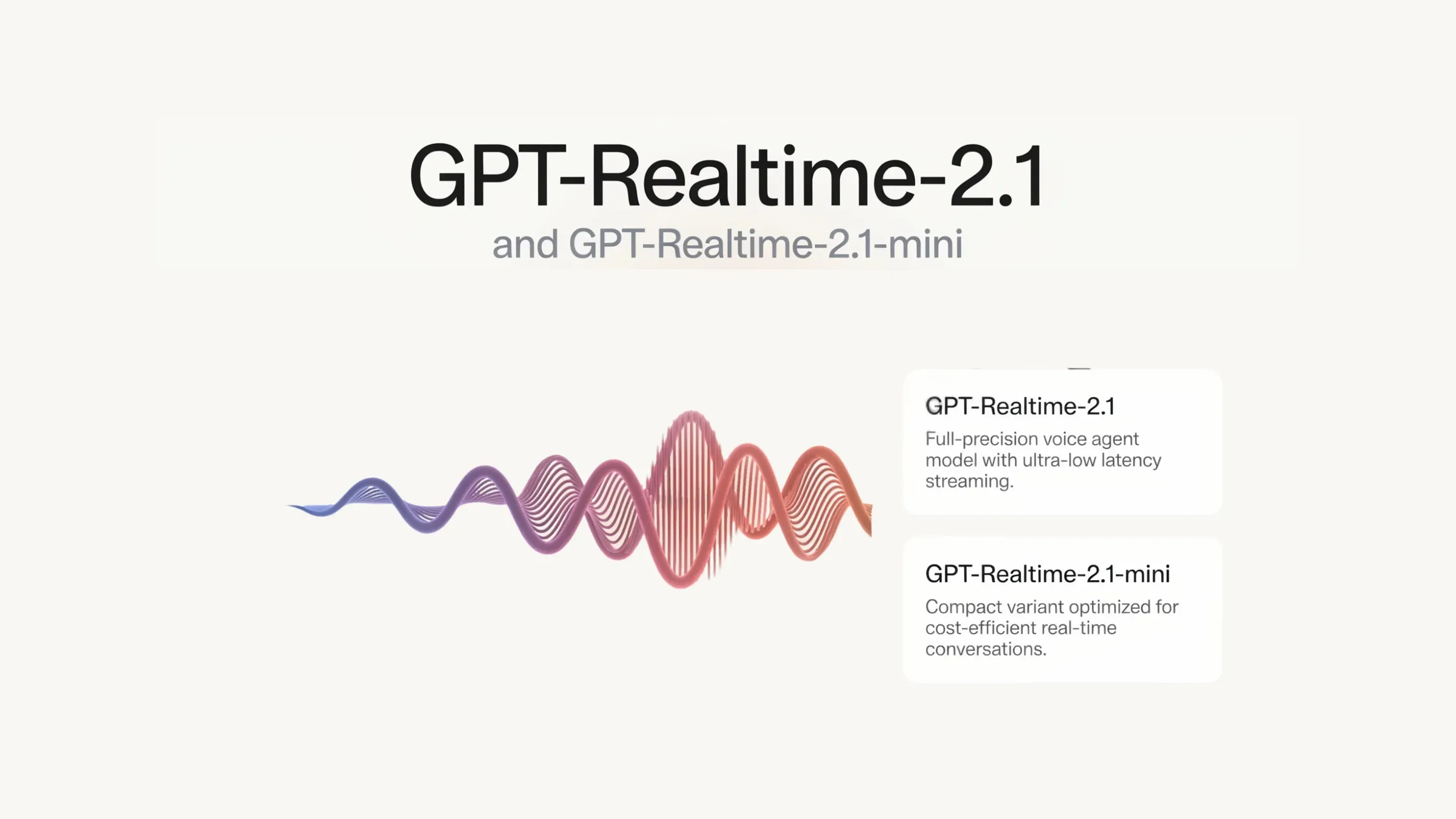
OpenAI launches GPT-Realtime-2.1 and GPT-Realtime-2.1-mini realtime voice models: the mini model gains reasoning, latency drops 25%
- OpenAI has simultaneously launched two new Realtime models in the API: gpt-realtime-2.1 and gpt-realtime-2.1-mini, both built for low-latency voice and multimodal scenarios
- gpt-realtime-2.1-mini is the first reasoning-capable realtime voice model at the mini price point — priced identically to the previous gpt-realtime-mini
- Both models have configurable reasoning effort, five levels (minimal / low / medium / high / xhigh), defaulting to low to keep latency in check
- Thanks to caching improvements, the slowest requests across the entire Realtime voice model lineup are at least 25% faster; the mini's cached audio input price drops from $10 per million tokens to $0.30
- gpt-realtime-2.1 improves on its predecessor in alphanumeric recognition, silence and noise handling, and interruption behavior; the mini's audio output price is roughly a third of the full model's ($20 vs. $64)
What OpenAI just shipped
OpenAI has just launched two new Realtime models in the API, gpt-realtime-2.1 and gpt-realtime-2.1-mini, both built for low-latency voice and multimodal interaction.
Both models are the "listen and respond" type of voice assistant, sitting in the Realtime family's conversational-response, tool-calling line. OpenAI also has separate models for simultaneous interpretation (gpt-realtime-translate) and realtime transcription (gpt-realtime-whisper) — those are distinct models not covered by this launch.
First, how "Realtime" actually works
The Realtime API's foundation is: a single model processes speech it hears directly into speech it speaks. It skips the three-step round trip of "speech to text, generate a text reply, then synthesize speech back." This is what's called single-model speech-to-speech. Here's a side-by-side of the two approaches.
Speech → transcribed to text → text reply generated → synthesized back to speech. Each seam has to wait for the previous step to finish, so latency stacks up layer by layer, and the speaker's tone and pauses tend to get lost in the transcription step.
One model, speech in and speech out, no longer split into three stages. Two fewer seams means lower latency, and tone and nuance are better preserved.
The single-model approach is like two people talking face to face. The three-hop version is like saying a sentence, having someone jot it down as a note, and a second person read the note out loud — slow, and the tone gets lost on the paper along the way.
Where voice assistants used to get stuck
Voice assistants often froze up when calling tools. The model would go silent right after triggering a function call, the user would assume the call had dropped, speak over it or just hang up, and the conversation state would get scrambled — leaving you with half a result and having to call back and start over.
Reasoning lands in the mini tier — how it fixes the silence problem
This section is the heart of the launch: reasoning gets pushed down to the cheap mini tier, and paired with a "verbal heads-up," it directly fixes the silent-dropout problem from the last section.
What "reasoning" means here
Reasoning means the model thinks through, before it speaks, how to handle a request and whether it needs to call a tool — instead of blurting out whatever it hears first. The mini tier now supports function calling too, so it can plan a step ahead, call your function, and then give the answer.
A verbal heads-up turns silence into "talk while you work." The model can say "let me check that" first, then keep talking while it handles the request in the background. The user hears a voice the whole time and doesn't assume the call dropped, so multi-step voice tasks stay coherent.
More importantly: the price. The mini gained reasoning, but its pricing stays exactly the same as the previous gpt-realtime-mini. For the first time, cost-sensitive voice apps get reasoning and tool-calling at no extra cost.
Breaking down a single tool-calling exchange, the sequence looks like this:
Five reasoning levels — trading off latency against quality
Reasoning effort is configurable, five levels from low to high: minimal, low, medium, high, xhigh. Low is the default, keeping latency down for simple exchanges; the higher the effort, the more latency and output tokens it uses. OpenAI recommends most production voice assistants start at low and only dial it up for harder tasks.
How to choose between the two models
The short version: use the full gpt-realtime-2.1 for the strongest realtime reasoning, tool-calling, instruction-following, and voice-assistant behavior; use gpt-realtime-2.1-mini when faster and cheaper is good enough.
| Dimension | gpt-realtime-2.1 (full) | gpt-realtime-2.1-mini |
|---|---|---|
| Positioning | Strongest realtime reasoning and voice-assistant behavior | Faster, cheaper option |
| Reasoning | Yes, adjustable effort | Yes, mini reasoning model |
| Tool calling | Yes | Yes |
| Improvements over predecessor | Better alphanumeric recognition, silence/noise handling, and interruption behavior | Keeps prior mini's capabilities, adds reasoning |
| Audio output price | $64 / million tokens | $20 / million tokens |
| Pick this when… | You need the strongest reasoning and voice-assistant performance | You need speed and cost savings, and the capability is good enough |
25% lower latency, and how caching saves money
This launch's latency improvement comes from caching optimizations. And caching doesn't just save time — it saves a lot of money too.
What "p95 latency" means
p95 latency is: line up every request's response time from fastest to slowest, and take the value at the 95th percentile. It represents how long the slowest 5% of users actually waited — not the average. For realtime voice, the choppiness users actually notice hides in that slow tail. Cutting that tail by at least 25% makes the conversation feel noticeably more responsive.
100 people in a checkout line — what you actually care about isn't the average wait, but how long the 5 people near the back of the line waited. If they're not complaining, the system is solid.
Why cached hits drop the price so much
Cached input means: this turn of the conversation continues from a system prompt or history that's already been processed, and the service recognizes "this part's already been computed," reusing it instead of recomputing — so the price drops sharply. The system prompt gets cached after the first turn, so the longer the conversation and the more it reuses, the more it saves. Here's the gap between cached and fresh pricing for the mini's audio input:
All three models' prices, in full
All prices are per million tokens, across text, audio, and image. Click a tab to switch categories — the mini column is highlighted.
| Audio / per million tokens | gpt-realtime-2.1 | 2.1-mini | Prior mini |
|---|---|---|---|
| Audio input | $32.00 | $10.00 | $10.00 |
| Audio cached input | $0.40 | $0.30 | $0.30 |
| Audio output | $64.00 | $20.00 | $20.00 |
| Text / per million tokens | gpt-realtime-2.1 | 2.1-mini | Prior mini |
|---|---|---|---|
| Text input | $4.00 | $0.60 | $0.60 |
| Text cached input | $0.40 | $0.06 | $0.06 |
| Text output | $24.00 | $2.40 | $2.40 |
| Image / per million tokens | gpt-realtime-2.1 | 2.1-mini | Prior mini |
|---|---|---|---|
| Image input | $5.00 | $0.80 | $0.80 |
| Image cached input | $0.50 | $0.08 | $0.08 |
What it's good for
Four typical scenarios, each showing how reasoning, tool-calling, and the recognition improvements come into play:
A user calls saying a bill looks wrong. The mini uses low-effort reasoning to assess the issue, calls lookup_account to pull the account, then check_invoice to pull the bill — narrating progress out loud at each step so the user never thinks the call dropped.
A user wants to move an appointment to next Tuesday. The model precisely captures the exact date, confirms it with the user, then calls the reschedule function. Only confirmed values get passed to the tool, avoiding guessed inputs.
A phone app streams microphone audio over WebRTC. The mini answers product questions in a sentence or two, cheaply enough to run this feature at high concurrency.
A technician has the assistant log a part number. The improved alphanumeric recognition more accurately captures a code like "8-3-5-7-1" — the model reads it back to confirm before executing.
What integration looks like
The minimal setup: the server first mints a short-lived client credential (the standard API key stays server-side and never gets exposed), and the browser uses that short-lived credential to connect directly over WebRTC, setting up a microphone track and a data channel to send and receive events.
Pick the connection method by scenario: browsers and phones that capture and play audio directly use WebRTC; servers that already have a raw audio stream (call centers, media pipelines) use WebSocket; telephony voice agents use SIP.
Expand for two minimal code snippets (server issues credential + browser initiates connection)
// Server: mint a short-lived client secret
const r = await fetch("https://api.openai.com/v1/realtime/client_secrets", {
  method: "POST",
  headers: {
    Authorization: `Bearer ${process.env.OPENAI_API_KEY}`,
    "Content-Type": "application/json"
  },
  body: JSON.stringify({
    session: {
      type: "realtime",
      model: "gpt-realtime-2.1-mini",
      instructions: "You are a support agent. Reply in one or two short sentences.",
      reasoning: { effort: "low" },
      tools: [
        {
          type: "function",
          name: "lookup_account",
          description: "Look up a customer account by email.",
          parameters: {
            type: "object",
            properties: { email: { type: "string" } },
            required: ["email"]
          }
        }
      ],
      tool_choice: "auto"
    }
  })
});
const { value: EPHEMERAL_KEY } = await r.json(); // pass this to the browser
// Browser: connect to the Realtime API over WebRTC
const pc = new RTCPeerConnection();

const audioEl = document.createElement("audio");
audioEl.autoplay = true;
pc.ontrack = (e) => { audioEl.srcObject = e.streams[0]; };

const mic = await navigator.mediaDevices.getUserMedia({ audio: true });
pc.addTrack(mic.getTracks()[0]);

const events = pc.createDataChannel("oai-events");
events.addEventListener("message", (e) => console.log(JSON.parse(e.data)));

const offer = await pc.createOffer();
await pc.setLocalDescription(offer);

const sdp = await fetch("https://api.openai.com/v1/realtime/calls", {
  method: "POST",
  body: offer.sdp,
  headers: {
    Authorization: `Bearer ${EPHEMERAL_KEY}`,
    "Content-Type": "application/sdp"
  }
});
await pc.setRemoteDescription({ type: "answer", sdp: await sdp.text() });
Start with low reasoning effort and only dial up for harder tasks; keep hard rules separate from defaults in your instructions; run an eval before and after any model migration to compare.
This ships through the GA endpoint, not beta. If your app distinguishes between end users, OpenAI recommends adding an OpenAI-Safety-Identifier header to credential-issuing requests (e.g., a hash of the internal user ID), so abuse monitoring can pinpoint the specific user instead of mistakenly flagging the whole account.
Where it shines, where it's limited
By OpenAI's own numbers, here's both sides of this launch:
- Reasoning pushed down to the cheap mini tier
- Priced the same as the previous gpt-realtime-mini — no price hike
- p95 latency down at least 25% across the lineup
- Five adjustable reasoning levels, trading latency against depth by task
- Single-model audio pipeline makes conversation feel more natural
- Audio billed by token, hard to translate into a per-call cost estimate
- Higher reasoning effort means more latency and more output tokens
- Long sessions that keep resending context will rack up input costs if not trimmed
- The mini tier is still weaker than the full gpt-realtime-2.1
The model can say "let me look into that order" first, then keep talking while it handles the request, so multi-step voice tasks stay coherent. MarkTechPost, by Michal Sutter
When your voice assistant looks something up: from "sudden silence, mistaken for a dropped call" → to "says 'let me check that' first, talks while it works"
OpenAI shipped two new voice models: no more cold silence when the AI calls a tool mid-call, and for the first time "reasoning" lands in the cheapest tier — the whole thing on one page, with a diagram.
↓ Read the page · there's an animated figure
First, what this is. The Realtime API is OpenAI's interface for having AI talk with you live, like a phone call. This launch drops two new voice models at once. But this kind of voice assistant had an old problem —
✘ But the moment you ask it to look something up (call a tool — check an account, check an order), it suddenly goes silent
It's actually looking things up in the background, but it says nothing. The user assumes the call dropped, speaks over it or just hangs up, and ends up with only half a result — has to call back and start over.
This time's change: the model learned to "think before speaking" and can keep talking while it looks things up — opening with "let me check that." The user hears a voice the whole time and won't assume the call dropped.
Assistant: ……(looking it up in the background, no response)
User: Hello? Still there?, hangs up
Assistant: Sure, let me pull that up for you
Assistant: (looking it up while talking) Found it, that one from June 3rd…
How does it pull off talking and working at once without falling apart? It's the new "reasoning" underneath. What that whole flow looks like — see the figure below.
Reasoning means the model thinks it through in its head before speaking: how should it respond, does it need to call a tool to check something. Once it's figured that out, it gives you a verbal heads-up first, then acts. Below, using XiaoHu calling to check an order as the scenario, the old and new flows are laid side by side.
Same order-lookup request: the old way goes completely silent while "calling the tool," so the user assumes it dropped and interrupts, getting only half the result; the new way says "let me check that" first, then talks while it works, all the way through.
The longer it thinks, the more thorough — but also slower. Reasoning has five levels (minimal / low / medium / high / xhigh), defaulting to the fastest-that's-good-enough low tier, dialing up only for harder tasks.
"How many times faster" doesn't mean much to most people — converting it to money makes it click. For the same million tokens of voice input (roughly, a chunk of words), uncached costs $10, while a "cache hit" (reusing parts already computed earlier in the conversation instead of recomputing) costs just $0.30.
that cheaper mini
Price didn't move
- × Audio billed by token, hard to price out per call
- × Crank reasoning too high, it just gets slower and pricier
- × Mini still isn't as capable as the full model
Members can copy or download the full Markdown, and let their AI subscribe and ask.
Found this useful? Leave your email — every new explainer, the moment it's out. Unsubscribe anytime.