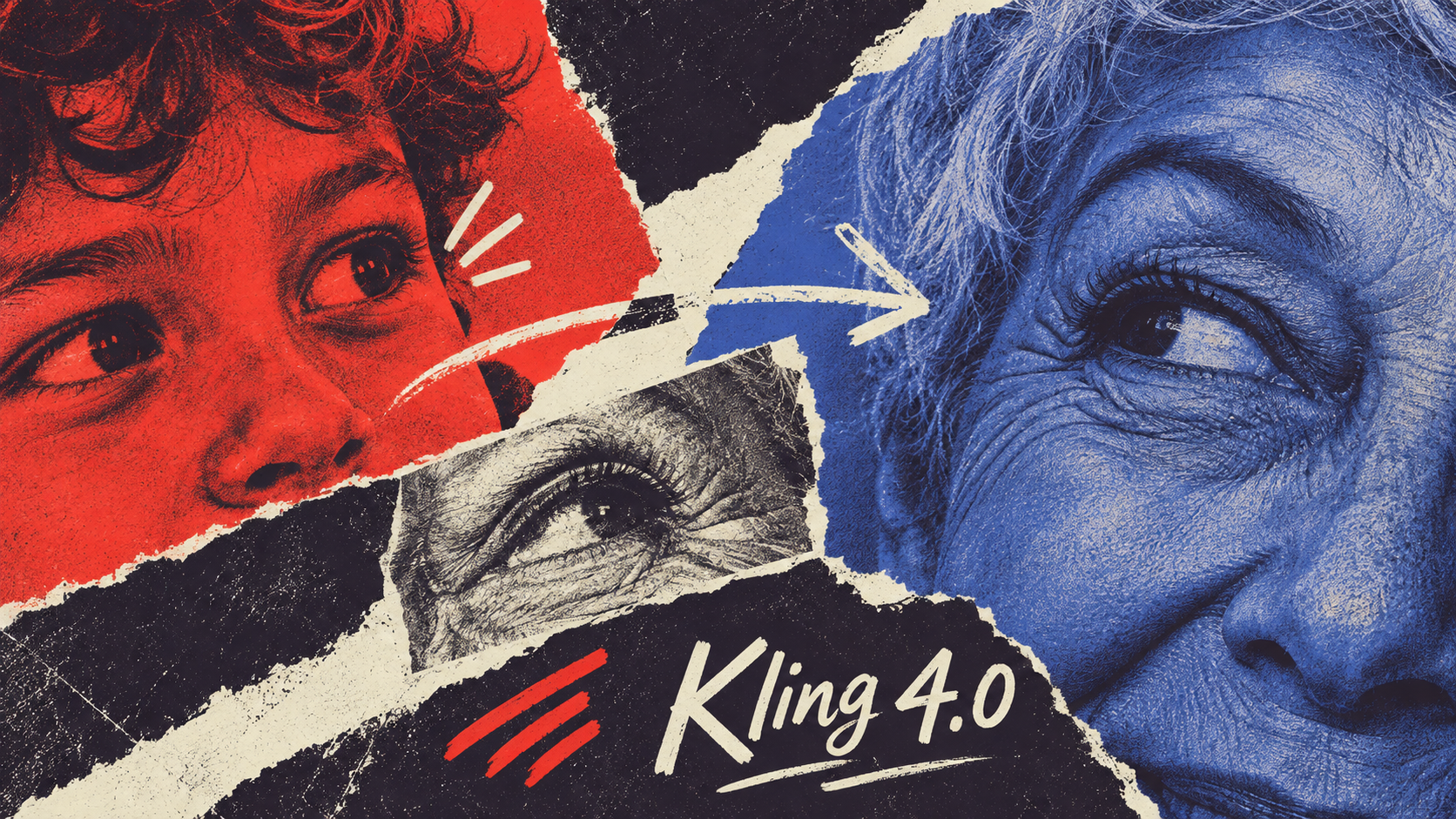
Kling 4.0 Officially Launches: 74 Video Demos Explain Exactly What Has Improved
All 74 official videos and 80 reference images, with guidance on combining references, editing videos, and generating through MCP and CLI workflows.
Kuaishou's Kling AI team has officially rolled out its next-generation video generation model, Kling 4.0, alongside Kling 4.0 Flash, a lightweight version designed for high-frequency creative workflows.
Key capabilities include:
- Motion and Audiovisual Performance: Supports large-scale physical movements, complex camera work, dual-channel stereo audio, multiple languages, and regional accents; official reports indicate improvements in facial expressions and lip-sync accuracy.
- Expanded Omni Reference System: A single task supports up to 15 reference assets, including reference images (≤ 10), reference videos (≤ 5 with a cumulative duration ≤ 30 seconds), subjects (≤ 7), and voice references; supports diverse reference formats including three-view orthographics, storyboards, graybox previs videos, and depth videos.
- Narrative Duration and Key Transition Control: Supports native single-run generations of up to 30 seconds, up to 10 keyframes to define transition checkpoints, and prompt capacity expanded to 8,000 tokens.
- Video Editing: Supports inputs of up to 5 videos (including 1 primary video), allowing users to add, remove, or replace subjects and backgrounds within existing footage, as well as adjust art styles, weather, colors, and textures.
- Aspect Ratios, Resolutions, and Model Tiers: Supports 720p, 1080p, and 4K outputs, introducing a new 21:9 ultra-wide aspect ratio; 10-bit HDR for 1080p and 4K as well as video extensions up to 2 minutes are slated as upcoming; Kling 4.0 Flash provides rapid, high-frequency generation at 720p, 3 to 20 seconds, in 8-bit SDR.
- Integrated Creative Workflow: The web interface features a unified input box integrating prompts and multimodal references, dual list and grid views, an interactive timeline for editing while reviewing, and a node-based canvas supporting layout connections and Agent interactions; MCP and CLI interfaces are also open for external Agent calls.
This page fully compiles all 74 videos from the official release: 14 input references and 60 generated results or demo videos, accompanied by all 80 reference images. Jump to any section using the table of contents; actual performance should still be evaluated against specific creative tasks.
Motion, Camera Work, and Character Performance
Kling claims that this generation improves high-speed motion, continuous actions, and complex camera movements such as tracking and orbiting, focusing on scenes where characters, backgrounds, and cameras shift simultaneously.
Multi-Character Action and Large-Scale Scenes


Review the character and scene references before playing the fight sequence. Notice how character identities, clothing, and spatial relationships hold up during rapid motion and multi-person blocking.
Videos and reference images: Kling official release page. Click the player to play; full-screen viewing is available.
When inspecting action clips, first check whether the character maintains the same face after a quick turn, then check whether crossing hands and feet remain distinct and whether scene layouts stay consistent before and after.
Fantasy Character and High-Speed VFX

The first frame is a fantasy composition featuring a dark-haired woman, bronze coins, and red silk threads; the ~15-second result presents hand-casting motions, red streaks, and flying bronze coins.
Videos and reference images: Kling official release page. Click player to play; click reference images to enlarge.
The first frame image can establish the character and composition at the start of a visual-effects action.
Character Performance and Audiovisual Sync


Indoor dialogue and recording studio performance. When playing, compare facial expressions, body gestures, dialogue lines, and lip sync; listen with headphones for sound effects and voice.
Videos and reference images: Kling official release page. Click the player to play; full-screen viewing is available.
In character close-ups, focus on the coordination between gaze, facial expressions, and physical movements.
Generating a Character Self-Introduction from a Single Prompt
Official prompt:Vlogger video: the female host introduces herself cheerfully to the audience, maintaining lifelike realism and authentic image quality.
The official prompt is: "Vlogger video: the female host introduces herself cheerfully to the audience, maintaining lifelike realism and authentic image quality." The ~7-second result shows a woman talking and smiling to the camera indoors.
Videos and reference images: Kling official release page. Click player to play; click reference images to enlarge.
The main model supports dual-channel stereo audio, with official claims of improved lip-sync and audiovisual synchronization. When evaluating dialogue, character close-ups, or musical content, listen with headphones to assess vocals and ambient sound while cross-referencing lip movements against spoken lines.
Turning Collage Posters into Dynamic Clips


The four reference images are posters featuring various figures, torn paper, and 'Kling 4.0' text; the ~15-second result cuts between collaged portraits, car photos, and title layouts.
Videos and reference images: Kling official release page. Click player to play; click reference images to enlarge.
Camera movement and shot scale determine when viewers observe character details and when they grasp the spatial relationships across the entire action.
Camera Choreography and Action Blocking
Men in white martial arts uniforms spar indoors as the camera shifts between close-range views, high camera positions, and close-ups. Focus on how action and changes in perspective work together.
Videos and reference images: Kling official release page. Click the player to play; full-screen viewing is available.
Check whether perspective shifts clearly convey character positioning and movement progression. Camera staging encompasses both camera movements and transitions across different shot scales.
Ocean Piano: Four Keyframe Sets


The four input images show a ship's bow in rough seas, a pianist on deck, hands playing, and a man's face; the approximately 22-second result shows the vessel in rough seas, the performer, hand close-ups, and the ship on the water.
Videos and reference images: Kling official release page. Click player to play; click reference images to enlarge.
Keyframe Stills: Character and Mountain Trail


The four inputs include multi-angle designs of a woman in a bamboo hat, a wide mountain-path view, a facial close-up, and a pose holding a throwing knife; the approximately 10-second result shows the character on the mountain path, moving camera shots, and close-ups of the hand holding the knife.
Videos and reference images: Kling official release page. Click player to play; click reference images to enlarge.
End Frame Reference: Classical Ensemble Composition

The end frame is a classical oil-painting-style group portrait; the approximately 15-second video moves from close-ups of figures and objects to a wide group shot close to the input composition.
Videos and reference images: Kling official release page. Click player to play; click reference images to enlarge.
The end frame specifies the intended final visual; keyframes can also dictate intermediate plot points or shot scales. When aiming for a finalized group portrait or poster composition, provide the end frame first; if specific visuals must be hit along the way, express them with keyframes. Camera work and physical transitions between nodes are still generated by the model and require inspection for seamless continuity.
Light and Dark Comparison in High-Spec Output
Two official split-screen demos of ~5 and ~6 seconds showing a woman drinking tea in a classical interior and a creature holding a candle in a dark cave; watermarked with 4K HDR, showing split-screen contrast in dynamic range and color. Feature details remain listed as coming soon; web preview clips do not verify that users can currently generate HDR.
Playing SDR-compatible preview here. Original HDR sample clips:Tea room · Cave creature。
Videos and reference images: Kling official release page. Click player to play; click reference images to enlarge.
10-bit HDR produces smoother gradations in luminance and color, leaving greater headroom for post-production grading; this generation capability for 1080p and 4K remains labeled as upcoming. This page defaults to SDR-compatible previews, with access provided to the original HDR demo clips.
Omni Reference: Images Establish Appearance, Videos Convey Motion and Camera Work
Use images to establish character appearance, products, and scenes; use videos to indicate actions, camera movements, or shooting rhythm; then use prompts to specify which aspects to borrow from each asset.
Official reference limits are as follows:
- A single task supports up to 15 reference assets.
- Reference Images: Up to 10 images.
- Reference Videos: Up to 5 clips, with a cumulative total duration not exceeding 30 seconds across all reference videos (including video subjects).
- Reference Subjects: Up to 7 subjects in total, with no more than 3 video subjects.
- Reference Audio: Supports specifying voice references.
Each individual category limit and the overall 15-asset cap must be met simultaneously. For instance, 10 images, 5 videos, plus 1 voice reference totals 16 items; even if video count stays within the limit, it may fail if cumulative duration exceeds 30 seconds. Specific counting details when a single asset is registered across multiple categories should follow the actual product interface.
Multiple Static References Forming a Shot

A collage image introduces multiple characters, vehicles, and props; the generated result organizes these visual elements into driving, chase, and explosion scenes.
Videos and reference images: Kling official release page. Click the player to play; full-screen viewing is available.
Images can independently represent characters, props, layouts, or styles. When preparing multiple assets, clearly specify their respective roles in the prompt.
Character Reference and Consistency


Two character references alongside the palace duel result. Observe how facial features, physique, and wardrobe persist during rapid movement and turns.
Videos and reference images: Kling official release page. Click the player to play; full-screen viewing is available.
When producing continuous narrative sequences, check whether the character's facial features, physique, and clothing remain consistent across different poses.
Animation Characters and Relative Scale


Four images supply the forest treehouse, a mouse in yellow overalls, a hedgehog in a red scarf, and their relative scale comparison; the ~30-second result portrays the hedgehog visiting the treehouse, meeting the mouse, and delivering a letter.
Videos and reference images: Kling official release page. Click player to play; click reference images to enlarge.
Same Character Across Multiple Indoor Spaces


Four images provide a table-side view, a bed by a window, a top-down bed composition, and a woman in a gray dress; the approximately 15-second result shows the woman seated at the table, close-ups of her holding a cup, and her lying on the bed.
Videos and reference images: Kling official release page. Click player to play; click reference images to enlarge.
Reference images can be supplied separately for characters, environments, and relative physical scale; when comparing results, verify that character appearances, size proportions, and scene details remain continuous.
Combining Reference Video with Product Image

The original reference shows a woman turning around holding a brown drink; after adding the orange bottled product image, the result uses similar motion and camera pacing to present the new product.
Videos and reference images: Kling official release page. Click the player to play; full-screen viewing is available.
In the beverage showcase, the video dictates "how to shoot," while the product image defines "what to shoot." When you need to preserve camera rhythm while swapping the featured product, reference assets can be allocated in this manner.
Motion Reference: Boxing Ring to Rope Bridge


The two images above define the characters, while the videos below compare the boxing ring motion reference with the jungle rope bridge result. Focus on the sequence of kicks, strikes, and falls.
Videos and reference images: Kling official release page. Click the player to play; full-screen viewing is available.
Motion references govern action staging, while character appearances and scenes are conditioned separately. When reviewing results, check the sequence of actions, landing points, and character interactions.
Motion Reference: Outdoor Dunk to Animated Court


The character image defines a man in a black jersey; the scene image provides an indoor arena packed with cartoon spectators. The ~6-second motion reference shows an outdoor run-up, jump, and slam dunk; the result transposes that motion progression into the animated court.
Videos and reference images: Kling official release page. Click player to play; click reference images to enlarge.
Camera Reference: Ancient Stone Colonnade to Futuristic Corridor


The reference shot tracks a woman running through an ancient stone colonnade; character and scene images swap in a woman in red and a futuristic corridor. Compare the tracking and cornering across both videos.
Videos and reference images: Kling official release page. Click the player to play; full-screen viewing is available.
Camera movement references handle shooting motions such as tracking and turning, while images supply character and environmental details. When reviewing results, inspect camera positioning, speed, and spatial continuity.
Camera Reference: Daylight Track to Neon Harbor


The reference video captures a light-colored sports car drifting on a daylight circuit with an orbiting follow shot; the vehicle image shows a blue-and-orange No. 07 racer, and the scene image shows a neon-lit harbor at night. The ~7-second result presents multi-angle coverage of the race car drifting at the harbor.
Videos and reference images: Kling official release page. Click player to play; click reference images to enlarge.
Storyboard and Character Design


The character design and multi-panel space storyboard together convey creative intent; the video below shows the plush astronaut's storyline inside a golden tunnel and outer space.
Videos and reference images: Kling official release page. Click the player to play; full-screen viewing is available.
When character designs and storyboards already exist, they can be input together: character images establish appearance, while the storyboard sets camera angles and plot progression.
Game HUD, Character, and Enemy References


The four inputs include a third-person game interface, an adventurer design, a stone cave guardian design, and a combat interface; the approximately 30-second result shows exploration, entering a stone doorway, and fighting the guardian, along with objectives and status bars. This is generated video, not a verified playable game.
Videos and reference images: Kling official release page. Click player to play; click reference images to enlarge.
Grid Reference: High-Pole Lion Dance

The input is a six-panel lion-dance grid; the approximately 15-second 3D animation shows a lion dance on high poles in a city and cuts to the movements of the two performers underneath the lion.
Videos and reference images: Kling official release page. Click player to play; click reference images to enlarge.
Composition Reference: Line Art Figure and Lotus


Two simple line drawings show a side-view composition of a person facing a giant flower and a top-down composition with a person in the flower’s center; the approximately 10-second result presents the giant lotus and person at night before moving to a top-down view of the flower’s center.
Videos and reference images: Kling official release page. Click player to play; click reference images to enlarge.
Static references can also divide responsibilities: game UIs define screen layout and framing format, grid images depict action sequences, and line drawings specify positions and viewing angles of characters and scenery. The output in the game UI showcase is a video.
Graybox Previs and Depth Video: Offloading Action Previsualization to the Model
Graybox previs consists of simple 3D previsualizations without final textures: gray humanoid figures and geometric primitives are used first to choreograph positioning, movements, and camera angles before deciding on the final appearance.
Graybox Previs Video: Block Out Motion First, Render Appearance Second


Character images define appearance, and the graybox previs video dictates blocking; the generated result swaps in characters, materials, lighting, and a shipping container environment.
Videos and reference images: Kling official release page. Click the player to play; full-screen viewing is available.
When inputting a graybox previs video, supplement character appearance with character images; when reviewing results, verify whether the choreography and camera work from the previs are preserved.
Depth videos represent distance planes as luminance data that evolves over time. Compared to full-color footage, they place greater emphasis on physical silhouettes and foreground-background relationships; specific grayscale encoding depends on the input material.
Depth Video: Guiding Shots with Motion Contours

Monochrome dynamic contours on a black background provide motion and volumetric silhouette data; character images supply the red kung fu uniform and Great Wall environment. The result can be compared segment-by-segment against the contour motion.
Videos and reference images: Kling official release page. Click the player to play; full-screen viewing is available.
Depth videos provide dynamic contours and volumetric relationships, while images define character and scene appearances. When reviewing results, inspect the progression of motion and spatial depth relationships.
Creative Recreation and Post-Production Video Editing
To retain the shot rhythm and narrative structure of an existing video while replacing characters or products, use "Creative Recreation."
Creative Recreation: Adapting a Puppy Commercial into a Cat Version

The puppy reference video sequentially features close-up, full-body, petting, and pocket shots; the result switches to a gray-and-white long-haired cat and includes Chinese copy. This cat result contains no audio track.
Videos and reference images: Kling official release page. Click the player to play; full-screen viewing is available.
When recreating, compare shot staging and narrative pacing to verify whether the new character or product fits the original camera style. Note that the cat output file contains no audio track.
Creative Recreation: Blue Dress to Black Evening Gown

The ~12-second reference video displays full-body, neckline, and fabric close-ups of a blue buttoned dress; the reference image provides multi-angle shots of a black V-neck gown. The result adopts a similar sequence of wide and detail shots to showcase the black gown.
Videos and reference images: Kling official release page. Click player to play; click reference images to enlarge.
If you have an existing filmed clip but need to modify its actors, backgrounds, or continuity errors, Kling 4.0's video editing feature can be used. According to official specifications, video editing supports up to 5 video inputs (including 1 primary video), each individual clip must be between 3 and 30 seconds, and the cumulative duration across all input videos must not exceed 30 seconds; pairing with reference images is recommended.
Video Editing: Character and Scene Replacement

Changed from a red-haired woman, blue-gray sofa, and warm-toned room to a blonde woman in a red dress, white sofa, and brightly lit room. Compare modified areas against preserved shot composition.
Videos and reference images: Kling official release page. Click the player to play; full-screen viewing is available.
Existing footage allows adding, removing, or replacing subjects and backgrounds, as well as adjusting art styles, weather, color palettes, materials, shot scales, and viewing perspectives.
Video Editing: Adding a Piglet to the Box


In the original video, several people gather around a wooden box in a classical interior, ending with a close-up inside the box; three reference images define the front, side, and other views of a pink cartoon piglet. The approximately 12-second edit places the piglet inside the box while retaining a similar setting and shot arrangement.
Videos and reference images: Kling official release page. Click player to play; click reference images to enlarge.
Video Editing: Concurrently Replacing Multiple On-Screen Characters


The ~15-second original clip shows multiple people walking toward the camera outside a green shopfront, including a woman holding a bag, a man in a hat, and a young girl; three character images introduce a chef in a green apron, a blonde woman, and a man in a white hat. The result replaces them with three corresponding adults wearing green aprons.
Videos and reference images: Kling official release page. Click player to play; click reference images to enlarge.
After adding a subject, inspect spatial relationships, edge blending, and lighting between the newly introduced element and the original scene. Following multi-character replacements, verify character-by-character that each replacement maps correctly and that appearances and outfits remain consistent.
Video Editing: Removing Foreground Obstructions
In the original video, foreground tourists obstruct the band; the edit reduces the obstruction. During playback, check changes to the band, fountain, and reconstructed background.
Videos and reference images: Kling official release page. Click the player to play; full-screen viewing is available.
After removing occluding objects, check the revealed background, musical instruments, subject boundaries, and water splashes, watching specifically for unnatural artifacts.
Video Editing: Restyling Visual Aesthetics
Footage of a puppy running through snow is changed from a realistic appearance to a blocky voxel style. Compare the progression of movement and the appearance of materials.
Videos and reference images: Kling official release page. Click the player to play; full-screen viewing is available.
After modifying the overall style, compare the result side-by-side with the original footage: check whether the target aesthetic is achieved and whether actions or camera movements underwent unintended alterations.
Narrative Control: Native 30 Seconds, Keyframes, and 8,000-Token Prompts
The main model supports native single-run generations of 3 to 30 seconds. This allows more time for a complete action sequence, character interaction, or emotional transition, though "30 seconds" represents the upper output duration limit and does not restrict the final video to a single continuous take.
30-Second Native Generation Example

An approximately 30-second gym narrative: wiping sweat, chatting, working out, drinking water, and speaking to the camera. The result includes multiple framing sizes and cuts, rather than a single continuous take.
Videos and reference images: Kling official release page. Click the player to play; full-screen viewing is available.
The gym showcase clip features multiple shot scales and cut transitions. The extension feature, which allows uploading a video and iteratively extending it up to 2 minutes, remains labeled as upcoming.
Extended Narrative: Dragon and Burning Castle


Two images define the dragon and burning castle; the ~28-second result captures multiple angles of the dragon swooping past seaside battlements, breathing fire, and banking toward castle walls.
Videos and reference images: Kling official release page. Click player to play; click reference images to enlarge.
Flexible keyframes convey critical intermediate story beats to the model, with the main model supporting up to 10 keyframes. While first and end frames only define the two endpoints, additional keyframes can express intermediate character states, environment shifts, or narrative plot points.
Flexible Keyframes: Specifying Intermediate Waypoints

The official example uses five room stills to set key waypoints, generating an approximately 20-second camera move. You can compare the provided stills against the transitions generated by the model.
Videos and reference images: Kling official release page. Click the player to play; full-screen viewing is available.
Keyframes provide known visual anchors, but transitions between checkpoints are still generated by the model. Compare inputs against results to check character states, environmental changes, and motion continuity.
Keyframes: Multiple Poses of the Same Character

The input is a six-panel grid of a green-haired woman in a light-green room, showing seated, reclining, and close-up poses; the ~15-second result transitions across varied poses and camera framings of the character in that setting.
Videos and reference images: Kling official release page. Click player to play; click reference images to enlarge.
Keyframes: Street Curb to Crowded Pedestrians


The two inputs are compositions of a street cafe and crowded pedestrian flow; the approx. 20-second result tracks a woman in dark clothing carrying a bag running through city streets, passing taxis and crowds.
Videos and reference images: Kling official release page. Click player to play; click reference images to enlarge.
The prompt input limit is 8,000 tokens; a token is a unit used to measure tokenized text, not a Chinese-character count.
Short Prompts vs. Director-Style Descriptions
On the left, a short English prompt generates an elderly person speaking; on the right, a detailed director-style description generates a street reunion. The two examples demonstrate differing prompting approaches.
Videos and reference images: Kling official release page. Click the player to play; full-screen viewing is available.
Short prompts leave more details to the model's discretion; when precise control is needed, specify actions, camera angles, lighting, ambient sound, and language requirements clearly, as demonstrated in the friends' reunion example. While 8,000 tokens expands the room for detailed constraints, clarity of instructions remains the decisive factor.
Camera Movement and Close-ups: Tense Character Performance
The approx. 15-second result presents a man's tense demeanor beside a dark, mottled wall, with the camera cutting around his face, profile, and turning-back movements.
Videos and reference images: Kling official release page. Click player to play; click reference images to enlarge.
Diverse Styles, Multilingual Speech, and In-Frame Text Generation
Style references cover everyday photorealism, claymation, glitch art, felt, 3D animation, and more.
Six Style Samples
Six official style demos available to play individually. They showcase different genres and visual directions rather than a strict benchmark against the same prompt.
Videos and reference images: Kling official release page. Click the player to play; full-screen viewing is available.
Creative Use Cases: From Commercials to Game Trailers
The six showcase groups below display inputs and outputs across product commercials, UGC product promotion, game trailers, short dramas, commercial design, and Chinese traditional animation.
Use Case: Sneaker Product Commercial


The inputs are multi-angle images of sneakers and images of a male and a female character; the approx. 30-second distributed sample includes streets, running, canyons, and sneaker close-ups. The file length does not equal a change in the model's native duration limit.
Videos and reference images: Kling official release page. Click player to play; click reference images to enlarge.
Use Case: UGC Apparel Promotion

The reference image shows a woman in a short black jacket inside a store; the approximately 15-second vertical result shows her speaking to the camera, along with details of the jacket fabric and zipper.
Videos and reference images: Kling official release page. Click player to play; click reference images to enlarge.
Use Case: End Frame Control for Game Trailer Ending

The reference image officially labeled as the game trailer end frame is a promotional composition of a two-character wuxia duel; the approx. 15-second result features the two characters clashing with gold and purple visual effects, presenting promotional title screens.
Videos and reference images: Kling official release page. Click player to play; click reference images to enlarge.
Use Case: Close-Up Dialogue Short Drama

The reference image depicts a man and a woman in a modern high-rise apartment; the approx. 15-second vertical video result features an argument, facial close-ups, and character interaction, with the man touching his cheek in the later segment.
Videos and reference images: Kling official release page. Click player to play; click reference images to enlarge.
Use Case: Animating a Commercial Poster

The first-frame poster features Kling 4.0 typography, Earth, paint-covered hands, and a collage of urban crowds; the approx. 14-second result weaves through visual elements like fingers and Earth, returning to the overall poster-like composition.
Videos and reference images: Kling official release page. Click player to play; click reference images to enlarge.
Use Case: Chinese Landscape and Crane Animation

The reference image shows blue-green Chinese landscapes, figures in the clouds, and cranes; in the approximately 7-second animation, cranes fly past the figures while the landscape and ribbons form moving layers.
Videos and reference images: Kling official release page. Click player to play; click reference images to enlarge.
- Product Commercials and UGC Product Promotion: Use product images to define appearance and character images to define on-screen talent; verify product details, fabric textures, zippers, and other specific elements shot by shot.
- Game Trailers: When resolving into a promotional poster, use an end frame to define the final composition, then inspect how preceding actions transition and verify ending typography.
- Short Dramas: Focus on character close-ups, verifying facial expressions, lip-sync, and physical interactions.
- Poster and Traditional Art Animation: Use the first frame to establish the key visual, then verify post-motion composition, typography, and spatial depth layers.
Official Demos for Multi-Character Dialogue and Multilingual Capabilities


Official demos showing map handover at an information desk and character interactions in an aircraft cabin. Play to observe alternating dialogue and character performance; see main text parameters for supported languages.
Videos and reference images: Kling official release page. Click the player to play; full-screen viewing is available.
Audio generation supports Chinese, English, Japanese, Korean, Spanish, Portuguese, German, French, Hindi, and more. Chinese encompasses Beijing, Taiwanese, and Northeastern accents alongside Sichuanese and Cantonese dialects, while English covers American, British, and Indian accents. When working on multilingual content, independently check dialogue lines, pronunciation, active speaker attribution, and lip-sync.
On-Screen Text and Motion Typography
From colorful number tutorials to blue-and-yellow kinetic English typography, observe letterforms, placement, and transitions in the frame. Formal copy still requires word-by-word verification.
Videos and reference images: Kling official release page. Click the player to play; full-screen viewing is available.
The model supports in-frame typography across multiple languages including Chinese, English, Japanese, Korean, German, and French, as well as logos and emojis. When used for title sequences, instructional subtitles, or brand slogans, verify that text remains legible and that no typos, misspellings, or glyph distortions emerge during motion.
Kling 4.0 Flash: A Lightweight Solution for High-Frequency Creation
Flash is designed for high-frequency workflows and shot exploration that require fast turnaround.
Official specifications listed for Flash are as follows:
- Supported Capabilities: Supports text-to-video, first-frame image-to-video, and Omni Reference;
- Generation Duration: Supports 3 to 20 seconds;
- Visual Resolution: 720p;
- Dynamic Range: 8-bit SDR.
The main model supports 3 to 30 seconds, 720p/1080p/4K resolutions, and aspect ratios of 21:9, 16:9, 1:1, 9:16, and smart auto-fit. When selecting Flash, verify capabilities, duration, and resolution against the specifications above; other features should be confirmed against the live interface.
Flash Image-to-Video from First Frame

First frame martial arts still and an approximately 5-second dynamic result. This duration reflects the demo length; see the main text comparison for Flash generation length and resolution specs.
Videos and reference images: Kling official release page. Click the player to play; full-screen viewing is available.
Flash: Dual Characters and Outdoor Scene


Three images provide portraits of a man and a woman and a canyon meadow scene; the approx. 15-second result shows a man and a woman wearing outdoor clothing with backpacks speaking to each other beside the canyon, including wide shots and character close-ups.
Videos and reference images: Kling official release page. Click player to play; click reference images to enlarge.
Creation Interface and Workflow Upgrades

Add prompts, reference images, videos, subjects, or voice references in the unified input box, then configure generation parameters. After generating multiple iterations, compare them side-by-side using the grid view; when you need to inspect individual parameters and fine-tune, switch to the list view.

Preview video on the timeline, modifying or inserting assets at specific points to adjust in real time while watching.

Place character images, shot nodes, and different generated outputs onto the canvas, organizing their relationships with connecting lines; when assistance is needed, describe your requirements to the built-in Agent.
Agent and MCP: Integration and Generation Walkthrough
To use Kling within an AI assistant, connect via MCP (Model Context Protocol); to invoke it in terminals or scripts, use the CLI (command-line interface). Configuring either one within the same assistant is sufficient. The steps below follow the official Kling user guide to connect, submit tasks, and retrieve results.
Route 1: Integrating into AI Assistants via MCP
- Configure the MCP Connection (using Cursor as an example):
- Open Cursor settings and navigate to
Settings → Tools & MCPs → Add Custom MCP. - Add a service named
klingaiwith the URL set tohttps://kling.ai/mcp. - Click
Connect, then log in to your Kling account in the browser window to complete authorization. - If using Claude, open
Customize → Connectors → Add custom connectoron desktop or web, enter the same URLhttps://kling.ai/mcp, connect, and log in.
- Open Cursor settings and navigate to
- Discover Available Models and Parameters:
- Upon initial connection, have the Agent call the
who_am_itool to query the specific list of models available to your account along with their input specifications. - Select a 4.0 model from the returned list and supply Omni Reference or keyframe parameters according to its specified format.
- Upon initial connection, have the Agent call the
- Natural-Language Task Template (Instructional Example):
Please first call who_am_i to check the available 4.0 video generation models and input parameter formats for my account;
Use the provided product image to preserve the product's appearance and detailed texture, and generate a 5-second camera movement video according to the storyboard requirements;
Before submitting, list the model, duration, and aspect ratio, check the paid credits balance against official billing rules, then submit for generation, query progress, and return the final video link.
Route 2: CLI Terminal and Scripting Workflows
- Installation and Login:
- Install the official global CLI tool via npm in your terminal:
npm i -g @klingai/cli-global --registry=https://registry.npmjs.org - After installation, log in to your Kling account and complete authorization in the browser:
kling login - After logging in, first query the models and input parameters available to your account:
kling who_am_i - View the full list of supported commands and options:
kling --help - If you prefer an AI assistant supporting Skills to help configure the CLI, you can also run the official shortcut
npx skills add klingai-tech/skills, then let the assistant handle installation and authorization.
- Install the official global CLI tool via npm in your terminal:
General Generation Syntax, Asynchronous Tasks, and Asset Retention
When submitting an image-to-video task in the terminal or a script, the official general command syntax is as follows (replace local images with an actual absolute path enclosed in standard double quotes):
kling image_to_video --image "/path/to/product.png" "The product is fixed at the center of the display stand, the camera smoothly pushes in and orbits around it, with natural specular highlights"
Submitting tasks and retrieving results follow this workflow sequence:
- Supplement 4.0 Parameters: This general command does not specify a model, and the default version may not be 4.0. To use 4.0, first supplement the model and generation parameters based on actual options returned by
who_am_iand the command help. - Asynchronous Result Query: After a task is submitted, it returns a
generation_idasynchronously. ReplaceGENERATION_IDbelow with the actual returned task ID to check progress:kling query_tasks GENERATION_ID - Save Assets Promptly: Once a task finishes successfully, the video download address will be included in the
works[].urllist within the returned data. Download links for officially generated final videos expire in 24 hours; download and store them promptly after receipt. - Credits and Workspace Limitations: MCP and CLI currently only support deducting paid credits from Personal workspaces; Team workspace entitlements and officially granted free credits cannot be used at this time. Billing rules align with the official platform; external calls are not eligible for off-peak free generation.
Members can copy or download the full Markdown, and let their AI subscribe and ask.
Found this useful? Leave your email — every new explainer, the moment it's out. Unsubscribe anytime.