Cursor launches self-hosted machines: run tasks on your infrastructure, keep reasoning in the cloud
Cloud Agents can now execute tasks on a company's own hardware, while Cursor's cloud continues to handle the agent loop, reasoning, and planning.
- Cursor lets Cloud Agents run file, terminal, browser, and local MCP operations on a company's own machines, while the agent loop, reasoning, and planning remain in Cursor's cloud.
- Self-hosting mainly addresses three constraints: tasks that must run inside a corporate network, need access to internal systems, or depend on Mac, GPU, or special build environments.
- Workers just need to initiate outbound HTTPS connections—no inbound ports required. But code content, terminal output, diffs, screenshots, and local MCP results can still be sent to Cursor.
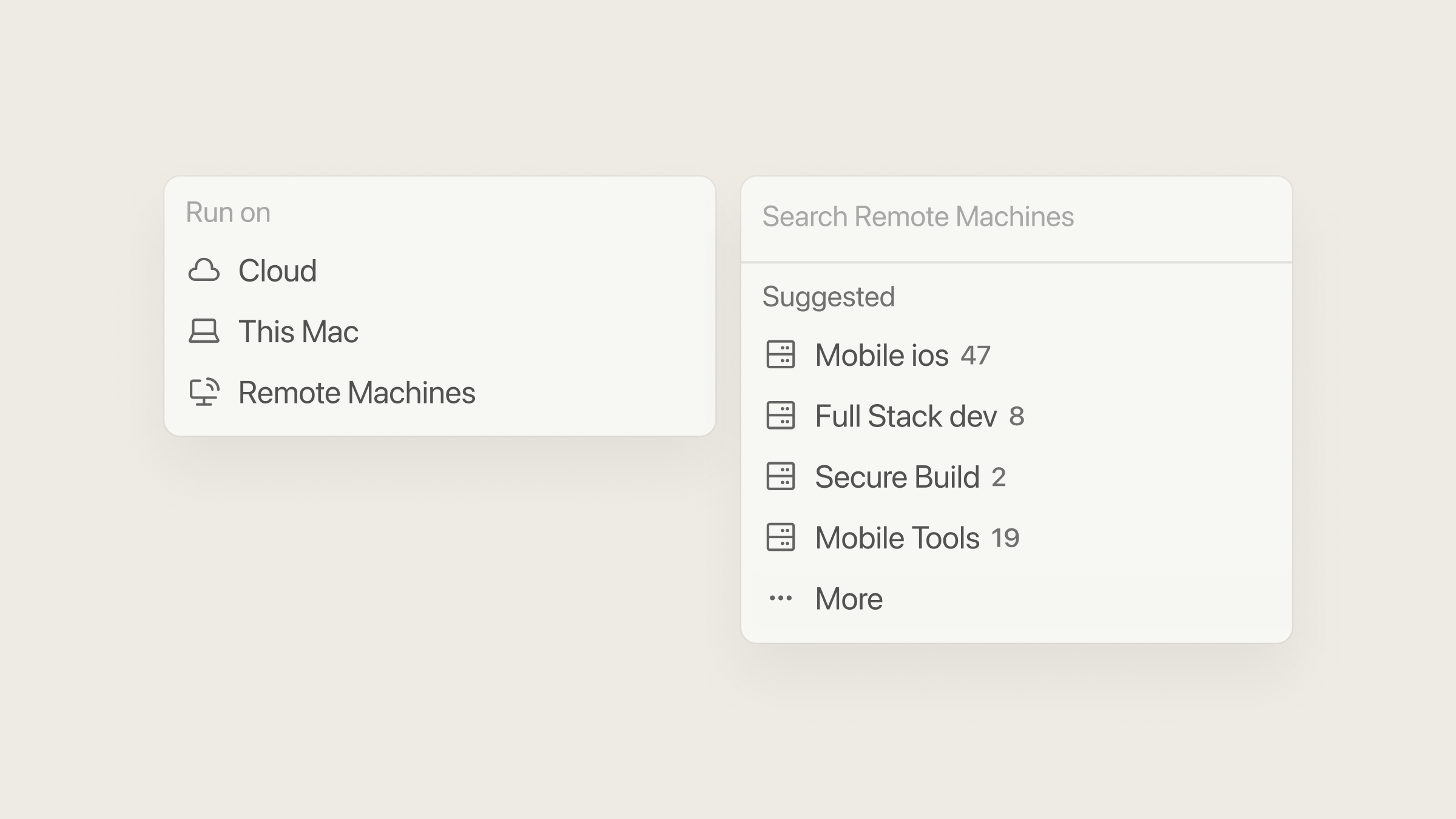
- My Machines connects personal devices, while Team Pools provides scalable, hibernable shared capacity across repos. The enterprise handles machines, images, permissions, cost, and production validation.
Cursor has launched Self-Hosted Machines: Cloud Agents can now run tasks on machines your team owns or operates.
Previously, Cloud Agents ran by default on remote VMs managed by Cursor. Now the execution environment can be moved to an internal corporate server, an enterprise cloud host, a Mac, a GPU box, or a local device. Task planning, model inference, and session management still happen in Cursor's cloud.
What changed in Cursor
- Tools run on enterprise machines: read/write files, run terminal commands, drive a browser, and call local MCP servers.
- Agents are still directed from Cursor's cloud: understanding tasks, planning steps, model inference, session state, and tool calls have not moved onto the corporate network.
The full Cursor agent system still isn't deployed inside your enterprise network. Instead, cloud-managed agents now execute inside an environment controlled by your organization.
Cursor cloud control plane
Understands the task and decides what to do next
- Agent loop and session state
- Model inference and planning
- UI, task management, and result display
Execution plane inside your enterprise network
Runs local tools
- Full checkout, build cache, local credentials
- Files, terminal, browser, and local MCP
- Mac, GPU, internal services, and existing pipelines
The worker establishes the connection outward, so no inbound ports are needed. File contents, terminal output, diffs, screenshots, and local MCP results may still be sent back as the task requires.

Cursor says more than 60% of internally merged PRs are already created by cloud agents. That number is self-reported and shouldn't be used to project productivity gains elsewhere.
How Self-Hosted Machines work
The system has three parts:
- Cursor cloud: handles reasoning and planning, and issues tool calls.
- Local worker: keeps a working copy of the repo and executes tool calls on the local machine.
- Outbound HTTPS connection: the worker proactively connects to Cursor and sends results back. No inbound ports, public IPs, or VPN are needed.
Install the Cursor CLI, then start the worker:
agent worker start
Here's how a task flows: Cursor sends a tool call, the worker runs it locally and returns the result, then Cursor decides what to do next.
Team members kick off and manage Cloud Agents from the same places as before: the Cursor desktop app, cursor.com, mobile, Slack, GitHub, and Linear.
The worker needs access to api2.cursor.sh and api2direct.cursor.sh to keep the agent session alive. To upload Cloud Agent artifacts like screenshots, videos, or logs, it also needs cloud-agent-artifacts.s3.us-east-1.amazonaws.com. Blocking that third domain disables artifact uploads, but tool calls and returned results still work.
A full checkout, build cache, and machine-local credentials can stay on your own hardware. While a task runs, Cursor still receives file contents needed for reasoning, terminal output, diffs, screenshots, results from local MCP tools, and routing metadata. If desktop sharing is enabled, the desktop view is transmitted as well.
Why use self-hosted machines
Self-hosting mainly solves three kinds of constraints:
- Policy limits on the execution environment. A full checkout, tool execution, or build artifacts must stay inside a corporate account or a designated network.
- Tasks must reach internal systems. Private code repos, package registries, test clusters, databases, or business services can't be safely exposed to Cursor's hosted environment.
- Tasks depend on specialized hardware or an existing setup. iOS or macOS builds require Apple Silicon Macs, GPU work needs graphics hardware, and builds may depend on persistent disks, custom system images, or Kubernetes.


When those constraints don't apply, Cursor's hosted environment is usually simpler: Cursor handles VM isolation, network controls, and capacity, so your team doesn't have to maintain worker infrastructure.
Key features and capabilities
Self-Hosted Machines offers two ways to organize machines:
- My Machines: connect a personal laptop, a dev box, or a single VM, for individual tasks.
- Team Pools: shared capacity for the team, using service accounts, standardized images, and named resource pools. Users pick a pool instead of specifying a particular machine or repository.
When a worker in a team pool is free, it picks up the request; if there's no spare capacity, the request waits in a queue. A controller run by your team watches the queue and calls a spawn script you provide to launch a VM, container, or sandbox.
- Job lifecycle: when a task ends, the worker can reset back into the pool, or save a snapshot and go idle. If follow-up messages arrive within the reconnect window, the worker can resume with the same ID, which cuts down on idle compute costs and avoids rebuilding the workspace.
- Pool segmentation: separate pools by OS, hardware, network scope, or security level, without binding any worker to a single repo.
Request enters the pool
The task picks a named capability pool, not a specific machine or repository.
Find an idle worker
If capacity is available, a worker claims the request directly.
Controller adds capacity
When no machine is free, the controller runs the team's spawn script.
Run the task locally
The worker uses the company's code, network, hardware, and build environment.
Recycle based on idle policy
After the idle timeout expires, the worker resets to the pool or saves a snapshot and sleeps.
- Deployment options: supports enterprise servers, persistent hosts, Docker, Kubernetes, and platforms like AWS Lambda, Cloudflare, Coder, Daytona, E2B, Modal, Namespace, and Vercel. Official integrations show you how to connect, but images, secrets, isolation, scaling, and production hardening are still your team's responsibility.
- Computer use: once Chrome, Chromium, or other desktop dependencies are installed on Linux or Mac, agents can control a browser, use company SSO sessions, work on internal web pages, or run Xcode builds on a Mac. You can also watch the desktop live and take over the session.
- Current limits: Cursor's docs say each user can connect up to 200 workers, and each team up to 1000. Larger deployments require contacting Cursor. Team Pools also require the Enterprise plan, a service-account API key, and an admin-enabled setting.
What you gain, and what you take on
Self-hosting lets Cloud Agents work directly with your existing code, internal network, caches, build pipeline, test services, Macs, GPUs, and desktop environments. In exchange, your team now owns the machines, networking, permissions, capacity, and cost management.
| Area | Cursor-hosted environment | Self-Hosted Machines |
|---|---|---|
| Machines and images | Cursor provisions and maintains dedicated VMs | Team handles machines, images, patching, and lifecycle |
| Network and services | Uses Cursor's network controls and private connectivity | Team handles egress rules, internal routing, and service access |
| Secrets and permissions | Configured within Cursor's environment | Team decides worker identity, credential scope, and local permissions |
| Capacity | Cursor provides managed compute | Team runs controllers, spawn scripts, quotas, and failure recovery |
| Cost | Model pricing includes hosted execution infrastructure | Models are billed normally; machines, containers, or clusters are separate |
| Production readiness | Platform manages the general runtime | Team verifies images, isolation, scaling, logging, and security |
Before adopting this, confirm three things:
- which assets must stay inside your enterprise environment;
- which task content you're willing to send to Cursor;
- what local permissions the worker will need.
Cursor Self-Hosted Machines: local execution, cloud reasoning
Enterprises can let Cloud Agents use their own internal networks, hardware, and build environments, but reasoning, planning, and task data still flow back to Cursor's cloud.
Cursor handles reasoning, your machines handle execution
The Cursor cloud continues to understand tasks, plan steps, maintain session state, and issue tool calls. On your machine, a worker keeps a full checkout and handles file reads and writes, terminals, browsers, and local MCP servers.
One outbound HTTPS connection, initiated by the worker
Install the Cursor CLI and run agent worker start. The worker actively connects to Cursor, receives tool calls, executes them locally, and sends results back. No inbound ports, public IP, or VPN required.
Self-host only when you have clear environmental constraints
This makes sense when a full checkout or build artifacts must stay on your network, when tasks need internal services, or when you rely on Apple Silicon, GPUs, persistent disks, or custom systems. Without such constraints, Cursor's hosted environment is usually simpler to maintain.
Pools handle scheduling, you own machine governance
Team Pools let idle workers pick up requests. When capacity is low, the team controller calls a spawn script to start machines; after a task, workers reset to the pool or suspend from a snapshot. Your team is responsible for images, patching, credentials, networking, isolation, scaling, failure recovery, and machine cost.
Moving a Cloud Agent's toolbox on-premises
Cloud Agents run by default in Cursor-managed remote VMs. That sandbox may not reach internal corporate resources.
Reasoning, planning, and chat stay in Cursor's cloud. Files, terminal, browser, and local MCP run on the corporate machine.
No inbound ports, public IP, or VPN needed. But file contents, outputs, diffs, and screenshots still travel back over the connection.
Self-hosting fits tasks that need internal systems, policy-restricted data, or Mac, GPU, persistent disk, and custom setups.
Team Pools handle shared capacity, queueing, spawn on demand, reset after task, or snapshot hibernation. Team manages scaling and recovery.
Enterprise takes over machines, images, patches, secrets, isolation, capacity, cost. Before adopting, define asset boundaries, what can be sent back, and worker permissions.
Members can copy or download the full Markdown, and let their AI subscribe and ask.
Found this useful? Leave your email — every new explainer, the moment it's out. Unsubscribe anytime.