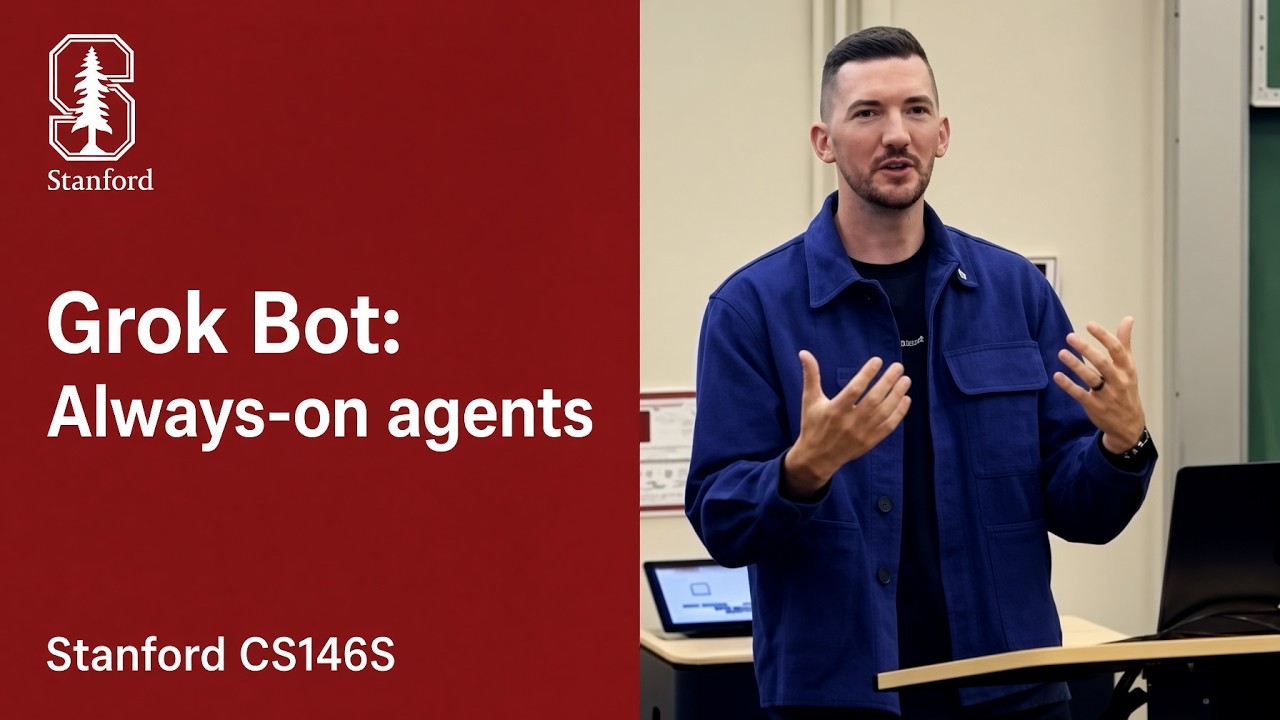
The SpaceXAI Team Shares Engineering Experience Building Grok Bot: Distributed Systems Design, Operational Security Policies, and Context Engineering Trade-Offs
From message wake-ups and cloud computers to breakpoint resumption and long-term memory: Lee Robinson shares engineering experience building Grok Bot at Stanford CS146S, explaining what kind of system is needed to let Agents keep working in the background.
In a lecture for Stanford University's CS146S course, Lee Robinson, formerly at Cursor and now at SpaceX, shared his team's engineering experience building Grok Bot. Grok Bot is an always-on Agent: after a user assigns a goal, it can advance work in the cloud and wake up based on incoming messages or scheduled tasks, without waiting for the user to send a prompt at every single step.
By contrast, the simpler Agent students built the previous week ran a model in a local loop (harness) that invoked tools, read files, and executed shell commands. If the local computer went to sleep or the terminal process was terminated, work ground to a halt; operations requiring human approval also paused and waited. As conversations grew longer, voluminous tool outputs progressively consumed the limited context space the model could process at once.
Always-on Agents aim to bridge precisely this gap in how the tools are used. The goal is to let an Agent function like a long-term digital collaborator, equipped with its own dedicated computer and isolated environment in the cloud, autonomously progressing on tasks in the background driven by external events, and reporting back to the user only when necessary.
This lecture shared real-world system architecture experience, with some capabilities still under active development; operating reliably for weeks or even months remains Lee's expectation for future evolution. Evolving a prototype script into a dependable always-on service hinges on a series of concrete distributed systems designs, operational security policies, and context engineering trade-offs.
After Handing Off a Task, You Can Still Change Your Mind Anytime
Lee illustrates this paradigm shift across four development stages:
- Copy-Paste Stage: Asking the model questions in a web browser, manually copying code to a local editor, and pasting error messages back into the browser.
- Terminal Agent Stage: The model enters a local execution loop, autonomously reading and writing files and running terminal commands. However, in this stage, humans must confirm each shell command generated by the model before execution.
- Dedicated Parallel App Stage: Dedicated interfaces for Agent tasks emerge, allowing developers to spin up multiple parallel tasks in the background or cloud, reviewing code diffs upon completion.
- Always-On Agent Stage: The user communicates high-level goals via instant messaging or lightweight chat. The Agent possesses its own cloud environment, long-term memory, and tool interfaces, continuing work after the user goes offline and triggering on-demand based on external events (such as calendar schedules, webhooks, or collaboration messages).
Lee links the evolution of these products directly to advancing model capabilities: models have become adept at following complex instructions over extended horizons and can delegate subtasks to independent helpers; beyond invoking structured APIs and terminal commands, models have gradually acquired computer-use capabilities to inspect screens and click directly; simultaneously, models can read and write user profiles and standard operating procedures as files, and learn skills from human demonstrations. The maturation of these foundational capabilities makes long-horizon background execution practically viable.
The crux of this evolving collaboration lies in the division of interaction frequency and operational control. In traditional terminal mode, the model waits for human authorization before executing every command; in always-on mode, the Agent continuously executes instructions in the background while humans primarily steer and calibrate direction at critical checkpoints. For example, while the Agent is running, the user can chime in with supplementary guidance at any point: "Take a look at that discussion thread too," "Move the time to Thursday," or "Once the draft is ready, send the calendar invite directly."
Accompanying this interaction model is a critical safety safeguard—Auto Review. When an Agent executes hundreds of commands in the background, reviewing every command with human eyes rapidly induces approval fatigue. In engineering practice, an independent safety review model is introduced to perform real-time verification before potentially risky commands are executed. If the safety model flags an operation as risky and blocks it, the system surfaces an explicit approval request to the user; in the prototype design presented in the lecture, if the user does not respond within 15 seconds, the operation remains blocked by default.
Always-On Does Not Mean Always Running: Tasks and Computers Run Separately
Many developers encountering this architecture intuitively assume: since the Agent needs to run commands and drive a browser, why not just spin up a cloud virtual machine and house both the model conversation loop and the desktop environment inside it?
In real-world engineering operations, this tight coupling creates severe operational fragility. If the virtual machine needs to reboot for underlying OS security patches, or if the browser exhausts memory and crashes during a test run, the Agent process running inside it is abruptly terminated. Furthermore, keeping a fully provisioned graphical virtual machine powered on 24/7 just to wait on timers or process plain text incurs substantial unnecessary idle compute costs.
Consequently, Grok Bot adopts a three-tier decoupled system architecture:
Mobile and Web Handle Receiving Messages and Displaying Results
Supports access points including mobile apps, desktop clients, web, Slack, email, and voice calls. The client is primarily responsible for rendering the interface and capturing user input without performing heavy business logic. Hosting business logic on the server means deploying new features does not require waiting through mobile app store review cycles.
Servers Handle Advancing Tasks and Persisting State
The always-on server serves as the core scheduling hub:
- Router and Session Queue: Responsible for ingesting wake-up events from clients, cron schedules, or external webhooks, handling message deduplication, and maintaining the invariant that only one inference turn runs per session at any given time.
- Agent Core Loop: Assembles prompt context, requests model inference, and dispatches tool calls.
- Persistent Database and Storage: Records complete conversation history, long-term memory, skill files, and to-do state. Critical data is persisted on the server, ensuring tasks and memories are preserved even if the cloud execution environment is corrupted or rebuilt.
Cloud Computers Handle Actual File and Browser Operations
Each user is provisioned an isolated sandbox based on a lightweight virtual machine (such as a Firecracker microVM running Debian Linux):
- On-Demand Virtual Displays: The VM has a virtual display service and Chrome built in. When the main Agent wakes up multiple helpers to process different web pages in parallel, the system can assign independent virtual display screens to each active helper without interference.
- Snapshot & Sleep: Cloud computers operate strictly on demand. A few minutes after tool calls finish with no new actions, the system syncs necessary files to cloud storage, takes a snapshot of the VM's memory and disk, and stops the VM to reduce idle compute overhead. When subsequent tools need to run local scripts or operate a browser, the system restores from the snapshot, preserving installed tools and browser login sessions.
Click different business events below to observe how the three tiers divide labor on demand. Triggering an Agent does not mean waking the cloud computer is required. (Conceptual illustration based on Stanford CS146S architecture mechanisms)
A scheduled task is triggered on the server. The router places the task into the session queue and initiates a workflow turn. The Agent loads memory files and configured data interfaces from the server to aggregate information. Because the entire process requires neither opening a browser nor running graphical programs, the cloud VM does not need to wake up at all, minimizing idle compute costs. If the Agent determines the aggregated results contain no substantive changes, it can autonomously stay quiet without messaging the user.
- 08:00 timer triggers and wakes the server-side workflow.
- The Agent reads memory and data sources, determining the current task does not require desktop or browser tools.
- The cloud computer stays in a disk/memory snapshot state, consuming no idle VM resources.
- Task execution completes; the server workflow persists state and concludes the turn.
This three-tier decoupling cleanly threads the runtime event lifecycle together. Always-on does not mean the large language model thinks continuously 24 hours a day, nor does it mean cloud machines stay powered on running in the background; rather, it relies on event-driven, on-demand activation:
- Event Triggering and State Loading: When a user message arrives or a scheduled routine (such as an 8:00 AM daily task) fires, the trigger event launches the Agent process, which loads persisted state from the server database and storage (conversation history, long-term memory, skill files, and to-do items).
- On-Demand Computer Wake-up and Incremental Persistence: The Agent process runs a turn of inference and tool calls, persisting the execution result of each step to the database immediately. If the current turn does not require desktop or browser actions, the cloud computer remains asleep; the VM is awakened only when a tool call genuinely requires running a local script or opening a web page.
- Idle Exit and Resumption: Once the current turn finishes and no new actions remain, the Agent worker process can exit; when the cloud computer has no active tasks and sits idle, it can also take a snapshot and sleep. When the next external event arrives, the system restores the environment from the saved persistent state.
When there are no new events, the relevant Agent worker process can stop; critical state is preserved on the server, ready to resume when the next trigger occurs.
Switching Devices and Handling Failures: How Work Continues
When an Agent runs in the cloud, two classic problems must be solved: how do users see the exact same state when switching between phone and computer? And when a server experiences network jitter or reboots during a long task, how can redundant external side effects be avoided?
How Messages Sent on a Phone Appear in Real Time on a Computer
How does the system ensure the desktop client immediately displays a consistent state when a user hits send on mobile? The synchronization process can be broken down into five steps:
- Sending and Local ID Generation: The user types a message and taps send; the client immediately generates a globally unique ID locally and renders the message in the UI right away for instant responsiveness.
- Server Deduplication and Session Queue: The message reaches the server router. The server checks the unique ID to see whether the request has already been processed, immediately discarding any duplicate message IDs to guarantee safety under network retries; it then pushes the message into the corresponding session queue, running strictly one turn at a time in sequence.
- Turn Execution and Database Persistence: The Agent loop invokes model inference and calls tools as needed, writing every step during execution directly to the database in real time.
- Lightweight Change Signal Broadcast: The server sends a "data has changed" notification to all open client instances for that user. This notification signal itself carries no message payload.
- Sequence-Based Updates and Gap Fetching: Every update has an auto-incrementing sequence number (e.g., 41, 42, 43). Upon receiving the signal, each client fetches the new messages and updates its interface in sequence. If a client detects a sequence gap (e.g., receiving 43 without 42), it automatically triggers a refetch from the database. Because authoritative data always resides in the database, occasional dropped notifications do not compromise eventual data consistency.
If Step 3 Fails, Don't Redo Steps 1 and 2
If a task queue simply re-enqueues the entire task upon failure, execution restarts from step 1 all over again.
Compare with original slides: Recovery paths of durable workflows vs. standard task queues (Slide 21)

Suppose a task involves multiple stages: step 1 fetches external data, step 2 processes it and generates a chart, and step 3 sends a summary report to a collaboration platform. If the node times out or crashes while executing step 3, traditional "rerun from scratch" triggers repeat calls to steps 1 and 2, which can cause unintended side effects when invoking paid APIs or performing write operations.
To address this, the architecture incorporates an open-source durable workflow engine (such as Temporal):
- Breakpoint Resumption: The workflow engine persists every step of task execution along with its inputs and outputs in an event log. If the node restarts midway through step 3, the system can resume from step 3 upon recovery, avoiding re-running the first two steps as much as possible. However, this does not mean the workflow engine can automatically guarantee zero duplication for all external actions; specific operations still require retry safety mechanisms.
- Business Steps Must Be Idempotent: While durable workflows preserve progress, retried business steps must remain safe to repeat. Every step in the underlying business code must still be designed to be safely retryable (idempotent), ensuring that even if an operation runs twice due to a timeout retry, it causes no unintended secondary side effects.
Your New Instructions Take Precedence; Other Messages Process in Order
When an Agent is connected to a user's 1:1 direct chat while simultaneously attached to group chats, scheduled tasks, and background helper jobs, messages can arrive at the same time. The system establishes clear priority rules:
- User 1:1 Messages Have Interrupt Privilege: If the user sends a correction in direct chat ("Change the time to Thursday"), this message bypasses the regular queue and sends an interrupt or pause signal to the currently running turn, prioritizing the user's latest instruction.
- Group Chats, Threads, and Background Reports Queue at the Back: External group messages, routine scheduled tasks, and completion reports from sub-agents queue at the end of the regular queue in sequence.
- Short-Term Burst Message Batching: If a user sends several short follow-up messages in rapid succession (e.g., "add Alice," "and Bob too"), the router bundles them into a single batch and processes them as one turn, preventing the system from repeatedly interrupting and restarting for every sentence.
Work Independently, Ask for Help When Needed
A mature collaboration tool must not only get work done, but also maintain restraint in its interactions, avoiding spamming the user with trivial intermediate logs.
Different Tools for Doing Work and Reporting Back
Across the Agent's entire toolkit, capabilities include reading and writing files, running shell commands, and driving browsers, but there is only one tool responsible for direct communication with the user: SendToUser.
This design yields several critical engineering properties:
- Derivation Steps Remain Private: The model's routine text output during internal reasoning and code analysis is hidden from the user by default, preventing the client UI from being flooded with lengthy intermediate calculation traces.
- Staying Quiet Autonomously: When an Agent is awakened by a background scheduled task (such as routine monitoring), reads data, and determines there are no meaningful changes worth reporting, the model can simply terminate the current turn without calling
SendToUser. From the user's perspective, the system stays silent, sparing them from meaningless routine pings. - Dedicated Interactive UI Components: When
SendToUseris called, the model outputs more than just plain text—it drives the client to render specialized interactive cards:- Login Forms: Integrated with password managers like 1Password. The user authenticates through a dedicated login form modal, and the password is injected directly into the target environment without ever passing through the LLM prompt context.
- Payment Approvals: For example, when ordering a service (the lecture slides provide an example of an $80 payment for Starlink Roam), the interface displays a standalone payment card with "Allow / Deny" buttons. Until the user explicitly clicks to confirm, the payment process remains suspended and waiting.
- Email and Outbound Confirmation: Before sending an important external email, the full draft is rendered on screen for human verification, allowing the user to send or discard it.
When reading external data, documents must also be distinguished from instructions: content from emails, external webhooks, or web pages is treated as untrusted sources and must only be used as reference material, never automatically upgraded into user execution instructions; similarly, memories previously saved by the system can only serve as background context, not command authority. While isolated cloud VMs and front-loaded automated risk review can intercept some unauthorized actions, this does not mean prompt injection defenses are complete. If malicious prompt text lurks within a web page or email, the model can still be misled. Therefore, keeping passwords out of model context and requiring explicit human approval for sensitive payments and outbound emails remain non-negotiable permission boundaries.
Start Simple and Reliable, Use Computer Control Only When Needed
When faced with a specific query or task, what means should the Agent employ? The engineering architecture defines a stepped hierarchy from lightweight to heavy, from low cost to high cost:
- Level 1: Existing facts in context. If the answer is already present in the current conversation or loaded profile, answer directly using existing knowledge.
- Level 2: Structured API connectors (e.g., MCP Servers). If calendars or third-party systems are involved, prioritize structured API interfaces to fetch data.
- Level 3: Standard web search. If no direct API is available, call a lightweight search engine to gather public information.
- Level 4: Logged-in cloud browser. When internal SaaS pages must be accessed, wake Chrome inside the VM, prioritizing the Accessibility Tree or page structure to inspect buttons and input fields directly.
- Level 5: Full desktop pixel-level clicking. When encountering desktop applications without a DOM structure or native system dialogs, invoke a vision model to take screenshots and compute mouse coordinates for pixel-level clicks.
- Level 6: Asking a human for help. When hitting two-factor authentication (2FA), Captchas, or unauthorized operations, stop proactively and request manual intervention.
Here lies a strict engineering rule: If an existing API connector fails with an error, the Agent must never take it upon itself to silently fall back to simulating a browser login! The system must explicitly report the connector failure to the user and request further instructions.
Running Longer: How to Avoid Forgetting and Overspending
A model's context window is finite working memory. Cramming vast tool definitions, long conversation histories, and voluminous command-line outputs into every call inflates billing costs, increases response latency, and dilutes the model's attention.
Enabling an Agent to run coherently for hours or days depends on a set of refined context engineering techniques:
Read Tool Definitions Only When Needed
As a system connects to more plugins, stuffing full parameter definitions (JSON Schema) for every tool into the system prompt severely encroaches on usable working space.
The engineering team employs a lightweight indexing strategy: the system prompt contains only a concise list of tool names. If the model decides during reasoning that it needs a specific tool, a dedicated tool retrieval mechanism reads the tool's detailed parameter schema on demand from the file system. The lecture suggests keeping individual tool descriptions and schemas within 4,000 characters to keep the initial context as lean as possible.
In tool design, the team also distilled two practical lessons:
- Package frequently repeated shell commands into dedicated tools: While a general-purpose shell tool can theoretically perform most operations, if the model spends substantial time running a specific type of operation (such as persisting state) via the command line, packaging it as a dedicated tool improves invocation efficiency and allows code reviewers to clearly audit state changes.
- Error messages should provide recovery steps: If an error returned by a tool explicitly states what to do next, it helps the Agent self-correct. For example, a design mentioned in the lecture: when a virtual machine is sleeping and cannot be read, the tool clearly prompts, "Computer is sleeping; wake it first using the Shell or Read tool before retrying." This helps the model find a recovery path, though it is specific to that system's environment rather than a universal wake-up rule across all systems.
Offload Heavy Lifting to Helpers, Main Agent Receives the Results
This is the core mechanism for keeping the main Agent's context concise.
The main Agent acts as an overall task orchestrator. When extensive code analysis, video file review, or scraping dozens of web pages is required, the main Agent does not accumulate these operational logs directly in its own conversation loop. Instead, it delegates goals with complete task descriptions to independent Helper Agents.
Each helper is itself an independent durable workflow. If a video helper crashes due to an out-of-memory error mid-task, or if the cloud code environment encounters an exception, the workflow engine preserves step states, resuming from the breakpoint upon recovery rather than starting a long task over from scratch.
As work progresses, the main Agent maintains a to-do checklist to track dispatched requests. The main Agent can check a helper's current progress at any time, send supplementary messages to a running helper, or terminate a helper's execution if necessary.
Helpers operate with fresh, independent contexts. After executing multiple rounds of commands, web scraping, or desktop interactions in their own environments, they report only a condensed, compact conclusion back to the main Agent. Bulky temporary CLI logs, intermediate debug traces, and web screenshots stay inside the helpers' isolated environments, keeping the main Agent's context consistently streamlined. This division of labor makes the model feel as though it handles workloads far exceeding single-context limits, without relying on infinite context.
Reuse Content the Model Has Already Read
Prompt prefix caching works because if the opening sequence of tokens across multiple requests matches identically, those tokens receive significant billing discounts and faster server processing.
In an always-on system, a prompt cache miss is treated as a defect to be debugged:
- Strictly fixed structure: System prompts, core memories, and tool names are arranged in a fixed order and can be individually hashed and verified. Between interaction turns, avoid modifying earlier system phrasing or dynamically adding/removing tools.
- Append-only additions: Conversation history is appended strictly sequentially, ensuring the matched prefix can be reused continuously by the provider.
- Cache Warming: When the user begins typing in the chat input box, the server can assemble the fixed front portion of the prompt in advance and warm the cache with the gateway ahead of time.
LLM provider prompt caching typically requires exact character-sequence matches starting from the beginning. Toggle the two organization strategies below to see which parts are reused across consecutive requests. (Conceptual illustration, no quantitative billing guarantees)
Under Strategy A, system prompts, environment descriptions, and tool name lists maintain a fixed order, with conversation history appended strictly sequentially. When launching the next request, if the cache remains valid, the front portion matches the cached content exactly, allowing the provider to directly reuse those computation results; subsequent new messages and results still require processing. Note: caching reduces redundant compute on matched prefixes; output generation is still billed on actual generation.
Compacting Long Conversations While You're Away
As conversations grow, history eventually reaches length thresholds (the lecture uses over 100,000 tokens as an example). At this point, the system must perform context compaction.
Traditional approaches perform compaction on the spot when the user sends their next message, causing noticeable delays. An always-on system instead takes advantage of the cache persistence window while the user is offline:
Provider prompt caches typically have a time-to-live (Lee cites examples of 10 minutes or 60 minutes, depending on the provider). After a long conversation turn concludes and the user steps away, the system detects that the provider cache is still valid and proactively triggers a compaction summarization call in the background. Because the historical prefix is already in cache, this summarization computation is relatively inexpensive. Once compaction finishes, the system retains the verbatim text of the last few messages exchanged with the user alongside a compact summary. When the user returns later to send a new message, the system is already primed with a condensed context.
Conversation summarization is inherently lossy; shortening history while preserving critical details remains a difficult engineering challenge. Although the system preserves the last few messages verbatim and stores earlier full records in searchable files, this is not equivalent to never losing full context; deciding which details to preserve and how to retrieve them later still requires deliberate design.
Separate Long-Term Preferences, Past Work, and Scratch Notes
User preferences, work logs, and operating guidelines are saved in human-readable files that both humans and Agents can search and edit. These serve three distinct purposes:
- Memory: Remembers "who the user is" and "what was done in the past." For example, profile files store user preferences, while dated work logs record past actions.
- Skills: Encapsulates concrete workflows, success criteria, and failure caveats in Markdown format (such as the
skills/linkedin-sourcing/SKILL.mdtalent sourcing workflow orweekly-metrics/SKILL.mdweekly metric tracking in Slide 12). It stores operating playbooks as plain text on disk, loading them into prompts only when relevant tasks arise. Reading skills on demand avoids stuffing every full manual into every turn; saving procedures is also distinct from retraining the model. - Routines: Binds a prompt to a recurring schedule, such as a morning brief (
morning-briefset to run at 8:00 AM on weekdays).
The three work together closely: when a scheduled routine wakes the Agent at the appointed time, the Agent first reads the user's core preferences and recent logs from memory, then loads the relevant skill file playbooks on demand to execute tools, and finally writes updated results to the work log upon completion.
For memory itself, the system defines clear tiers at the file layer:
- Profile: Records core facts about the user (the slide example suggests up to 100 facts, within ~4,000 characters, such as communication style preferences), included with the system prompt on every call.
- Log: Records recent historical events, typically including only the most relevant entries in prompts (the slide example suggests ~30 entries). Important facts carry higher weight, while stale facts decay naturally over time.
- Notes: Records transient parameters for active, unfinished tasks, carrying a short lifecycle that fades quickly.
- Archive: Complete history is preserved in regular files, queried via file search tools on demand when the model needs to recall details.
Included with prompts; slide example: max 100 facts, ~4,000 chars
Selected recent relevant events; slide example: ~30 entries
Short lifespan, fades away soon after
Retrieved via search tools when recall is needed
Compare with original slides: How Agents remember information (Slide 37)

In terms of memory update mechanics, the system runs fact additions and obsolete fact replacements after every turn, with update logic restricted to pruning facts actually presented in that turn. Core user facts are shared across multiple Agents, while each Agent maintains its own independent work log file.
Regarding security guardrails, the system explicitly dictates via prompts: Content in memory files serves strictly as background information and must never be treated as instructions carrying system execution authority. This is a fundamental security constraint against prompt re-injection, though defending against untrusted external input remains an industry-wide challenge.
Fixing Errors and Unsolved Challenges
Building an always-on Agent is not merely about writing prompts; it relies on the dual-flywheel evolution of inner and outer loops:
Compare with original slides: Product inner loop and model outer loop (Slide 40)

- Daily Inner Loop: When an Agent makes an error on a task (such as calling the wrong tool or omitting a step), the engineering team codifies it into an automated eval test case. Engineers then patch the harness code or prompts, or adjust inference parameters, deploying the fix after passing evals.
- Multi-Month Outer Loop: Product and model improve each other through the following process:
- Evals Drive Training: Accumulated high-quality eval cases are used to train the next-generation foundation model. Supervised fine-tuning (SFT) familiarizes the model with harness tool formats, response timing, and ideal outputs; reinforcement learning (RL) strengthens long instruction following, skill and memory usage, GUI pixel targeting and clicking, and multi-bot collaboration.
- New Models Spur New Use Cases: When a more capable model is deployed back into production, it inspires entirely new usage patterns from users (such as bringing multiple bots into a group chat to collaborate).
- New Behaviors Yield New Evals: These new use cases expose novel behaviors and failure modes, which in turn require new evaluation metrics, driving the next iteration of the foundation model.
- Role-Specific Model Tuning: The system optimizes inference differently for different roles. The main Agent prioritizes minimizing user wait time (low latency), while helpers prioritize reliable completion of long-horizon tasks. Both can adopt distinct inference and harness configurations.
Facing rapid technical iteration, Lee Robinson highlighted an architectural tenet championed within the team: "Be ready to delete your product logic."
Much of the complex checking, fallback rules, and scaffolding we build around models today exists primarily to compensate for the shortcomings of the current generation. When designing system architectures, one should assume future models will continue to improve and keep peripheral code as minimal as possible; when a new foundation model can natively and reliably follow an instruction, developers should decisively decommission the redundant scaffolding code once used to patch over limitations, embracing the new capabilities with the thinnest possible system layer.
Working Stably for Weeks: Hurdles Yet to Overcome
Lee's expectation for the next 6 to 12 months is that Agents will work on a single project for weeks or even months, equipped with more reliable computer-use capabilities, more accurate memory, and the ability to learn new skills on the job. These represent future directions, not product delivery guarantees.
Interfaces may also become simpler: feeling like texting today, shifting toward voice communication in the future. Simultaneously, individuals and organizations will need to write down their workflows and operational expertise so Agents can read and use them.
For these long-horizon tasks to run reliably, several hard challenges remain:
- Long-horizon task evaluation dilemma: If Agent tasks stretch from hours to weeks or months while foundation models iterate every one or two months, existing benchmarks struggle to run multiple complete long-running end-to-end validation runs before each model release.
- Prompt injection from untrusted input: When Agents have permission to read external emails, process webhooks, and browse arbitrary websites, malicious text can mislead them into unintended actions. Current defense strategies remain in early exploratory stages.
- Multi-Agent shared resource coordination: When multiple Agents share a single cloud computer's virtual desktop and a shared memory store, they face classic distributed systems challenges of concurrent reads, writes, and state consistency.
- Accurate memory correction: Timely removal of stale information, honoring user forgetting requests, and preventing hallucinations in long-term memory.
- Knowing when to speak: Striking the balance between "interrupting too often and causing annoyance" and "staying silent for too long, leaving users wondering if it crashed" requires more nuanced policy exploration.
- Cost control: The viability of an always-on architecture hinges on minimizing idle overhead while keeping active inference costs within a reasonable range.
Writing Code Gets Easier; System Design Matters More
As code becomes increasingly easy to generate, how a system connects tasks, state, tools, and humans becomes ever more critical. Whether a task can resume after failure, whether memories stay fresh, whether permissions remain guarded, and whether model calls avoid unnecessary repetitive spending all depend on how these components fit together.
Lee's advice to students was equally concrete: start with a simple Agent loop, try adding a server, an isolated computer, and memory, and gain hands-on intuition for how they collaborate. At the same time, study the fundamental principles of large models—just as a web developer learns how databases work—to help judge which product designs are viable today and which must adapt as model capabilities advance.
Members can copy or download the full Markdown, and let their AI subscribe and ask.
Found this useful? Leave your email — every new explainer, the moment it's out. Unsubscribe anytime.