Claude Dynamic Workflows: One Agent Writes the Program, Many Agents Do the Work
Claude can split a batch of documents across Agents, then check and combine their findings. A program handles the coordination while the main Agent continues with other work.
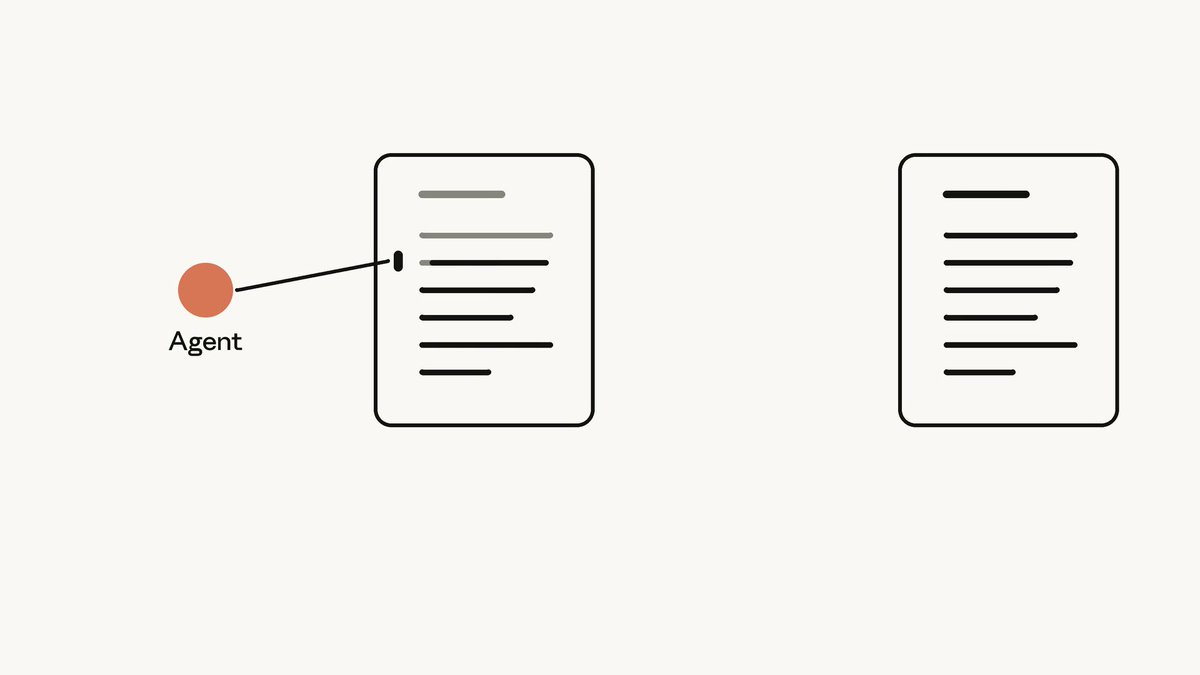
Dynamic workflows allow Claude to write a coordination program for a given task, which then coordinates multiple agents to complete the work in phases. The Main Agent is responsible for understanding the objective, writing the code, and delivering the final answer; the program handles assigning tasks, passing intermediate results, and scheduling subsequent stages. Reading documents, analyzing them, and checking findings are still carried out by the executing agents.
This capability belongs to Claude Managed Agents—Anthropic's managed agent service for developers. Runtime environments, sessions, and credentials are managed by the platform, allowing developers to integrate it into their own applications. Dynamic workflows are currently available in public beta.
It primarily provides five capabilities:
- Task-specific flow generation: The Main Agent writes a program for the current task; the program can decide what to do next based on prior outputs, as well as schedule rechecks and retries.
- Phased parallel processing: Multiple documents can be distributed simultaneously across different agents for reading, before progressing to a summary or verification phase.
- Independent reading with shared files: Each agent maintains an independent conversation history while having access to shared files within the session, so they can work on the same batch of documents.
- Background execution: The program runs on the server side, allowing the Main Agent to continue responding to the user or end its current turn while awaiting results.
- Progress tracking and spend control: Developers can inspect events across phases and execution threads, and enforce session-level budgets to constrain model spending, including workflows.
How 300 Contracts Turn from Distributed Reading into a Single Response
Suppose you need to identify contracts containing "change-of-control clauses" from a collection of 300 contracts. These clauses concern rights or obligations when control of a company changes. Screening for them requires checking the actual wording of each contract.
Reading through contracts one by one can be parallelized, but someone ultimately needs to piece the findings together: which contracts matched, what the supporting evidence is, and which results require verification. Dynamic workflows delegate this coordination work to code.
How a Batch of Contracts Becomes a Single Answer
Independent conversation histories; files shared within the session.
How the Program Decides the Next Step After Verification
Upon receiving the objective, the Main Agent writes a workflow comprising two phases: "read contracts" and "reconcile and verify." In the first phase, the program distributes contracts among reading agents; each agent processes materials in its own conversation and returns findings to the program.
Each reading agent's conversation history remains independent and is not automatically shared into the context of other agents; information needed for subsequent phases is passed explicitly by the program. At the same time, they access files within the same sandbox environment and share session credentials. What remains isolated is the history of reading and tool interactions; the file workspace itself remains shared.
For example, reading agents can be instructed to return the contract ID, verbatim clause excerpts, and initial screening determinations. The program then forwards these structured outputs to reviewer agents. The review phase then receives the information prepared for checking, without needing the full conversation histories from the reading phase.
Next, the program delivers the preliminary screening results to second-phase agents to verify and merge findings. You can also incorporate rework logic tailored to the contract task: if verification passes, summarize results; if it fails, re-read the relevant materials and resubmit them to the reviewer agent; if discrepancies persist after reaching the configured maximum iterations, exit and report the unresolved issues. The program decides the next step based on returned determinations, following the specific logic defined by the workflow generated for the task.
In this way, the Main Agent does not have to collect reports item-by-item in the primary conversation before dispatching the next task. Typically, after the workflow run finishes, the Main Agent receives a turn to read the consolidated summary and deliver the final response to the user. The contract demo below illustrates the core pathway of reading, verification, and delivery.
Contract Screening: Reading Followed by Verification
58 secThe "dynamic" aspect lies in generating the orchestration flow specifically for the task at hand, where subsequent steps can depend on earlier results. Users do not need to pre-configure dedicated agents for every contract in advance, but must still explicitly define the objective, verification criteria, failure-handling procedures, and exit conditions.
What Do the Better Bug-Finding Results Tell Us?
Anthropic planted 70 bugs across a 116,000-line codebase and ran both a single agent and dynamic workflows three times each.
Side-by-Side Results Across 3 Runs on the Same 70 Planted Bugs
Anthropic self-reported · 116k lines of code · Full bar represents 70 planted bugs
The single agent found 14, 15, and 27 bugs across the three runs; dynamic workflows detected 66 bugs on all three runs. Taking the 70 planted bugs as the denominator, the detected fraction for the single agent was 20.0%, 21.4%, and 38.6%, whereas dynamic workflows achieved 94.3% in each run, leaving 4 undetected each time.
This set of results supports the conclusion that in this specific code audit task, workflows uncovered more bugs with more consistent counts across the three runs. It is worth trying as a way to organize complex review tasks.
Detecting the exact same count across three runs does not imply that identical sets of bugs were found each time. When evaluating code review tasks on your own projects, look beyond the count and consider whether the missed bugs and false alarms are acceptable.
The 94.3% figure is simply the detected fraction of planted bugs in this experiment. It is not a general accuracy figure for all code reviews, nor does it account for false positives. The original source thread did not provide controlled comparisons under identical budgets, total token usage, or elapsed time. Determining whether dynamic workflows are truly more cost-effective requires checking results, time, and cost together on your own workloads.
Which Tasks Are Best Suited for Dynamic Workflows?
First evaluate whether the task can be split into independent parts, and then whether the outputs can be merged. Screening hundreds of contracts, multi-module code audits, and batch cross-checking of documents all have parts that can be handled independently and then combined into one report. If you are dealing with only one or two contracts, or if every step depends on iterative dialogue with the user, handling the task directly with the Main Agent is usually more appropriate.
While all three represent multi-agent collaboration, the fundamental distinction lies in who decides the next step. Dynamic workflows let code drive progression; standard subagents rely on the Main Agent to assign tasks, read reports, and follow up; an Advisor offers guidance to the Main Agent, while the Main Agent does the work.
Who Decides the Next Step Determines How Collaboration Works
Program Orchestrates Next Steps
The Main Agent writes the workflow; the program passes results and schedules subsequent phases in the background.
Best for: High volumes of independent materials, multi-phase reconciliation.
Main Agent Orchestrates Next Steps
The Main Agent delegates tasks, reads reports, and determines follow-ups or next actions.
Best for: Domain-expert tasks requiring iterative follow-up.
Main Agent Retains Execution
The Main Agent consults an advisor model for judgment, then executes the task itself.
Best for: Planning, bottleneck evaluation, final checks.
For instance, batch contract reading can be delegated to a workflow; when an edge-case contract requires continuous back-and-forth discussion with a domain specialist, standard subagents with iterative follow-up capabilities are more convenient. If you simply want to use an advisor model's judgment during planning or final verification, use an Advisor. All three modes can be configured together.
Standard subagent threads can be preserved to receive subsequent messages, support only a single level of delegation, and allow up to 25 open subagent threads per session (with idle threads counting toward this limit). Threads created within dynamic workflows do not count against this 25-thread limit, but you cannot send follow-up messages to them; the server archives these workflow threads by the end of the run, after which their records can still be queried.
After Dividing the Work, Verify That Materials Were Truly Processed
Automated coordination resolves "who decides the next step," but does not define what constitutes an acceptable outcome for the user. In contract screening, simply receiving a list of matched contracts is insufficient: every conclusion must link back to verbatim excerpts, non-matching contracts require secondary review, and files that failed to read must be broken out separately.
Distinguish between "clause not found" and "file unread." The former is an analytical judgment reached after review; the latter means the task has not covered that document. Mixing read failures into the non-match list masks gaps behind a superficially complete report.
You can embed verification constraints into your task instructions, as shown in this illustrative prompt written for the contract scenario:
Screen all contracts in contracts/ using dynamic workflows to locate change-of-control clauses.
Partition initial screening by contract; when a clause is identified, extract the verbatim text and note the section or page number; when no clause is found, record that explicitly.
Conduct an independent second-round review across all contracts, including those with no initial matches; reconcile discrepancies by comparing sources before deciding.
List files that failed to read or timed out separately on an uncovered list; never classify them as non-matches.
Finally, summarize the total covered count, matched contracts with citations, contracts where no clause was found after review, and uncovered files with reasons.
Set the maximum run duration for this execution to 1 hour.
These requirements give the generated workflow checking criteria. You still need to check that it followed them, especially the coverage count and list of failed files.
A status of completed in the UI indicates only that the workflow program terminated normally. If the program encountered a read failure on a document and chose to skip it, the run can still display this status. Determining whether the underlying task was completed requires inspecting the outputs and error logs across individual worker threads, rather than relying solely on phase-completion or overall run-completion events.
When troubleshooting, phase events clarify workflow progression, while execution thread messages and tool logs pinpoint which documents failed to load. The primary event stream aggregates workflow run, phase, and thread status, whereas detailed reading and tool call logs reside within each individual thread's own event stream. Both streams must be cross-referenced, as the API does not provide a direct field mapping each thread to a specific phase.
By default, clients cannot inspect workflow code, internal calls that initiate and govern it, or intermediate values returned by individual agents to the program. To examine the actual partitioning and rework logic, wait until the workflow run completes and the main session is idle, then prompt the Main Agent to output verbatim the program it executed at launch, explicitly instructing it not to spawn a new workflow.
Controlling Scale and Costs During Background Execution
Every participating agent consumes tokens. Introducing more task division and review rounds increases usage, making it advisable to begin with a tightly scoped task, check the output and usage, then gradually increase complexity.
The limit of "up to 1,000 agents per run" refers to the cumulative number spawned throughout the entire execution, not 1,000 agents working concurrently. Currently, a single workflow supports a maximum of 64 concurrent worker threads, with surplus tasks queued until slots open; 64 is the active server-side configuration and subject to change. Exceeding 1,000 cumulatively requested agents terminates the run; because server-side retries on failed tasks may spawn fresh threads, the final thread count can ultimately exceed 1,000.
A single session defaults to a maximum of 10 unfinished workflow runs, with paused runs counting toward this quota. Each workflow run defaults to a maximum duration of 24 hours, though shorter limits can be configured; neither budget pauses nor waiting for the client to handle tool requests pauses this clock.
A Budget Pause Does Not Guarantee Spending Stops at an Exact Number
Session budgets compute expenditure based on model list prices, encompassing model requests from both the Main Agent and dynamic workflows. Once the cap is reached, the workflow pauses, but in-flight model requests run to completion, which may cause total expenditure to overshoot the budget.
Budgets must be defined when creating the session; if omitted at creation, they cannot be added retroactively. Existing budgets can be modified or removed. Raising or removing a budget can resume a workflow paused due to budget exhaustion; however, if the workflow is simultaneously paused due to factors such as user interruption, resumption is not guaranteed.
Ending the Primary Conversation Does Not Halt Background Work
Issuing a client-side user.interrupt aborts the Main Agent's active turn but does not terminate the workflow run; background tasks may continue running or enter a paused state. When a complete shutdown is required, explicitly instruct the Main Agent to stop the workflow, confirm that the run-completion event outcome reflects stopped, and only then archive the session. Requests to archive the session may be rejected if active workflows remain open.
The Main Agent has its own timing for reading completed results: this turn is deferred when the budget is exhausted or when the primary thread is blocked awaiting a client response; following a user interruption, it may not automatically read the results, requiring a subsequent user message to ask it to read the results or continue.
A session with an exhausted budget cannot directly accept new user messages; the budget must first be increased or removed before a stop command can be transmitted. Because this action can also resume background execution, "adding budget" and "stopping the task" are distinct operations.
If a task changes files or invokes external tools, allow for retries: individual subtasks may be re-executed. Tools should recognize repeated requests so that running a subtask again does not cause duplicate changes.
Developer Onboarding: Enable Workflows Before Assigning Tasks
In your agent definition, set multiagent.type to multiagent_20261001 to enable this suite of collaborative capabilities. This type activates dynamic workflows, standard subagents, and inline agents by default, while leaving the Advisor disabled by default. Developers outline when to use workflows within the system prompt or user message, and the Main Agent determines whether to launch one; no separate workflow-trigger API call is required.
Sessions snapshot the agent configuration at the moment of creation; subsequent updates to agent definitions do not propagate to pre-existing sessions. After altering configurations, initiate a new session to apply updated settings.
Enable Workflows, Then Assign the Task
Configuration Example
Executing agents originate from two sources: you can use predefined agents with distinct models, prompts, and tool sets, or permit the Main Agent and workflows to define inline agents dynamically, generating prompts for specific subtasks. An inline agent inherits the Main Agent's model, with its tools, MCP integrations, and skills constrained to a subset of the Main Agent's capabilities. The two configuration lists for predefined agents each support up to 20 distinct roles, with their versions locked when the configuration is created or updated.
When using an Advisor, the primary and advisor models must satisfy supported pairing requirements. The Advisor delivers recommendations through a temporary thread and cannot serve as a standard subagent for ongoing follow-up questions.
Within a Claude Code session, you can initiate onboarding for the bug-hunter template using the official onboarding command:
/claude-api managed-agents-onboard bug-hunter
You can also visit the Console Quickstart Templates. Start with a small task to check the division of work, review process, and spending before expanding to the full batch of materials.
When implementing progress displays, reconnecting to an event stream yields only subsequent new events; missing records must be retrieved by paginating through historical events. There is currently no dedicated endpoint for listing all workflow runs. If an execution thread sends a custom tool call or permission request, the client should respond promptly, as other threads may still be actively running. When a session halts in a requires_action state, pending tool requests must be resolved before new user messages can be accepted.
Members can copy or download the full Markdown, and let their AI subscribe and ask.
Found this useful? Leave your email — every new explainer, the moment it's out. Unsubscribe anytime.