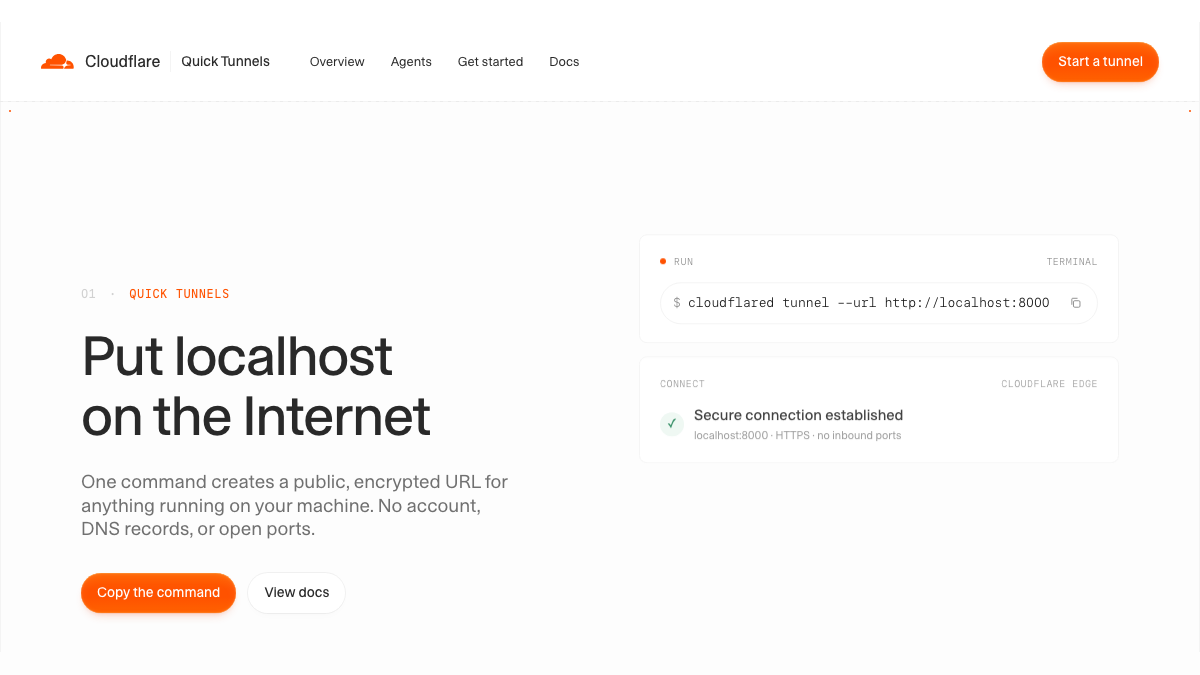
Expose Localhost Services to the Public Internet with a Single Command: Cloudflare Releases Quick Tunnels
Exposing local development servers to the public internet traditionally required tedious router port forwarding or third-party tunneling accounts. Cloudflare Quick Tunnels provides a zero-friction alternative that generates a globally accessible, HTTPS-encrypted public URL for any localhost service with a single command—no account, domain, or inbound ports required.
When running a web service locally, testing mobile pages, or configuring webhook callbacks for external platforms, developers frequently encounter the same barrier: the code runs on their own machine, but cannot be reached from the public internet.
Traditional methods of exposing local services to the public internet often require configuring ports in router admin panels or registering for third-party intranet penetration services. Cloudflare's Quick Tunnels offers an almost friction-free alternative: no Cloudflare account registration, no need to purchase or manage domain names, and no need to open any inbound ports on your router. As long as you install the command-line tool locally and execute a single command, you can instantly generate a publicly accessible URL with global HTTPS encryption for your local service.
Traditional Pain Points of Exposing Local Services to the Public Internet
Across many collaborative development scenarios, locally running services must accept external access:
Sharing previews: Demonstrating in-progress prototypes to remote colleagues, or previewing the rendering performance of local frontend interfaces on external devices such as mobile phones.
Receiving Webhooks: When integrating webhooks from external platforms, the third party pushes event notifications to your service and requires a directly accessible public URL.
Browser testing: Running browser tests in automated testing suites or cross-environment workflows requires external test environments to reliably reach local services.
Providing a public endpoint for Coding Agents: After a locally running AI coding agent or script generates a service, it requires a real public entry point for further debugging or external invocation.
Before lightweight tunneling tools became available, addressing these requirements usually meant exposing the local environment directly to the public internet, or spending substantial upfront preparation time registering accounts, managing authentication credentials, and maintaining configuration files.
Outbound-Only: How Reverse Tunnels Bypass Inbound Ports
Under the hood, Quick Tunnels relies on Cloudflare's lightweight daemon, cloudflared. The core reason it bypasses router configuration lies in its outbound-only reverse tunnel architecture.
In everyday web browsing, external requests actively target your router's IP address—this constitutes "inbound traffic," which the router can only pass through if the corresponding port is open. In the Quick Tunnels architecture, however, the data flow is completely inverted:
Connection establishment phase: After executing the command in a local terminal, cloudflared actively initiates an encrypted outbound connection to the Cloudflare location nearest to the current network. This outbound communication requires opening no inbound ports on your router; however, in strictly restricted network environments, the corresponding outbound traffic must still be permitted (official documentation specifically notes that for formal Tunnels, the server must be able to reach Cloudflare's port 7844).
Request forwarding phase: When external users visit the public URL assigned to you, requests first hit Cloudflare's global edge network, completing TLS handshakes, DDoS mitigation, and routing resolution. Subsequently, requests return through Cloudflare, travel across that established connection to the local cloudflared instance, and are forwarded to the corresponding localhost port.
Lifecycle tied to process termination: Documentation states that the tunnel ends with the process. When you interrupt the command or terminate the cloudflared process in your terminal, the tunnel ceases immediately, and the public link is invalidated.
https://…trycloudflare.com
cloudflared → localhost:8000
Initiates an encrypted outbound connection
The response returns along the same path; terminate the cloudflared process and the temporary tunnel ends with it.
Three Steps to Get Started: From Local Port to Public URL
Using Quick Tunnels requires no login and no configuration files; the entire workflow consists of just three steps.
The first step is installing the official client, cloudflared. macOS users can install it directly via Homebrew:
brew install cloudflared
Windows and Linux users can follow the installation instructions under their respective operating system tabs on the official page. The entire installation process requires no association with a Cloudflare account.
The second step is launching your local development service. Taking a standard frontend project or backend API as an example, start your local service on the port typically used for development:
npm run dev
Assume the local service is running normally at http://localhost:8000.
The third step is opening the tunnel. Open a new terminal window and run the following command:
cloudflared tunnel --url http://localhost:8000
Once the terminal establishes the connection, it returns a random trycloudflare.com subdomain, such as https://quiet-marble-otter.trycloudflare.com in the official example. Copy this URL directly and share it with colleagues or paste it into a third-party service's webhook configuration; external requests will automatically route to your local development environment.
Machine-Readable Output for Coding Agents and Scripts
In addition to manual link copying by human developers, Quick Tunnels accommodates modern automated workflows and AI coding agents.
When a coding agent or automated script spins up a local service and needs to pass the page to an external browser for test runs or provide a public endpoint, the program must be able to extract the generated public URL automatically.
By appending the --output json flag to the startup command, scripts or agents can obtain machine-readable execution results:
cloudflared tunnel --url http://localhost:8000 --output json
The visual example fields displayed on the official page appear as follows:
Tunnel ready https://quiet-marble-otter.trycloudflare.com
location: lhr01 · protocol: quic
It should be noted that the snippet above represents visual example fields from the official page, not a literal sample of the returned JSON text. The visual fields include Tunnel ready, the public URL, location code (such as lhr01), and connection protocol (such as quic). In practical workflows, automated scripts should parse the structured JSON data returned by --output json rather than relying on human-readable log text; the setup takes effect temporarily, terminating alongside the process once tasks are finished, with the documentation also noting that no cleanup is required.
Core Boundaries: Why It Cannot Be Used in Production
While Quick Tunnels delivers exceptional setup speed, official documentation positions it unambiguously: for local development / testing only. When integrating it into your daily toolchain, you must understand its technical limitations and security boundaries.
No support for SSE (Server-Sent Events): Official documentation explicitly notes that Quick Tunnels does not support SSE. SSE refers to the method where a server maintains an open connection to continuously push a stream of events to the browser, commonly used in streaming content delivery. If your local service depends on this mechanism to push data outbound, Quick Tunnels should not be selected.
Concurrent request limit of 200: Official documentation clearly states that Quick Tunnels has a 200 concurrent request limit—meaning a limit of 200 requests processed simultaneously, not connection count. If your demand is likely to approach this scale, or if you need to run stress tests or handle public-facing traffic, Quick Tunnels should not be chosen.
Random subdomains and access control configuration boundaries: Quick Tunnels generates random trycloudflare.com subdomains, and the page provides no configuration steps for custom domain names or access control. If you require a stable, long-term, manageable public hostname, official guidelines require migrating to formal Tunnels.
If you need to publish intranet services externally in a stable, long-term manner, you must transition to formal Cloudflare Tunnels:
Prerequisites: A formal Tunnel requires registering a Cloudflare account, owning a domain managed on Cloudflare, and installing cloudflared on an internet-accessible server or virtual machine.
Routing configuration: Formal Tunnels are created via the Cloudflare dashboard or API, where you configure routing mappings from public hostnames to local services.
Firewall port requirements: When deploying a formal Tunnel on a server behind a strict corporate firewall, ensure the server can establish outbound connections to Cloudflare's port 7844.
Tool Selection Decision Checklist
To determine whether Quick Tunnels is suitable for your use case, use the following decision matrix:
Recommended Scenarios:
- Sharing previews: Temporarily showing a local frontend interface to remote collaborators or on external mobile devices without complex configuration, previewed via a public link.
- Receiving Webhooks: Debugging webhook event push notifications from external platforms, requiring a temporary public endpoint.
- Running browser tests: Automated testing tools requiring cross-network access to locally running services to complete end-to-end tests.
- Providing endpoints for Coding Agents: Locally running automated scripts or coding agents that need to programmatically fetch and read a functional public entry point.
Scenarios Where It Should Not Be Used:
- Services relying on SSE: Services requiring persistent long connections to continuously stream events to the browser (SSE is explicitly unsupported and cannot establish communication).
- Concurrent requests approaching 200, load testing, or handling public traffic: The official limit restricts simultaneously processed requests to 200 (200 concurrent request limit); approaching this threshold, running endpoint stress tests, or handling public traffic easily triggers limits.
- Production environments and long-term services requiring fixed domains: Scenarios requiring long-term stable operation, fixed domains, and manageable routing (official guidelines mandate formal Tunnels for production environments).
- Services containing unisolated sensitive data or lacking application-level authentication: Public URLs allow external requests to pass directly through to local services; based on network path operational security best practices, you should only expose content originally intended for access by that testing party, where the application itself implements necessary authentication and data isolation (this serves as developer operational security guidance, not an additional product security guarantee from Cloudflare).
Members can copy or download the full Markdown, and let their AI subscribe and ask.
Found this useful? Leave your email — every new explainer, the moment it's out. Unsubscribe anytime.