An OpenAI employee explains how to get more from GPT 6 Astra: rethink how people and AI share the work
From LEGO bridges and image editors to a 3D bar, Dominik Kundel's five lessons show how letting GPT 6 Astra fill in the details works best when you set the direction, hand over the tools, and define what "done" looks like.
- GPT 6 Astra can now handle tasks like sourcing materials, building, opening files to check progress, and integrating pieces—so jobs you once wouldn't delegate are worth another look.
- Skipping step-by-step instructions saves effort, but only if you offer a clear purpose, context, and references; your sense of direction still decides whether the result fits your needs.
- A rough first version plus feedback on specific spots makes custom software easier to refine over time; revisit old Skills and high-reasoning settings based on the final output you want.
- The model checks its own work, but your job is to define the scope and the hand-back conditions, so it returns both the finished result and any unresolved issues.
When using GPT 6 Astra on real projects, which details can be handed off to AI, and which directions, tools, and acceptance criteria still require human judgment? This article draws on five practical lessons to clarify how our working methods should shift as models become more capable. GPT 6 Astra is the model itself; Codex is the working environment where you delegate tasks and call tools.
These lessons come from Dominik Kundel, a senior developer and product lead at OpenAI working on developer experience, SDKs, and Codex. He previously led product and design for Twilio's emerging technology and innovation team, with over a decade of experience in developer experience and developer relations. That background gives him useful perspective on integrating AI into real projects: he both builds developer tools and uses them himself to create applications and 3D work.
His LEGO Golden Gate Bridge project illustrates this shift clearly. Previously, he prepared a dedicated Skill—a reusable set of task instructions—along with complex prompts, spending hours iterating without great results. After switching to GPT 6 Astra, he let Codex access BrickLink Studio, a digital brick design application, and gave it a one-line request to build the bridge. About ten minutes later, the first version appeared, complete with cars on the deck. Further refinement was still needed, but the bar for getting a first editable version had changed.
Give it the right tools so the result stays inspectable and editable
The first version of the Golden Gate Bridge came from Astra working with two tools: it first surveyed what parts BrickLink Studio's built-in library offered, used Python code to assemble the model, then opened Studio to review and refine. The code handled batch generation; the design software let it see whether what it generated actually worked.

The author asks for a Golden Gate Bridge model and specifies Studio. Source: Dominik Kundel.

The first version of the Golden Gate Bridge model, rendered later with studio lighting. Source: Dominik Kundel.

Close-up of the bridge deck: lanes, cars, and brick connection details. Source: Dominik Kundel.
Kundel ended up with a brick model he could open and inspect in Studio, with the close-up of the deck revealing lanes and cars. The full scene used studio lighting configured later; the roughly ten-minute mark refers to that initial version, which still needed polish afterward. Watching the code and software cooperate so naturally even made him reconsider whether doing it by hand would actually be faster.
This gives "handing it to AI" a more concrete meaning. It can produce in one place, check in another, and then assemble the pieces. When choosing tools, start with what you already know how to use: Studio for LEGO, Blender for 3D, DaVinci Resolve or similar dedicated software for video. With the right editing tool available, you don't need to confine all video work to FFmpeg commands.
The 3D room reconstruction makes this workflow clearer still. Kundel gave Astra ten casual photos of his home bar, without measurements. Astra estimated scale from reference objects in the photos, such as a cocktail book, then in Blender—the 3D modeling software—it built each object, inspected it separately, and placed it into the shared scene for further adjustment. It operated both the software's interface and the command line.

A home bar reconstructed from ten photos: counter, seats, wall shelves, lights, bottles, and glasses all sit in the same 3D scene. Source: Dominik Kundel.
The room included furniture, shelving, bottles, and glasses, along with a corner chair and stray cables. Keeping those as individual objects means edits stay local: if the chair looks wrong, change the chair; if the lighting is off, adjust the lighting. Kundel later modified materials and lights, and could also open the scene to view it from different angles.
Even when the final output will live on the web, some 3D work can still start in Blender. For the user, tool choice shapes what you end up with: whether you can open and check it, whether a single object can still be modified, whether it can move into downstream work.
You describe the what; it fills in the operational details
Tools give Astra the means to act; requirements give it direction. Kundel wanted to build Thumbnail Studio, a browser-based image editor for creative assets. He described the idea verbally and pointed the model to his conversations with colleagues.
The input shown in the video was actually substantial: Slack threads, the website codebase, brand guidelines, and core capabilities like uploading background images, rearranging elements, and using templates. He also asked for a clean interface. The phrasing can be loose, but purpose, references, and important requirements still need to come through.
What Astra filled in were the operational specifics that were not spelled out item by item—undo shortcuts, layers, and the ability to hide layers. Those are judgments about how an image editor should behave for a person using it.
Play video showing spoken requirements and the editor's first draft.
22 seconds: from spoken requirements to the first Thumbnail Studio draft. Source: Dominik Kundel.

Thumbnail Studio after further iteration: editing tools and layers on the left, canvas in the middle, thumbnail preview and feedback on the right. Source: Dominik Kundel.
For people who want custom software for their own work, this division is useful: first state the problem you are trying to solve and roughly what you want the software to feel like, then try the working version and decide what to keep and what to change. You do not need to spec out every button's behavior before you start.
The LEGO model showcase site illustrates a further level of product thinking. Kundel asked that visitors be able to view models in 3D and download building files; Astra also added an upload interface for new models. As he described it, this admin entry point uses Sign in with ChatGPT to restrict access to him alone.
Play video showing model collections and 3D details.
26 seconds: from a collection of works into a model detail view, showing different angles of a LEGO build. Source: Dominik Kundel.
That upload-and-admin layer addresses how the site will keep growing and who maintains it. The model was reasoning not only about what a visitor sees on a single page but also about how the author will use this software going forward.
Still, specific aesthetic choices need human direction. To land on the space theme he envisioned, Kundel provided further references and asked explicitly for interactive, rotating planets. Once a feature or visual direction is decided, say so directly; what you hand off is the detail work you are comfortable letting it judge.
Once you have a first version, iterate against concrete results
A first version turns an idea into something you can point at and critique. The next round of feedback can target a single button, a region of the screen, or a moment in an animation—you no longer have to imagine the final effect from words alone.
Kundel later asked for a "product feedback mode" with automation to periodically review, triage, and implement incoming feedback. Astra built out the interface for this direction: select a spot in the app, pin a comment there, set a priority, edit the feedback, and mark issues resolved.
Play video showing how comments attach to interface locations.
22 seconds: selecting an interface location, adding a comment, setting priority, and viewing feedback status. Source: Dominik Kundel.
That way, issues discovered while using the software stay anchored where they occur. The next round has clear targets: what to change, what to do first, what is already done. The original demo showed those interface actions; the periodic processing was the automation the author requested.
The animation case shows how references and feedback work together. Kundel admires Nick Baumann's animation style, so he gave Astra access to Appshot screenshots with context, the article he was writing, and the Codex app's codebase.
The original request was also very specific: it asked for two animation concepts first so he could respond, one of which had to explain the difference between an AI clicking through a UI versus directly invoking a dedicated tool. The author had already specified what the animation needed to communicate.

The animation request includes a reference image and explains the 3D operation scene it should depict. Source: Dominik Kundel.
Astra read the 3D demo in the article, rebuilt the interface so it could be animated, and added composition, camera angles, and captions. It also built an extra preview tool that let Kundel play, pause, loop, and inspect from different angles, then mark up issues using the built-in browser annotation tool.
Play video comparing the first animation draft with the published version.
32 seconds: animation preview tool, first draft, and published version; side-by-side comparison shows later iterations. Source: Dominik Kundel.
Comparing the video shows concrete changes: the first version presented a single modeling window alongside a conversation; the published version placed two modeling windows side by side, each with its own explanation area below. With both interaction styles in one frame, the difference is easier to see. The value of that preview tool was being able to look at the actual output and make further demands from there.
Even gathering the material for this comparison video was folded into the task. Kundel asked Astra to retrieve the earlier animation from an old conversation, find the screen recording on the desktop, and pull the final version from the X article; it located the pieces and assembled the video. He could say what outcome he wanted and let the model handle finding and combining within the locations given, avoiding the normal prep of locating each file himself.
Start with a simple setup and tune guidance and reasoning level against the output
Looking at results like these, another habit is worth revisiting: how much of the guidance we used to add for older models does a new model actually still need?
When the team had Astra cut a release video, some Skills written for earlier models actually got in the way; a simpler setup without the video-editing Skill performed better on that task. If a Skill mostly patched an older model's weaknesses, compare results with and without it on the same task before keeping it.
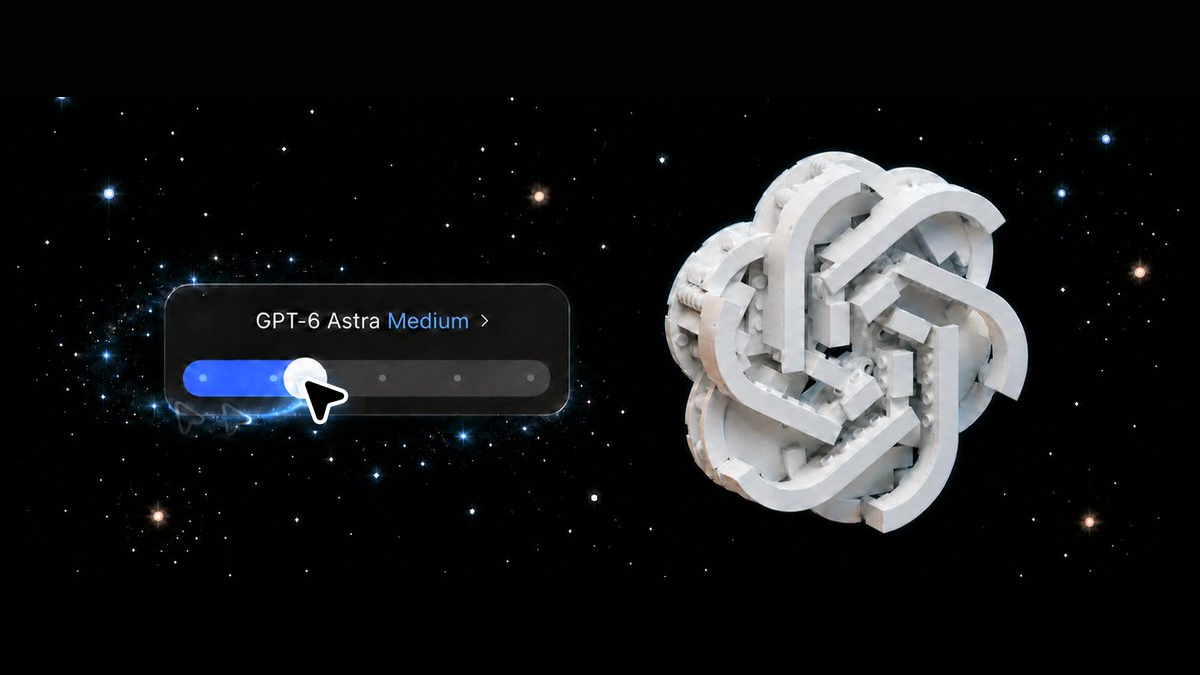
The same experimental approach applies to reasoning levels. Levels like Low, Medium, and Max indicate different reasoning intensities. In some of his Blender tests, Kundel preferred Astra's output at Low over another model's—GPT-5.6 Sol at Max. He also noticed Astra checking its own work carefully even at lower levels.
Play video comparing outputs from both models at each reasoning level.
18 seconds: Sol on top, Astra on bottom; each row goes from Low, Medium, High, Extra high, to Max, cycling through three modeling subjects. Source: Dominik Kundel.
In the video, Sol is on the top row and Astra on the bottom, each ordered left to right by reasoning level, rotating through three subjects: character, architecture, and room. You can compare shape, composition, and detail on the same subject to see which result lands closer to what you want.
When trying this yourself, start at Low or Medium, do a round, then adjust upward or downward. Kundel also offers Model Observatory as an entry point for more comparisons. Neither old Skills nor the highest reasoning level need to carry over automatically; whether more guidance or reasoning is needed should be judged against the specific task and its output.
Let it check the actual result and agree on when to hand back
Once you let the model run, the final question is: how do you know it is done, and at what point should it hand control back?
Kundel observed that Astra, when building a game, might start playtesting; when optimizing, might set up an environment to measure effects; when processing video, might inspect individual frames or audio waveforms. The checks land on the artifact's real performance.
The cover demo offers a more specific example. Astra noticed that in its previous round it had fixed the cropping but left the preview aspect ratio too tall. A search pointed to 5:2, but the X help page gave no dimensions, so it went on to check the actual article page's code, confirming the ratio at the time was 5:2 at 1200 × 480 pixels, then explained the adjustment to ratio and centering so the subject stayed fully visible.
Play video to see Astra verify the cover's display requirements.
6 seconds: Astra checks the display ratio and size for an X article cover. Source: Dominik Kundel.
That check chased two things: whether the original crop problem was solved and whether its own change had just introduced an aspect ratio problem. The actual page where the final asset would appear gave it grounds to correct itself.
Checking also needs an endpoint. If you only want a prototype you can play with yourself, say the goal is a playable version; if you want the model to play through completely and fix issues, write that into this round. You can also agree: check one pass against what you care about, report what was found and what remains unresolved, then hand it back.
Applying these lessons to your own tasks, the brief can cover the following:
| What to specify | How far to specify it |
|---|---|
| Outcome goal | What openable, runnable, or editable result you want |
| Tools and references | The software it can use, where source materials live, and examples it should aim toward |
| Explicit requirements | Decided features, visual direction, and anything it should not expand on its own |
| Checking and handoff | What you want verified and when to report results and unresolved issues |
Kundel's final suggestion is to pull out a task you once abandoned. Give Astra the right tools, references, and completion criteria, start at a Low or Medium reasoning level, see how far it gets, then add guidance. The attempt is both a test of the model and a fresh judgment call: which preparation, production, and checking work is already worth handing over.
People set direction,
Astra builds and checks
OpenAI developer-experience and SDK practitioner Dominik Kundel used GPT 6 Astra in Codex to build apps, brick models, and 3D scenes. His lesson: rethink how people and AI share the work.
From hours of fiddling to an editable first draft
Dedicated Skill + complex prompts
Hours, still unsatisfactory
One bridge request + Studio
First version in about ten minutes
For the Golden Gate Bridge, Astra assembled parts with Python, then inspected and edited them in BrickLink Studio. About ten minutes produced a first version; refinement was still needed.
People set direction; the model connects the work
People assign the task
Goal, tools, references, explicit requirements
- Goals and boundaries
- What's the final output? What requirements are fixed?
- Tools and references
- Software, material locations, and reference examples
- Check and hand back
- What to check? After which round to return?
Astra executes
Build → open → check → modify
Something that opens, runs, or lets you tweak parts
Point to a button, screen area, or object to refine.
Astra supplied undo, layers, and layer visibility in an image editor. You still specify its purpose and visual direction; it can fill in operational details.
Start simple, then adjust based on the result
Compare results without it, then decide how much to keep
Test a round with Low or Medium, then adjust up or down
Old instructions can hinder some tasks. Higher reasoning levels do not guarantee a closer fit to your needs.
Hand off the work, keep the judgment
01Turn ideas into something testable
I want to build an image editor…
Workflow illustration based on the article. The characters and events are illustrative.
02Clarify direction, leave room for judgment
Purpose, references, and tools are all here.
State the goal and fixed requirements; Astra can fill in operational details.
03Get a working first version
I’ll build a first version. You try it.
In the article, Astra added layers, layer visibility, and undo to Thumbnail Studio.
04Pin feedback to a specific place
This block hides the main subject—fix that first.
Illustration: point to a specific place in the result and say what you want changed.
05After changes, verify the result
Run the agreed checks once, then hand it back.
Agree on the check scope and exit criteria first. Confirm the fix works and watch for new issues.
06Hand back results and remaining issues
This round is done; remaining issues are listed.
Direction and sign-off stay with the human. A working, editable result is the starting point for the next round of judgment.
Members can copy or download the full Markdown, and let their AI subscribe and ask.
Found this useful? Leave your email — every new explainer, the moment it's out. Unsubscribe anytime.