Meta Muse Design Lead Shares the Design Thinking Behind Muse: Integrating AI Agents into Daily Life
How does Alex Cornell turn a background-capable agent into a product everyday people will actually use? From familiar chat entry points, visible progress, and personalized ideas to real-world cases across shopping, sports, and memories, here is the design thinking behind Muse.
People save many items to their collections, then rarely revisit them. Fitness trackers record every workout, yet the data does not become guidance on what to practice next. Blog posts written in one’s youth remain online, but go unread by their author for years. Several everyday use cases of Muse begin precisely with this kind of dormant personal data.
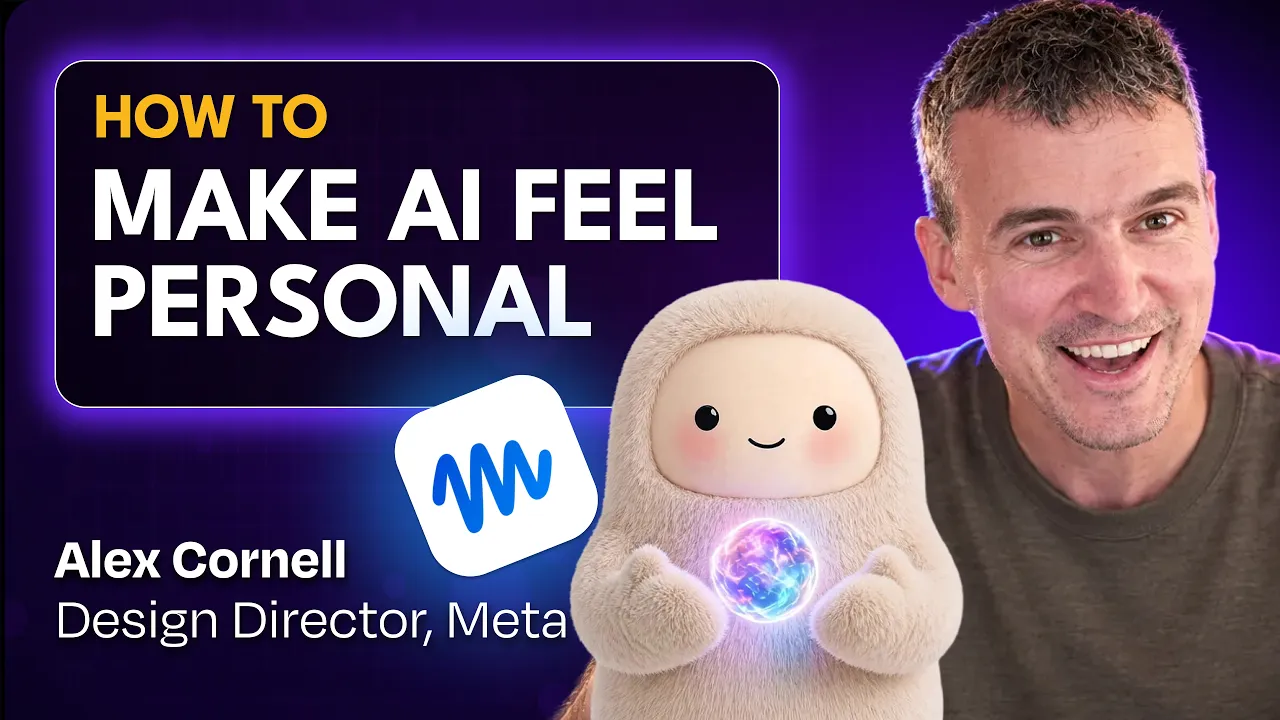
Muse is Meta’s personal AI agent: it can connect to third-party applications, browse the web, carry out multi-step tasks, and continue working autonomously in the background to send proactive updates. On the How I AI show, host Claire Vo sat down with Alex Cornell, Design Director at Meta and design lead for Muse, to discuss how to transform these technical capabilities into a consumer product people want to use. A companion article in Lenny’s Newsletter provides background profiles and chapter breakdowns from the same interview.
The recurring philosophy behind this discussion is using a familiar chat interface to handle complex tasks, then turning existing personal data into personalized catalogs, reports, and podcasts. Its product design choices and everyday use cases illustrate how these two elements reinforce each other.
Building Ongoing Dialogue Through a Familiar Chat Interface
Opening a conventional AI application often greets users with a sidebar of conversation histories, project folders, knowledge base connectors, or code diff inspectors. These concepts are essentially software engineering abstractions comfortable to developers.
In the design philosophy of Muse, however, the starting point of interaction is not "operating a software tool," but rather "an exchange between you and an entity."
1. Giving the Assistant Its Own Name and Persona
At the top of Muse’s primary interface sits a miniature digital avatar. The default persona is the team mascot Jolly Bot (named after the nickname of Alex’s daughter), but users can customize it into expressive characters at any time—such as Marlo, the green plush cactus Alex uses, or Slime, the pink plush dinosaur chosen by interview host Claire.
This character is not merely a static aesthetic ornament; it serves as a live visual indicator of the agent’s current working state. When retrieving information or running computations in the background, the cactus or dinosaur sits at the top of the screen tapping away on a tiny, plush laptop. This anthropomorphic design provides emotional warmth while establishing an intuitive mental model: after you send a request, this character remains at work on your behalf. Alex noted that his mother even apologizes to and thanks her Muse when sending messages, showing gratitude for its hard work—an anecdote highlighting how approachable this entry point feels to non-technical users.

2. Clear Boundaries for Proactive Messages
In pursuit of minimalist typography, many modern AI chat interfaces have abandoned traditional messaging bubbles, laying plain text directly onto a stark white background. Muse chose the opposite direction, intentionally preserving the message bubble structure.
Alex explained that this choice stems from a fundamental difference between an agent and a standard chatbot: Muse can work asynchronously in the background and send proactive messages to the user. It might monitor discounts in the morning, scrape tournament results in the afternoon, and proactively surface a reminder in the evening. In an asynchronous environment spanning hours or days, message bubbles clearly delineate message boundaries, timestamps, and attribution, preventing the screen from degrading into an ambiguous, cluttered timeline.
3. Staying in Main Chat by Default, Branching Off for Standalone Tasks
In terms of information architecture, many AI tools adopt an "all-threaded" model, organizing tasks across isolated discussion threads. Different matters end up scattered across various conversations, forcing users to manually organize and locate them.
Muse opted instead for an architecture centered around a single Main Chat. Users can interact continuously in this persistent stream just as they would message a friend or family member on a chat app. As long as the underlying model can navigate the relevant context, Alex wanted users to rely on one primary communication line without having to decide whether to open a new thread every time.
Inevitably, this introduces a trade-off: stacking every miscellaneous task into a single stream can make the interface lengthy and chaotic. To address this, Muse introduced "Side Chats" as dedicated escape hatches for self-contained, finite tasks (such as inspecting a specific document). Nevertheless, Alex candidly admitted that helping everyday users understand exactly when to stay in the main chat versus when to branch off into a side chat remains an interaction boundary the team is actively refining.
Acknowledging First, Then Executing: Making Work in Progress Visible
When an agent executes multi-step, complex workflows, designers face a classic dilemma:
- Completely concealing background activity leaves users wondering whether the program has frozen, disconnected, or is executing normally.
- Dumping the entire Chain of Thought, search logs, and API invocation code into the chat window overwhelms mainstream consumers with noisy, incomprehensible technical output. Claire thought that showing intermediate steps sometimes helps ease the wait caused by slow responses.
Muse addresses this through progressive disclosure, letting users inspect as much or as little detail as they choose.
How Deeply Can You Inspect the Same Task?
Expand each level on demand to see how information increases. This is a conceptual demonstration based on the interview.
① Is it working?Working
② What is it doing right now?🎃 Researching pumpkin patches
In everyday use, a concise status indicator is enough to confirm your request is being processed.
③ Expand to view: What actions have been taken?
The task list shows what has already been done, making it easy to verify the agent's direction. In the interview, the Today list included finding pumpkin patches, checking other picking locations, and logging the catalog creation workflow.
④ Go deeper: View execution details
When you need to audit an action, you can inspect details such as curl commands and executed code. Everyday users don't need to understand these before knowing whether the agent is working.
First, Know That It’s Working and What It’s Doing
For the vast majority of everyday scenarios, users only need to know whether the system is active. In the top bar of the Muse interface, the system first surfaces a concise status: for instance, Jolly Bot is working..., accompanied by a character graphic and a brief explanation (such as 🎃 researching pumpkin patches). Users are not forced to read through operational logs simultaneously.
Expanding the Task List to Review Progress
If a user wants to understand what the agent has actually accomplished, a simple tap on the top status bar expands a structured task list (Task List / Today). Here, completed steps are presented cleanly, allowing non-developers to assess whether the agent is staying on track without needing to parse code.
Inspecting Execution Code When Auditing Is Needed
For developers or users troubleshooting a failed operation, clicking into a specific task item lets them drill down into raw execution logs, including curl commands and script outputs.
Claire emphasized that actual response latency remains vital for consumer products. In her experience, Muse’s underlying models felt remarkably fast—so fast at times, Alex added, that users might wonder whether it truly executed the task.
Crucially, raw model speed, immediate receipt confirmation, and visible progress indicators address three distinct user experience problems: model speed affects response time; when handling long-running, multi-step tasks, Muse immediately acknowledges requests with an emoji or brief greeting to confirm receipt and reassure the user that the system is responsive; subsequently, the status bar and expandable task list answer what the agent is currently doing and whether it has drifted off course. Immediate UI acknowledgments and status indicators must not be conflated with completed task delivery.
Prompting What Else Is Possible Based on Personal Interests
An agent operating through a single main chat can handle an extensive range of tasks, functioning effectively like a personal assistant. Yet despite this versatility, an open-ended prompt window is rarely intuitive for ordinary users, who often struggle to imagine what the agent can actually do for them.
To overcome this blank-canvas paralysis, Muse supplements the main chat with two discovery entry points:
- Ideas: Generic feature tours or static prompt suggestions are frequently ignored. Instead, Ideas dynamically generates specific, actionable task proposals based on the user’s recent conversations and personal interests. If a user spends the day chatting about golf, for instance, Ideas populates with golf-specific analysis suggestions. Tailoring recommendations to personal hobbies helps users discover relevant applications they would not have thought to ask for.
- Feed: This surfaces an exploratory space where users can proactively experiment. Users can define custom topics using natural language prompts, adjusting and mixing content subscriptions at will—for example, following industry updates during workdays and switching to parenting or family activities over the weekend.
Connecting Existing Personal Data to Deliver Everyday Utility
The following practical use cases stem from Alex’s personal data archives and ongoing personal interests. They transform dormant information by reshaping how it is organized, presented, and updated.
Turning Instagram Bookmarks into a Curated Shopping Catalog
Alex had long saved items using Instagram’s bookmarking feature, yet rarely revisited them. Valuable products and design inspirations ended up buried under incoming content.
- Data Source: Via Muse’s application connectors, Alex granted access to unstructured photos, videos, and captions stored within his historical Instagram saved folders.
- Agent Workflow: Muse first logically clustered these disparate items into organized folders, then filtered valuable products using gift-recommendation heuristics. To replace monotonous lists with an engaging reading experience, Alex instructed Muse to emulate the visual layout of vintage 1990s in-flight shopping magazines like SkyMall and The Sharper Image, assembling the items into an exclusive catalog.
- Artifact and Experience: The generated layout showcased laser rangefinders, retro timepieces, portable espresso makers, and digital organizers, complete with exaggerated retro marketing copy and period-appropriate typography. Alex recalled that this catalog updated daily.

Alex has already used Marlo to purchase items like watch straps, though this generated catalog was not yet integrated with a click-to-buy checkout workflow at the time; it served primarily as a personalized creation he enjoyed browsing.
Beyond curating shopping finds into vintage magazines, transforming visual bookmarks can extend to broader creative workflows and personal knowledge management. Claire shared that she connects her Instagram and Pinterest visual boards to an agent, prompting it to analyze her saved imagery, extract recurring design aesthetics and descriptive keywords, and generate novel design concepts. Alex also recalled bookmarking hundreds of golf swing tutorials that sat untouched until Muse synthesized them into a personalized practice manual, finally unlocking their value. Even past Stories can be retrieved and organized into a personal feed worth revisiting. The core premise across these examples is shifting from passive accumulation to active utility—taking unstructured, fragmented records scattered across platforms and turning them into practical tools and ongoing inspiration.
Checking Weekly Discounts and Alerting Only on Changes
Beyond restructuring historical archives, another key benefit of an agent lies in converting repetitive, manual lookups into autonomous background monitoring.
Alex termed this his personal "monitoring superpower": tracking whether a musician drops a new album, announces tour dates in San Francisco, or whether a specific golf apparel brand releases a collaborative capsule. The interview also highlighted weekly automated checks to see if items on a personal wishlist dropped in price. Traditionally, researching children's car seats or securing concert tickets requires repeatedly toggling between search engines, video reviews, and e-commerce platforms to compare listings. When researching car seats with Muse, Claire outlined her requirements first and explored recommendations interactively; tracking upcoming music releases or product discounts, by contrast, ran as hands-off background routines. It is worth distinguishing between browsing a stylized product spread and delegating background price tracking; the recurring monitors discussed in the interview focus on filtering data and alerting the user when changes occur, leaving the final purchasing decision to human discretion.
Golf: From Logging Scores to Knowing What to Practice Next
As an avid golfer, Alex’s long-term objective is to reach a "single-digit handicap" (a golf handicap metric indicating player skill level, not shooting single-digit total strokes in an 18-hole round). Alex explained that a long-term goal of this nature is challenging yet attainable, provided the agent understands that disparate telemetry streams must converge toward this singular milestone, ensuring that round recaps and training drills align in the same direction. However, a busy work schedule leaves him few opportunities to play.
- Data Source: Hole-by-hole scorecards and shot tracking logged by his watch, alongside launch monitor telemetry gathered during driving range sessions.
- Agent Workflow: A raw scorecard requires the player to manually deduce where strokes were squandered; Muse, by contrast, transforms this telemetry into narrative storytelling. In his single-round recaps, Alex noted that visual charts quickly highlighted the disparity between a poor front nine and a strong back nine. Certain recaps compared his performance on a specific hole against historical rounds at the same venue, providing actionable context when returning to that course. The chart below illustrates the hole-by-hole stroke attribution from a round of 84 (+12 over par), alongside "The Conversion Ladder," a hypothetical progression model generated for that match.
Where Can These 5 Strokes Be Saved?
Check the hypothetical improvements below to see how the round of 84 changes. The original score on the left remains as a baseline reference.
Calculation basis: 84 − 4 × 1 = 80; 80 − 1 = 79. This illustrates the hypothetical improvements modeled in the report; actual results must still be tested in real rounds.

- Practice Range Reports and Sample Quality: In a separate TrackMan report analyzing swing practice, Muse parsed mechanical launch parameters: pointing out, for example, that his driver exhibited a downward angle of attack (-2.4°) and a slightly open clubface (+2.6°). It recommended adjusting the angle of attack before altering face alignment, projecting an additional 15–20 yards that would require subsequent launch monitor verification. Crucially, beside the 54° wedge data module, the interface prominently flagged a red warning banner:
UNRELIABLE SAMPLE — DO NOT USE.

Here, 84 → 80 → 79 represents a hypothetical single-round improvement path: turning 4 double bogeys (+2 over par) into bogeys (+1 over par) saves 4 strokes; finding one more stroke brings the score to 79. It helped Alex identify which mistakes to prioritize eliminating, but does not indicate that he has already shot this score in reality. The TrackMan practice report also respected the user’s flagging of bad samples, advising that fresh data be collected before drawing coaching conclusions.
Furthermore, the cadence of these recurring tasks often needs to adjust to real-world routines. Alex initially set Muse to check his golf round data every Sunday and generate a post-round recap, but because his busy schedule left little time to play, the fixed weekly check often came back empty. Alex noted that the check frequency could easily be dialed back (for example, checking at wider intervals). This shows that the triggering cadence of background tasks should match the actual frequency at which real-world data is generated, rather than clinging to arbitrary schedules.
Old Blogs: Recovering Past Writing as a Morning Audio Brief
Alex’s earlier writing had moved across platforms like Blogger and Tumblr over the years; two decades later, he rarely revisited those articles.
- Data Source: Historical web captures from the Wayback Machine combined with legacy URLs scattered across hosting platforms.
- Agent Workflow: Alex tasked Muse with trawling through archived snapshots, retrieving his essays from twenty years ago, and consolidating them into a unified PDF archive. Muse subsequently reformatted this content into a blog-style webpage. Even more inventively, because Alex prefers consuming older writing through audio, he instructed Muse to convert the archive into a daily morning podcast featuring a randomly selected essay read aloud.
- Artifact and Experience: Each morning, Muse delivers a narrated audio episode. In the demonstration, the podcast humorously recited a question young Alex wrote years ago: "Is it just me, or is it weird that 90% of the people in the world are wearing the same color pants?" Transforming legacy writing into audio bridges decades of personal thoughts into an enjoyable daily routine.

Chess: Combining Broad Trends with Game-by-Game Post-Mortems
Alex wanted to pair broad trajectory trends with granular game breakdowns to quickly evaluate his recent performance.
- Data Source: Personal historical game data from Chess.com, spanning over ten thousand career matches alongside recent trends across several dozen games.
- Agent Workflow: Prompting Muse directly through the main chat with natural language yielded a comprehensive personal Chess Dashboard. The dashboard charts Blitz rating fluctuations across a recent multi-game window (oscillating between 1500 and 1590, peaking recently at 1579 against a lifetime best of 1777), lists frequent openings accompanied by raw match counts (such as the Italian Game and Scotch Game), and delivers a lightly satirical recap of his latest match. This playful snark emerged organically in the generated output without Alex explicitly requesting it.
- Artifact Value: Raw match statistics were transformed into an engaging review tool tailored with a distinct voice and designed for recurring reflection.

The 1579 shown on the dashboard represents the peak across a recent 42-game window, while 1777 remains his all-time best rating. Alex noted himself that his recent play felt like a regression. The value of this case lies in placing broad trends side by side with single-game post-mortems to pinpoint weaknesses; it does not claim that Muse has demonstrably improved his chess rating.
Keeping a Stable Framework While Leaving Room for Personalized Results
In the latter half of the interview, Alex reflected on the mindset shifts required when transitioning from traditional graphical user interface design to AI agent product design.
A Consistent Scaffolding with Personalized Generative Artifacts
Traditional software adheres to deterministic visual and behavioral expectations; if a button or circular element appears in the wrong spot, engineering can trace and patch the defect against fixed design specifications.
In the agent era, by contrast, generated outputs are fundamentally non-deterministic (identical inputs do not guarantee identical outputs). Every user configures a different avatar, links different third-party integrations, and issues unique natural language prompts, leading to vastly divergent dashboards, copy, and visual treatments.
Many envision "Generative UI" as a radical sci-fi interface where layouts, buttons, and color schemes are re-rendered from scratch every time an app opens. In practice, Muse maintains stable system rails, housing personalized generative outputs within native structural containers. The main chat stream, top status bar, Ideas tab, and Feed remain fixed anchor points. Content cards inside the Feed are likewise designed natively by the team, rather than the entire page being AI-generated. Inside these stable containers, however, content and states generate on the fly: if a user changes their avatar to a tomato, the system dynamically renders animations of a tomato typing on a tiny laptop. The vintage catalog, personal podcast, and chess dashboard similarly operate as generative artifacts nested within reliable structural rails.
Faced with non-deterministic output, Alex admitted that as an experienced designer, he initially felt uneasy and had to consciously suppress his perfectionist instincts. Product design must pivot from prescribing every static pixel to building robust scaffolding capable of accommodating diverse generative creations. When reviewing personalized outputs, designers should first ask whether the artifact delivers genuine utility before obsessing over fine-tuning colors or layout grids.
Beyond visual layout, daily conversation also reflects non-determinism. Concluding the interview, Alex acknowledged that Muse can occasionally be obstinate or return unexpected results. Rather than relying on rigid prompt engineering frameworks, he treats the agent like a human collaborator, maintaining polite and conversational dialogue when clearing roadblocks or redirecting drift. Alex shared this as a personal communication habit rather than a proven formula for consistent optimization; shaping generative artifacts remains an ongoing dialogue of iterative adjustments.
Background Execution Paired with Clear Permission Controls
An approachable persona helps users take their first steps; when that agent actively accesses external accounts, sends messages, or executes purchases, users need mechanisms to audit what it has done and govern what it is allowed to do. Meta’s official product overview clarifies these operational and security parameters:
- Isolated Persistent Virtual Machine (Secure VM): Muse provisions an isolated Linux virtual machine shared by the user and the agent. Functioning effectively as a dedicated remote computer, it includes a complete browser, local storage, and compute resources, allowing delegated tasks to continue in the background after the user closes the app.
- Approve Critical Actions: Sensitive operations—such as sending outbound messages, completing purchases, or sharing personal data with connected third-party services—require user authorization based on preset preferences. Users can choose "Allow once," "Always allow," or "Deny." Users can also review records of completed and planned operations.
- Free Tier and Usage Mechanisms: Muse offers an experience with a free usage allowance. Once that quota is exhausted, users can subscribe to a paid tier or wait for their free usage allocation to refresh.
Starting with Existing Data and Real Goals to Keep an Agent Useful
A common thread unites each of these use cases: the underlying input data already existed in the user’s life; Muse merely reconfigured how it was organized, surfaced, and used. Bookmarks transformed into an engaging catalog, scorecards became clues for targeted practice, and archived essays evolved into an audio podcast.
From a product design standpoint, the main chat, status indicators, and permission boundaries provide a stable entry point; personalized ideas help users discover potential workflows; and custom artifacts aligned with personal passions offer a compelling reason to return. When designing agent workflows, the best place to begin is by asking what personal records you already hold, what practical artifact you wish they could become, and at what recurring cadence an update truly delivers value.
Members can copy or download the full Markdown, and let their AI subscribe and ask.
Found this useful? Leave your email — every new explainer, the moment it's out. Unsubscribe anytime.