Anthropic’s Developer Team Explains How to Cut Claude API Costs Without Sacrificing Quality: Three Optimization Strategies Across Caching, Prompts, and Effort
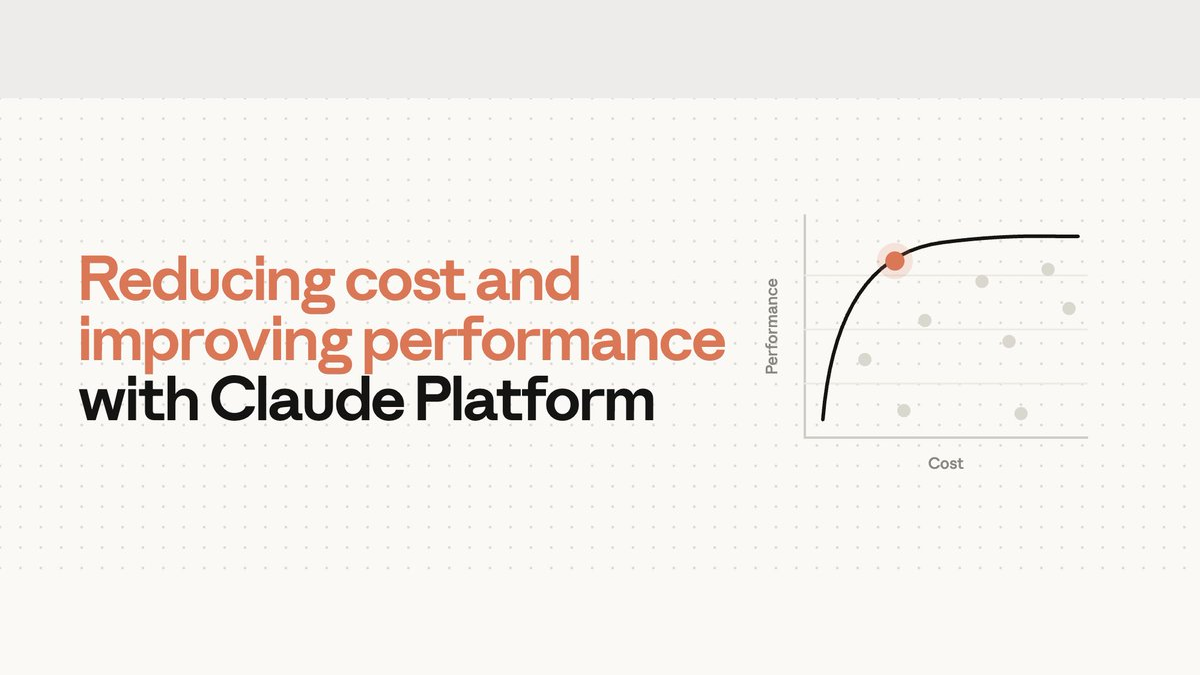
Cost reduction and performance are not a zero-sum trade-off: eliminate duplicate compute, ineffective instructions, and mismatched thinking effort before deciding whether to switch models.
- Cache reads require byte-exact request prefixes and are bound to specific models and TTL limits.
- Verification rituals, mandatory steps, and contradictory rules from older model eras can force frontier models into useless work.
- Effort should be calibrated level-by-level against your own evals; higher is not inherently better.
- prompt-audit, cost-optimize, and hillclimb handle prompts, overall costs, and configuration search respectively.
The core thesis from Anthropic’s official developer team: cutting Claude API costs does not have to start with sacrificing model capabilities; first uncovering cache recomputation, legacy prompt rules, and mismatched effort can often be more cost-effective.
Why Are Bills Rising Without Matching Quality Gains?
When teams notice their Claude API bills climbing, their immediate instinct is often to switch to a cheaper model, truncate input prompts, or restrict the model’s thinking. Yet these measures can directly impair output quality, creating the illusion of an unavoidable trade-off between cost and performance.
Anthropic’s official developer team offers an alternative perspective: before accepting that compromise, first rule out whether your system is paying for compute that generates zero additional value.
This article examines three critical layers within each request:
- Input layer: The same prefix is being computed again. Inspect cache prefixes, model bindings, and TTL.
- Instruction layer: Legacy rules no longer match new model capabilities. Inspect verification rituals, mandatory steps, stale examples, and conflicting rules.
- Reasoning layer: Reasoning effort does not match task difficulty. Sweep multiple effort levels and model combinations against your own evaluation benchmarks; setting it too high may waste budget, while setting it too low risks compromising performance.
The subsequent sections on cache optimization, prompt cleanup, and effort calibration correspond directly to these three layers. They follow no rigid sequence: investigate the input layer if cache hit rates drop unexpectedly; audit prompts first after upgrading to a new model generation; and compare models alongside effort if you already have an evaluation set. When systematic cost reduction is required, audit caching, batching, output length bounds, and model selection within a single unified bill.
Why Are Cache Costs Still High After You Enable Caching?
In large language model interactions, generating a response must be preceded by a “prefill” phase. The model must transform all provided text, conversation history, and tool definitions into an internal working state known as the key-value cache (KV cache). Prefill is a relatively costly stage of input processing.
The premise of prompt caching is straightforward: if the opening portion of the current request matches the prefix of an earlier request byte-for-byte, Claude can directly read the saved KV state from memory without recalculating it. Prompt cache read pricing represents only a fraction of the cost of full input processing.
However, enabling caching does not guarantee cache hits. Understanding why costs fail to drop requires grasping three core constraints.
First Understand Why Caches Invalidate: Three Hard Constraints
- Cache is bound to a specific model: The same prompt cache cannot be shared or read across different models.
- Byte-exact prefix match: Cache reads require the corresponding request prefix to be byte-exact; a prefix change may prevent the affected portion from hitting the cache.
- Finite time-to-live (TTL): The default cache lifetime is only 5 minutes (measured from the start of the request). If an agent executes a complex tool call or waits for subagents longer than 5 minutes, the parent context’s cache will expire due to timeout.
Next Identify What Breaks the Prefix: Four Common Sources
- Changing Effort mid-conversation: Effort settings are rendered ahead of concrete content and form part of the cache prefix. Modifying them mid-stream alters the prefix; currently, only select models including Opus 5 and Fable 5.1 support updating effort mid-conversation without busting the cache.
- Placing dynamic variables in the prefix: If timestamps or request IDs inside the system prompt change between calls, they alter the prefix and may cause cache misses.
- Tool definitions changing: The Claude Messages API assembles prompts in a fixed order, positioning tool definitions near the beginning. Any alteration to tool ordering, descriptions, or schemas mutates the subsequent reusable prefix.
- Subtask forking without aligned environments: When branching conversations or dispatching subagents, the branch can reuse the parent’s cache only if the model version, effort level, and historical prefix bytes match exactly.
Finally Fix Request Structure and Timing: Six Practices
Addressing these issues requires adjusting both request structure and execution timing.
Practice 1: Place Static Content First and Move Dynamic Content to the End
When assembling prompts, position the most stable static context (tool definitions, global system rules) up front, followed by sequentially growing multi-turn history and dynamic inputs.

Practice 2: Defer Loading for Low-Frequency Tools (defer_loading)
All tools can be declared in advance while tagging low-frequency tools with defer_loading. These tool definitions do not enter the cache prefix and are appended to the conversation only when Claude locates them via Tool Search, thereby preserving existing cache.
Practice 3: Turn System Prompt Changes into Appended Messages
When global instructions need supplementing mid-conversation, editing the initial System Prompt directly alters the prefix. Certain Claude models support appending system directives as messages rather than modifying the original System Prompt, thus preserving the preceding cache.
Practice 4: Switch Configurations During Context Compaction
When long conversations trigger context compaction, the conversation history is extensively rewritten, inevitably causing a cache miss. If you need to switch models or adjust effort, this is an opportune moment because the cache miss must be incurred regardless.
Practice 5: Advance Cache Breakpoints and Warm Them Early
- Dynamically advance breakpoints: Cache breakpoints determine how far into the prefix the cache is written. As conversations grow, using Automatic Caching allows the breakpoint to track the last cacheable block, so new messages append after the cached prefix rather than recalculating an expanding history.
- Warm the cache: When a user initializes a session or is typing in the front end, the backend can proactively fire an empty request explicitly specifying a breakpoint, setting
max_tokens: 0, and using the same effort as real production traffic. This request only performs prefill to populate the cache without generating an answer. When the user clicks send, the first real request can hit the warmed cache, reducing latency. - Consider 1-hour TTL for long blocking operations: If tools or subagents take longer than the default 5 minutes, parent cache might expire before results return. In these cases, consider setting a 1-hour TTL for the prefix.
Practice 6: Pinpoint Divergence Points Using the Console and API
Developers do not have to guess whether caching is working from code alone. Continuously monitor cache hit rates; when anomalies appear, use the Claude Console and Cache Diagnostics API to inspect the reasons for misses and pinpoint where two requests begin to diverge.

Why Might Legacy Prompts Hold Back Upgraded Models?
When migrating applications from an earlier model generation (such as Opus 4.8 or earlier) to frontier models (such as Opus 5 or the Fable family), developers frequently carry over legacy prompts unchanged. However, prompts that have undergone repeated iteration and patching often contain workarounds specifically engineered to compensate for older model weaknesses.
Frontier models excel at instruction following and feature native reasoning capabilities. Legacy scaffolding designed to patch past shortcomings can interact redundantly with these native capabilities, inducing surplus tokens, repetitive tool calls, or performance regressions—the prompt anti-patterns discussed here.
First Identify Six Rule Categories That No Longer Match New Model Capabilities
<scratchpad> tags.” Such scaffolding stacks atop the model’s native reasoning, adding tokens; across 3 tickets in the experiment, the model wrote tool calls into reasoning without actually executing them.Examining a Migration Experiment: Why Cleaned Prompts Are Cheaper and More Accurate
To verify the specific harms of these anti-patterns, the team conducted a controlled experiment on a Customer Support Benchmark. Starting from a clean baseline prompt, the research team injected one typical historical anti-pattern at a time to construct 6 legacy prompt suites.
Comparing three groups of run results:
- Baseline group: Running on the older Opus 4.8 model;
- Direct migration group: Swapping the model ID directly to Opus 5 with prompts completely unchanged;
- Optimized group: Running
/claude-api prompt-auditon Opus 5 to strip out anti-patterns before running.

Experimental data shows that after cleaning anti-patterns with /claude-api prompt-audit, average operating cost decreased by 14.6%, and task accuracy increased by 5.3%.
Why did costs drop? Removing demands like “double check” and “absolute exhaustiveness” cut down duplicate tool queries and redundant reasoning.
Why did accuracy actually rise?
- Removing deprecated thinking configurations prevented the API from rejecting every routing request in the experiment;
- Cleaning up contradictory refund rules stopped Opus 5 from withholding refunds that should have been granted;
- Removing
<scratchpad>constraints eliminated the failure where 3 tickets in the experiment wrote tool calls into reasoning rather than executing them.
Why Maxing Out Effort Doesn’t Guarantee Better Results
In the Claude platform, effort informs the model of how much compute and deliberation to invest in a task:
- Low Effort: The model reaches conclusions more rapidly;
- High Effort (High / Max): The model deliberates more deeply, validating assumptions and exploring alternative hypotheses prior to responding.
The relationship among compute, accuracy, and cost is non-linear. Blindly setting Effort to maximum, or reducing it to minimum solely to cut costs, introduces substantial engineering risks.
First Look at Task Curves: When More Thinking Helps, and When It Wastes
Across different models and varying task difficulties, Effort yields starkly contrasting returns on investment:
- Compute performance on hard tasks: On the FrontierCode Diamond benchmark consisting of 50 exceptionally difficult coding tasks, Claude Fable 5 scored just 11.5% at Low Effort with a per-task cost of $5.35; dialed up to Max Effort, the score rose to 30.9% (an approximate 2.7x boost, +19 percentage points), with per-task cost reaching $19.00 (~3.5x).

- The marginal returns trap: On the tool-free Humanity’s Last Exam benchmark, the more advanced Claude Fable 5.1 demonstrated a curve that climbed steeply before flattening quickly:
- Low Effort: cost ~$0.30, accuracy ~53%;
- Max Effort: cost ~$2.23, accuracy ~61%;
- Lowest-return transition: Moving from High to Max increased cost by 46%, but accuracy edged up by only 0.5 percentage points; this half percentage point falls within the benchmark’s random variance, meaning no stable gain was detected.
Both Directions Can Be Misconfigured: Over-Thinking and Stopping Prematurely
- Pitfall 1: Assuming higher is always better (Over-thinking): High effort can cause over-thinking. Claude spends more time reasoning than the task warrants, inflating cost and latency, and potentially degrading answer quality. Additional reasoning is useful only when there is still evidence to uncover.
- Pitfall 2: Defaulting to extremely low effort: When effort is set too low, Claude stops before gathering sufficient evidence. It reduces tool calls, perhaps answering directly from the first search result rather than inspecting a third; it thinks less through challenging steps and skips self-checks it would normally run. The answer appears superficially complete but is built on incomplete information.
Beyond Adjusting Levels: Comparing “Newer Model at Low Effort” vs. “Older Model at High Effort”
One combination worth empirically testing: a stronger model paired with lower effort may be cheaper than a weaker model paired with high effort, while maintaining comparable performance.
Taking the CursorBench 3.2 coding benchmark as an example, Claude Fable 5.1 at low effort achieved comparable performance to the previous-generation Fable 5 at high effort, at roughly one-third the cost (Figure 5).
The newer model is cheaper primarily for two reasons:
- Less task work at Low Effort: The model performs less work per task under low effort;
- Prompt cache pricing differences: Fable 5.1 prompt cache reads are priced at $0.25 per million tokens versus $1.00 for Fable 5. Even when calculated using Fable 5 pricing, Fable 5.1 at low effort remains ~40% cheaper.

- Understanding task profiles (Effort sweep): Measuring an application across a sweep of effort levels is an effective way to understand cost-performance tradeoffs for a specific task. There is an essential prerequisite: the evaluation must not yet be “ceilinged” and must still distinguish between configurations. Only when an evaluation is unsaturated does a nearly flat curve across effort levels demonstrate that the task is not constrained by thinking compute; if the eval itself is saturated, a flat curve cannot support that conclusion.
With an Eval Set in Hand, Use hillclimb to Search Configurations
Such calibration typically requires running evaluations across different models and effort levels. In Claude Code, /claude-api hillclimb can perform this eval-driven configuration search: it splits the eval set into training and test sets, proposes configuration changes, and reads failing training examples to make targeted fixes. Note that this is a configuration search strategy, not model training or a self-healing mechanism, nor does it guarantee matching the baseline.
The experimental process on the customer support benchmark was as follows:
prompt-audit to remove mandatory tool-calling rituals, scratchpad steps, and conflicting rules. This surpassed the Opus 4.8 baseline with 98.9% training set accuracy, lowering per-ticket cost to 2.6 cents (Figure 6);
After Checking the Three Dimensions, How Do You Audit the Whole Bill?
Combining prompt caching, anti-pattern cleanup, effort calibration, batching, and output length bounds yields a common comprehensive cost-optimization workflow.
To standardize this process, the team introduced a global cost-audit command: /claude-api cost-optimize. It not only identifies where costs originate, but also applies suitable cost-reduction measures for the current application; when provided with an eval set, it showcases the tradeoffs between savings and performance.
It First Locates Where Money Is Spent, Then Ranks Savings Levers
- Pinpointing token consumption sources: The tool first determines where token consumption goes. Data source priority is: if a Claude Admin API key is available, pulling from the organization’s usage and cost reports; if the application logs requests, reading from the
usageobject returned in each API response; if neither exists, estimating by analyzing request-building code. The last method is merely an estimate and cannot be treated as an actual bill. - Ranking available savings levers: Once analysis is established, it ranks available savings levers top-down: prioritizing prompt caching, trimming content carried in each request (including prompt-audit), bounding output length, and shifting unattended workloads to batch processing.
- Weighing cost versus performance with evals: If developers provide an evaluation set, it further calculates and compares cost and performance across different effort levels and model selections, presenting the tradeoff between expense reduction and quality metrics.
Four Public Benchmarks Show: Different Tasks Call for Different Savings Levers
Using the widely adopted workhorse model Sonnet 5 as a baseline, running /claude-api cost-optimize tested optimization gains across four public benchmarks (Figure 7):

- LegalBench legal compliance reasoning (~58% cost reduction): cost-optimize recommended caching shared prefixes across tasks, setting effort to low, and processing tasks via the Batch API. Thinking tokens dropped from 102,779 to 8,284, pass-rate variations remained within noise margins, and costs fell by approximately 58%.
- tau2-bench retail customer support scenario (~73% cost reduction): By establishing explicit breakpoints for prompt caching, cost-optimize reduced spending by 72% (rounded to ~73%), while keeping pass rates flat.
- OfficeQA Pro long document Q&A (~52% cost reduction): cost-optimize introduced batch processing and document caching, cutting total run costs directly from $136.20 to $64.87.
- SWE-bench Verified software engineering bug fixing (~55% cost reduction): Analysis revealed the default configuration was already caching properly. Savings came from uniformly setting effort to medium and constraining agent response outputs to a few concise sentences. Median execution steps per task dropped from 29 to 17, prompt token consumption fell from 75.2M to 33.7M, and costs fell by approximately 55%.
Claude Cost Optimization Toolkit
Practical templates and checklists to audit cache misses and benchmark model-effort configurations.
Prompt Cache Miss Troubleshooting Checklist
Model and Effort Evaluation Record Template
How to Choose Among the Three Tools: Start from Your Specific Problem
All three commands belong to the claude-api skill and come built into Claude Code. Rather than three mandatory sequential gates, they correspond to different starting points:
/claude-api prompt-audit
CLAUDE.md, Skills, and tool descriptions in the workspace to uncover anti-patterns that induce extra tokens, redundant tool calls, conflicts, or errors./claude-api cost-optimize
/claude-api hillclimb
Continue Hands-On Practice
- Optimization Guide | Cut spend without losing quality — Formulate cost-cutting strategies starting with caching, model selection, and effort.
- Cost Optimization Cookbook | Claude Cost Optimization Cookbook — View concrete implementations for methods such as Prompt Caching.
- Claude API Skill Source Code | GitHub / anthropics / skills / claude-api — Explore source code and documentation for the three automated commands featured in the article.
Practical takeaway
Scroll through the Markdown, then copy and adapt it to your team.
Loading Markdown…
Members can copy or download the full Markdown, and let their AI subscribe and ask.
Found this useful? Leave your email — every new explainer, the moment it's out. Unsubscribe anytime.