
Grok Bot 产品经理指南:注意力清单与一支能接目标的 Agent 团队
Kevin Niparko 讲解动态关注事项、客户研究、工程分工和数据分析的实际用法。
Grok Bot 的产品经理指南,来自 Kevin Niparko 对自己工作方式的调整。他把日历与沟通交给幕僚长,把工程组织、编码、数据分析、产品研究和招聘分给专业 Agent。对常常没有直属人员的 PM,这是一支能直接接目标的工作团队。
其中两项做法尤其值得看:从实际工作生成“注意力清单”,与既定目标对照;让工程经理拆解和验收,由工程岗位管理云端编码 Agent。作者也提醒这种用法有学习曲线,重要判断仍需人完成。
从死板的优先级,到动态生成的「注意力清单」
几乎所有 PM 都有过这样的体验:周一精心梳理出一份本周优先级清单,但到了周二上午,线上报警、大客户突然提出的定制需求、紧急招聘面试就会把整张清单冲得稀烂。静态的待办事项总是在混乱的真实工作中迅速过时。
针对这个痛点,实践中摸索出的首个核心工作原语叫作「注意力清单」(Attention List)。
这项机制由常驻 Agent 实时跟踪你在全天工作中实际投入的精力和注意力,动态提炼出当前正在推进的项目焦点。注意力清单反映的是你「当前正在忙什么」,它不能等同于「应该优先做什么」,更无法替代人工手写的战略目标;它的核心作用是记录实际精力流向,以便与既定目标客观对照偏差。
传统工作流(容易脱节失效):
[静态周计划 / 优先级列表]  ──(被现实打乱)──>  [疲于应付 Slack / 邮件 / 突发事故]

Grok Bot 动态工作流:
[Slack / 邮件 / 会议录音 Granola / 日历]
      │
      ▼ (每小时静默分析实况)
[Chief of Staff (幕僚长)] ──> [动态注意力清单 (Attention List)]
      │
      ├─ 1. 反向过滤噪音:仅保留同时指名且匹配焦点的邮件,其余归档
      └─ 2. 真实精力审计:对比「口头计划」与「实际时间消耗」,找出可托管环节
注意力清单的两种具体用法
- 作为全天信息流的动态过滤器:PM 每天会收到成百上千条 Slack 消息和邮件。作者给出的个人归档规则是:除非某封邮件直接指名道姓提及你、并且内容切实对应清单中的焦点项目,否则按小时归档。这个强过滤条件是他的配置示例,并非注意力清单的默认功能。在日常协同中,幕僚长 Agent 还会主动协助日历排期:例如上周它先发送日程预占(holds)并询问作者选择开始时间,在作者回复「上午 10 点(10am)」后,Agent 便自动将预占移动到对应时间。
- 作为真实精力分配的对照镜:注意力清单反映的是实际精力流向,每周末或每天结束时,可以将其与人工手写的战略目标客观比对并对照偏差。如果发现自己在某类琐碎事务上耗费了过多时间,立刻就能识别出后续可以剥离并委托给专职 Agent 的具体边界。
按本篇工作流改写的配置示例(注意力清单)
提示词设定(以幕僚长 Agent 为例):
「建立注意力清单:请以[例如:每小时]为周期,主动检索我的邮件、Slack 关键频道、Granola 会议纪要与日历日程;为我当前实际在推进的项目提炼出一份精炼的实时项目集,写明各项目当前进展状态以及接下来需要发生的下一步动作。」日常调取与过滤指令:
「对照我当前的注意力清单,检查我的收件箱:将所有与当前核心焦点无关的邮件直接归档[保留带人工提及且相关项]。」
「对比我本周的日历和注意力记录,列出我实际耗费时间最多、但在未来可以直接剥离并交由独立 Agent 承接的工作项。」
关键约束说明:在配置此类过滤与归档规则时,必须显式限制筛选条件,避免 Agent 误将跨部门紧急协同通知静默丢弃;同时建议在初期保留归档日志供人工抽检。
打通全域上下文:让散落各处的客户原声可被推理
对于产品团队来说,最有价值的资产往往散落在各个垂直系统里,形成一个个数据孤岛:
- 客户会议录音与文字记录:沉淀在 Granola 或 Gong 中;
- 一线真实吐槽与实时反馈:源源不断涌入各大客户专属的 Slack 共享频道;
- 结构化调研与用户画像洞见:记录在专职用研人员维护的数据库里;
- 用量指标与订阅付费数据:沉淀在 Databricks 等数据仓库;
- 线上技术支持与工单:分散在 Plain 或 Intercom;
- 复杂的历史决策与 PRD:存放在 Notion 知识库中。
过往,想回答一个类似「最近新接入的几家企业级客户到底卡在哪一步」的问题,PM 需要在五六个系统之间反复检索、手工拼接。

在 Grok Bot 的体系下,打通这套链路依赖两个关键机制:
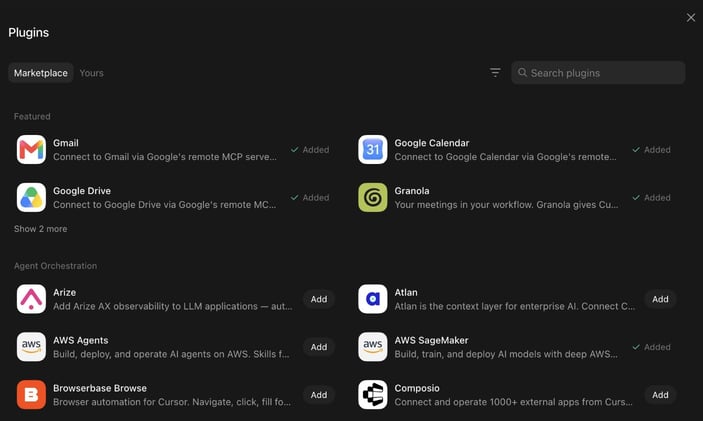
- 工具级插件(Plugins)与 MCP 接入:在常驻运行环境中开启各大主力协作工具的集成插件。
- 虚拟机身份预鉴权(VM Authentication):对于缺乏标准化 MCP 接口的内部或三方后台系统,直接让 Agent 在其专有虚拟机浏览器中完成账号认证与安全环境预置。
一旦上下文对 Agent 结构化透明,PM 就能发起跨系统的综合归纳——例如将 Slack 中的实时客户抱怨直接与 Databricks 里的使用率暴跌点进行交叉比对,迅速定位出核心漏斗的流失瓶颈。
让 Agent 真正交付代码:双位数 PR 合并背后的协同闭环
在这套工程实践中,作者自报 Grok Bot 目前占其团队内部已合并 PR 的两位数百分比(double-digit percent)。
这项自报比例描述的是团队内部已经合并的代码贡献,不能看作 Bot 自动合并权限或个人效率承诺。统计窗口、PR 总数与返工情况没有具体说明;落地时仍要按团队的工程审阅与发布规则执行。
能够支撑这一产出的关键机制在于:
- 受控的独立云端运行环境(Cloud Agents):Agent 并不是凭空生成代码片段,而是在配有目标代码仓库分支、运行依赖项与测试所需凭证的沙盒环境中执行改动并运行测试,而非获得任意仓库敏感凭据的无限制授权。
- PM 维度的抽象层跃升:PM 不再需要逐行盯紧实现细节,而是能向工程经理 Agent 下发高阶功能目标与验收标准,由其组织分工推进。
[PM 下发高阶产品目标与功能验收标准]
                 │
                 ▼
     [工程经理 Agent (Emily)]
     * 关键约束:纯管理职责,严禁下场写代码
     * 动作:任务拆解 ──> 调度指派 ──> 比对目标做验收
                 │
   ┌─────────────┼─────────────┐
   ▼             ▼             ▼
[IC 研发 1]   [IC 研发 2]   [IC 研发 3] ... (5 位专属工程 Agent)
   │             │             │
   └─────────────┼─────────────┘
                 ▼
   [云端沙盒 (Cloud Agents)]
   * 预置目标分支、运行依赖与受控测试凭证
   * 自动编译运行、执行测试用例、相互对齐接口
                 │
                 ▼
   [生成可供评审并合入主干的代码 PR]
PM 可以用更加全局的视角来规划产品特性,因为底层的任务拆解、分支编码与测试运行,已经由工程 Agent 集群分工推进并生成 PR 供团队评审。
专属 Agent 团队分工沙盘:为什么坚决拒绝「单一全能 Agent」?
在 Agent 的设计架构上,存在一个根本性的设计分水岭:到底是用一个无所不知的超大单体 Agent,还是构建一支各司其职的专门 Agent 团队?
作者在自己的工作中偏好多个专职 Agent,主要出于三点考虑:
- 明确的指向性(Referenceability):你清楚知道哪项任务该找谁,权责链路极其清晰。
- 真正的并行运作(Parallelism):多个 Agent 能在后台同时推进彼此独立的任务,只在需要共享产出时进行交接。
- 隔离的专属记忆(Scoped Memory):这是最关键的技术约束。幕僚长不应该去关心前端回归测试的错误堆栈;同样,负责写代码的 Agent 也不应该让收件箱的日常邮件污染自己的上下文窗口。
情景和消息为教学示例;注意力清单记录当前在忙什么,真实优先级仍需与目标对照。
切换 PM 当前真实聚焦的项目,观察幕僚长如何利用「注意力清单」对海量输入动态分流;或点击各专业 Agent 查看其独立记忆空间与作者采用的分工与人工把关点。
核心 Agent 角色配置与实操细则
各专职 Agent 的职责、输入与操作整理如下:
| 专职角色 | 核心关注领域 | 独立记忆与上下文来源 | 核心日常动作 | 关键实操技巧与人机防线 |
|---|---|---|---|---|
| Chief of Staff (幕僚长) |
日历日程、Slack 全局动态、Gmail 收件箱、Granola | 维护动态注意力清单;通过历史发信记录提炼的个人语言风格指南 | 每小时梳理当前关注项目;非重要邮件静默归档;发送日程预占并在确认时间(如答复 10am)后移动日程 | 作者团队配置中的唯一通才。无变动时严格保持静默。外发邮件、花钱采购、删除文件必须由人工最终确认。 |
| Eng Mgr (工程经理 Emily) |
研发任务拆解、各 IC 进度、输出与验收标准比对 | 阅读资深团队成员 @danielstjules 的全部 Slack 消息作为管理与协同沟通的范例 | 拆解技术目标;分发指派给 IC 工程 Agent;检查代码产出是否契合目标 | 严禁下场写代码,只做管理调度与验收。重大技术方向与架构定调保留在人工端。 |
| IC Engineers (作者当时配置的 5 位研发 Agent,可按需求增减) |
代码仓库、依赖包、CI 测试套件、受控测试凭证 | 局部模块上下文、分支提交记录、测试通过/报错日志 | 在独立云端沙盒运行环境写代码、跑测试、协同接口定义并提交代码 PR | 依托云端沙盒自主解决编译与测试报错。代码合入主干依然受团队工程规范约束。 |
| Data Analyst (数据分析师 Ashley) |
Databricks 数仓、指标看板、日常漏斗数据 | 数仓表结构(Schema)、常用指标查询逻辑与计算口径 | 每天清晨巡检看板;以结构化图表回答常规战术问题,快速刷新既有分析或从不同维度切片 | 降低提问门槛,覆盖已答问题的刷新与切片;高歧义、需要深度业务品味与复杂推演的问题依然由人工数据团队把关。 |
| PM Pete (产品专属搭档) |
客户访谈、原始反馈、RFC 提案、硬件探索实验 | 产品决策历史、权衡逻辑、功能优先级(P0–P2)标准 | 把混乱的讨论串提炼为带直接引语的 RFC;硬件探索个例中调研 Raspberry Pi 缺失配件并在 Amazon 下单,指导物理接线 | 语气模拟资深 PM,绝不做无脑流水账摘要。硬件实验属个例,涉及资金支出的采购终审与终版决策审批坚决由人工把控。 |
| Recruiter (招聘助理) |
招聘管线、各渠道候选人档案、面试推进流程 | 团队技术用人标准、历史面试评价倾向 | 发掘潜在人才;跟踪面试各环节流转进度,提示堵塞节点 | 专注流程流转与线索挖掘。最终 Offer 录用与薪资定标必须由业务主管亲自裁定。 |
原文关键工作流提炼:可编辑的配置模板
为了让想要在自己现有工具栈(如企业微信/飞书/钉钉、Jira/GitLab、Notion 等)中落地的读者能够直接参考,以下将原文中最具价值的几套提示词工作流改写为标准模板。所有方括号 [...] 均表示需要根据个人团队实际情况替换的可调参数。
1. 沟通风格指南提取(解决「AI 味太浓」的关键技巧)
很多团队抱怨大模型代写的邮件或回复充满套话。本篇给出的最高杠杆技巧,是让 Agent 先从你真实的历史沟通中提取风格特征:
<!-- 按本篇工作流改写的配置示例:个人写作风格提取 -->
请全面阅读我过去在 [发件箱 / 关键协作群 / 文档评论区] 中发送的真实历史消息。
分析我的沟通习惯,提炼出一份精炼的「个人沟通风格指南」,重点提取:
1. 我习惯使用的开头与结尾方式;
2. 常用句式长短与标点习惯;
3. 我对技术细节与业务结论的表述偏好(如:习惯先说结论还是先摆事实);
4. 明确列出我反感并从不使用的「空话、套话和 AI 腔调短语」。

此后,每当需要你代我起草任何对外沟通草稿时,请先采样当前上下文的讨论语气,
严格对照上述风格指南生成,确保产出读起来像我本人的表达,而非通用的 AI 摘要。
2. 将非结构化讨论转化为正式 RFC(PM Pete 工作流)
在产品推进中,很多好点子往往被埋没在冗长、散乱的群聊里。此提示词能将混乱争论沉淀为高质量规范文档:
<!-- 按本篇工作流改写的配置示例:讨论串转结构化 RFC -->
请阅读本讨论串 [或频道 / 共享文档] 中关于 [某特定功能或产品方案分歧] 的全部上下文,
将其整理为一份专业的产品需求提案(RFC),要求包含以下模块:
1. 背景与核心分歧点:提炼各方核心关切,直接引用讨论中的关键原文(保留发言人与原始语境);
2. 需求拆解与优先级分类:按照 [P0 必须达成 / P1 重点演进 / P2 暂缓探索] 明确列出功能范围;
3. 关键权衡(Trade-offs):指出各选项的技术与业务代价;
4. 待决事项清单:列出目前尚未达成共识、需要 PM 人工拍板的最终决断点。
真实工作中的四大硬核经验与人机防线
在几个月的内部深度实践后,作者总结了四条极其平实但至关重要的落地原则:
1. 明确命名,严格隔离记忆(Named agents, separate memory)
每个 Agent 必须有清晰独立的角色界限与上下文作用域。不要试图建立一个处理所有事情的单体 Agent。让负责日历的专注于日程与沟通,让工程 Agent 专注于代码库,通过限定记忆范围减少无关上下文的干扰;但这种隔离需要人工明确划分边界,而非系统全自动杜绝串扰。
2. 让 Agent 在真实履职中学习(Agents learn on the job)
教会 Agent 做事的有效途径,不是写大段抽象的 Prompt 原则,而是提供过去的真实履职样本。「读取我过去的沟通记录并形成风格指南」,比空洞地指示「请表现得像一个专业产品经理」能带来更符合预期的表达效果。
3. 严格克制主动打扰(Agents shouldn't be noisy)
常驻 Agent 往往天生具有极强的主动行动倾向,但如果缺乏节制,就会变成产生大量无效通报的干扰源。在系统设定中,必须把「无重大变动则保持静默」作为默认底线,非必要不主动弹窗打扰人类。
4. 关键关口坚决由人工接管(Human on the important stuff)
作者还说,他目前仍亲自发送大多数消息,并修改大多数文档与想法。这既是为了改掉套话,也让收件人知道提出请求的人花过心思。
此外,作者保留以下动作的最终审查:
- 涉及金钱支出的采购操作;
- 面向外部客户、伙伴的最终邮件发送;
- 任何具有不可逆破坏性的系统操作(如物理删除);
- 关键产品方向的深度权衡与重要文档的最终推敲。
把关这些环节,不仅是为了防止 Agent 产生偶发失误,更是因为跨团队协作的本质仍然建立在人与人的信任之上——各方伙伴需要知道,这些核心决策和重要发声背后,有一位真正的人类产品经理认真投入过思考并为此负责。
PM 的两条工作链:注意力清单与工程交付
Kevin Niparko 让幕僚长记录真实精力流向,让工程经理组织编码工作。注意力清单用于和人工目标对照,工程产出仍遵循团队评审;重要决定没有交给 Bot。
作者偏好多位专职 Agent,便于找对人、并行工作和限定记忆范围;这些边界需人为划分,不会自动杜绝串扰。下列补充岗位与前文幕僚长、工程团队各司其职。
| 补充岗位 | 输入 → 输出与边界 |
|---|---|
| Ashley · 数据 | Databricks/看板 → 刷新分析与切片图表;高歧义问题由人把关。 |
| PM Pete · 产品 | 客户反馈/讨论 → 保留直接引语的 RFC;最终产品权衡由人决定。 |
| Recruiter · 招聘 | 人才线索/流程 → 发掘候选人并跟踪堵点。 |
作者仍亲自发送大多数消息,修改大多数文档与想法;用历史样本教风格,无重大变动时不打扰。
Grok Bot for PMs · Grok Bot
For the first time, a PM can have a team that reports to them. Attention lists, shipping software, and the bots I actually run.
One of the open secrets of product management is that most PMs don't actually manage anyone.
PMs generally manage a product, and will work across many people and teams (design, eng, data science, marketing, support) to achieve a goal. The reason the "mini-CEO of the product" trope is BS is because no one reports to (or has to listen to!) said mini-CEO.
In 2026 the role of the PM is very much in flux, as is the product toolchain. There are now many tools out there that help PMs expand from "idea guy" to full-stack product, design, eng, and GTM builder.
At SpaceXSI, our product team ships code, prototypes new ideas, and works in small teams to build ambitious products. I've tried many AI coding tools and general knowledge-work agents for PM work, and Grok Bot has definitely been the biggest change to my workflow this year.
I've been using Grok Bot internally for a few months ahead of launch to build the product. It definitely comes with a learning curve, but once you figure it out it's very empowering and fun to use if you love to build.
What is Grok Bot? Grok Bot is a team of always-on agents with their own computer that can learn and amplify your work. So for perhaps the first time, if you're a PM you can now have a "team" (of agents) that reports directly to you and helps you ship.
This is the short version of how I've been using Grok Bot as a PM at SpaceXSI. Below is a bit more expansive on what's worked, what hasn't, and some of the design decisions you might think about as a PM getting started with Grok Bot.
A few PM-y Grok Bot use cases
Priorities → attention list
Many PMs create weekly goals or priorities that quickly go stale. Rather than creating a "priority list" (which will become outdated throughout the chaos of a day) I've started to have Grok Bot follow my attention across Slack, email, and meetings / Granola to create something different: an "attention list."
Am I active in a bunch of incident channels? Am I working with the recruiting team to close a candidate? Has someone sent me a launch blog post to review? My Chief of Staff sees all this work happening and can maintain an implicit priority list as I work.
PMs often work across a bunch of different teams and contexts. I've found that what I'm actually talking about and doing throughout the day is a much better live view of what matters than trying to keep a list of priorities updated.
This feels like a new type of work primitive, the "attention list." It differs from a set of goals, priorities, or a to-do list in that it is emergent from your work and attention. I've found it to be useful in two ways:
- Agents can apply the attention list as a filter. Throughout the day there are thousands of Slack messages and emails that can distract or need me, so agents can use this to guide my attention to threads relevant to what I'm focused on.
- You can compare stated priorities and goals vs. what I'm actually focused on.
To set this up: "Create an attention list: every hour, review email, Slack, Granola, and calendar and create a succinct set of projects I'm focused on and their current state, what needs to happen next."
To use: "Review my attention list and archive any emails that are not relevant to my focus list." "Where did I spend time this week that I can offload to an agent going forward?"
Research new product ideas
Product teams have an ever-growing dataset that is useful for understanding new products or gaps in existing products. Every customer meeting is recorded and transcribed with Granola and Gong. We're in customer Slack channels where product feedback is streaming in.
Our incredible user researcher Stan has built a database with every interview, user insight, and synthesis. Usage and subscription data lives in Databricks. Support tickets live in Plain or Intercom. Complex product decisions are documented in Notion.
Research across customer context
The challenge is making all this raw context legible to agents, and using it to inform and shape product direction going forward. Which of our recently onboarded enterprises are using a given product feature? Where in the funnel are our customers getting stuck? Agents can now answer these questions and inform product direction in much more holistic ways by synthesizing info across raw sources.
To set this up: make sure you've enabled plugins for all the core tools where customer context lives, and authenticated into any system on the VM that doesn't have an MCP.
Shipping
The thing I've been most surprised by is how good Grok Bot is for actually shipping software. Grok Bot now represents a double-digit percent of our internal merged PRs.
Grok Bot agents can use Cloud Agents, operating in an environment that's equipped with the codebase, dependencies, secrets, and everything agents need to test their work.
For a PM, this allows you to operate at a higher order of abstraction. Rather than managing individual threads or juggling many individual agents, you can express much more sophisticated goals to a Grok Bot agent who can decompose and allocate work to other agents, then review and integrate the outputs in new ways.
With Grok Bot, frontier models, and the right cloud agent environments, PMs can take on much more ambitious builds. More on how I've set up my eng agent team below.
My Grok Bot team
- Chief of Staff: calendar, Slack, inbox. The only generalist. Stays quiet if nothing changed.
- Eng mgr (Emily): does not code. Breaks work down, delegates to IC eng agents, checks the output against the goal.
- Eng (×5): eng agents spin Cloud Agents and receive work from the EM.
- Data analyst (Ashley): warehouse, charts, tracking goals. Reviews the dash every morning.
- PM Pete: RFCs, research, feedback, docs. Sits in the work. Hardware too.
- Recruiter: finding undiscovered talent and managing recruiting loops.
Generalist
Chief of Staff
Management
Eng mgr
Engineering
Many engineers
Data
Data science and analytics
Product
PM Pete
Why not one agent?
Probably the biggest design question is whether to just have one omniscient agent or many specialized agents. The way I use Grok Bot cuts against the current paradigm of the blank text box with a general-purpose agent that in theory should be able to do everything.
I've found the partitioning of workloads to specialized agents useful for a few reasons:
- Referenceability. You know who does what.
- Parallelism. Many working at once on discrete tasks, coordinating on shared ones.
- Scoped memory. They learn different things on the job.
Outside of that, I generally find having these different agents more fun to work with.
A few lessons
- Named agents, separate memory. Each agent has a broad goal or mission but scoped memory relevant to their type of work. Chief of Staff should not be debugging computer-use evals. The eval agent is not archiving my mail.
- Agents learn on the job. Agents can learn from your past work, and you can continue to teach them things. "Read my past Slack messages and develop a Slack style guide for me" is the highest-leverage instruction I've found.
- Agents shouldn't be noisy. Grok Bot agents bias to action but can also over-communicate. Ask them to stay quiet unless something needs your attention to reduce distraction and noise.
- Human on the important stuff. For now, I continue to send most messages and edit most docs and ideas. Both to de-slopify, and because I've found people want to know that the messenger spent some time thinking through any ask.
If you're a PM using Grok Bot, I'd love to learn what agents you're using so I can try them out.