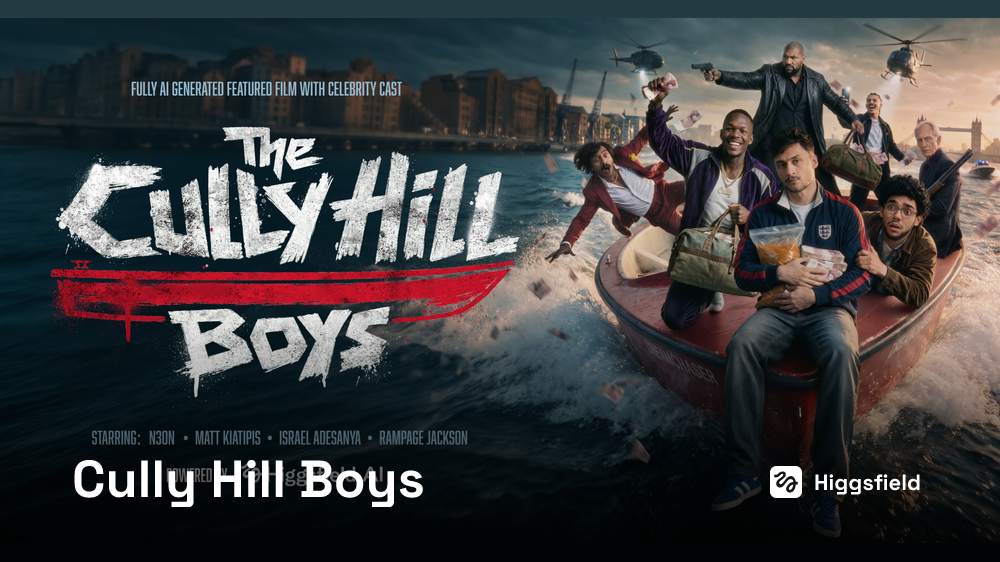
Higgsfield shot a 110-minute feature film using real actors' likenesses and AI, then published the entire production manual and prompt methods
- A 1-hour-54-minute AI feature film, with the entire production playbook and three custom Claude skills released to the public.
- The whole manual exists to solve one problem: video models have no memory. "Keeping the same person the same person" is the entire job.
- The most valuable lessons are the counterintuitive taboos: no "studio" in character sheets, no heads in full-body shots, and never write "don't" in a prompt.
An AI feature film — and the entire production manual, released
For the past two years, AI video has mostly stalled at a few seconds to a few dozen seconds, with everyone competing on image quality, camera moves, and single-shot spectacle. Higgsfield (the AI video generation platform) has brought something different this time: a 110-minute feature film with four real actors who licensed their likenesses and voices, produced in 4 weeks at a cost of $2 million.
They also did something else — they announced the film is 100% open source, with all prompts and assets now public. We checked item by item: what's directly downloadable are three Claude skill files. The rest of the material is scattered between the project page text and that canvas. Where the gaps are is laid out in the final section.
The film is called The Cully Hill Boys, an action comedy about three down-on-their-luck London rappers who stumble into a drug firefight while chasing fame. It premieres in New York on August 5.
What's being broken down here is what shipped with the film: a complete production manual. How to build assets, write prompts, direct performances, lip-sync rap tracks, and chase down fixes in post — written end to end, including the three Claude skill files they use internally.

Every frame is generated. There's no set and no crew. The four actors weren't on any shoot — they contributed digitally scanned likenesses and voices. There's exactly one exception in the entire film, covered later.
The full film is attached to the official announcement post and can be watched in full. All prompts and assets are on the project page. We verified the video file: runtime is 1:54:53, size is 2.08 GB. "110 minutes" is the external rounding.
What it was built with: five tools, each with its own job
All shots, video, and voices were generated in Seedance. Faces and character sheets went through Soul Cinema. Editing, shot-reverse-shot work, and viewpoint changes used Seedream and Nano Banana.
All prompts were written by Claude — and deliberately in two separate chats, one for image prompts only and one for video prompts only. The reasoning: the rules of one side contaminate the other. Image work needs flat lighting and language that dodges the CG look; video work needs field-of-view in degrees and every light source justified. Mixed together, the two rule sets bleed into each other.
Three skills, in the order they're used
They packaged their common rules into Claude skills — one rulebook, loaded by Claude itself, which then executes accordingly. All three SKILL files are public; the filenames are clickable to download (also listed again at the end of this piece).
Four other rules carried over from the previous film
The team had previously made a project called HELL GRIND, learning as they went. These four were already in hand on day one:
- Scene context: every shot opens by stating what's happening dramatically, who's present, and how long it runs.
- First-frame space lock: frame one already has everyone in position — no empty establishing shots.
- One second of silence after every line: a clean tail inside each clip so the editor gets a seam, and the model has no room to invent sound.
- Expression and performance written beat by beat: face and body written increment by increment, not dismissed with adjectives.
Every rule exists to fight one thing: the model has no memory
The manual is this thick, but its starting point is a single sentence: consistency is the entire job.
Video models have no memory. Describe a character incompletely, and the next shot changes his face, his behavior, his voice. Add to that spaces that fall apart when the camera moves, sound that drifts between clips, and scenes that lose spatial relationships — that's everything an AI feature-length film has to fight.
Their foundation is one sentence: every shot comes from "reference + text." Assets handle the visuals; text handles everything else, including geometry: who stands where, which side the camera is on, which direction the light comes from.
One harder constraint runs through the whole film: text-to-video only, no first frame, no image-to-video. It's harder — but that's exactly why the shots cut together.
The one time they broke this rule was the fight over a gun in the Cadillac: two people in constant contact, both grabbing the same weapon. What got generated was limbs tangled, the gun vanishing from one hand and appearing in the other. Finally they brought in stunt performers to choreograph the fight, spent a day filming on a phone in a real car, and fed that footage in as motion reference while the model layered the characters, interior, and lighting on top. One day of phone footage saved a week of retries.
A pair: a text description that goes verbatim into every prompt, plus a reference image that anchors the model. Characters, locations, and props are each assets.
Think of the studio's look-book photo plus a character bio. The photo handles the face, the bio handles personality and wardrobe, and both are handed to every new cinematographer on set.
And the script gets broken into cards before shooting
Their breakdown turns the script into a pre-visualized shot list that already contains the director's intent — not just a list of things to make. Each shot gets a card, and each card has four groups.
| Card group | What goes in it |
|---|---|
| Footage | Location and interior/exterior, and the asset that covers it; time of day (because it determines which asset variant is used); every person in the frame, with tags and state; props and vehicles with tags; action in one to three sentences; dialogue verbatim; duration in seconds; complexity: simple, medium, or complex |
| Director | Goal of the shot, in one sentence; the character's task written as a verb — interrogate, expose, humiliate; what changes from start to finish; blocking relative to the camera; what the face and body do in performance, and what the character is hiding |
| Camera | Shot size, movement, lens, angle |
| Edit | Cut style, pace, and how it connects to the next shot |
Each card carries a scene number plus a shot letter, like 50B, 50C; the same identifier follows from card to version log to prompt file, so two adjacent shots can never be confused.
That version log ends with 137 entries, showing which shots were reworked repeatedly — the hardest ones went to v15, v10, v9. Without that record, a good shot can't be reproduced, and you can't know whether you've already tried a given fix.
Once cards are filled, the prompts are almost mechanically transcribed. More importantly, gaps appear before a single generation is wasted. A shot without a goal, a character without a task, a scene without an asset — all visible on the card at a glance.
So not a single shot is made until assets are locked
The 600 approved assets break down like this: 74 cards for leads and villains, 52 for supporting characters and animals, 90 for background characters appearing in one or two scenes, 159 for props, and 200+ for location base maps.
State itself is an asset. Cal in a clean jacket, Cal soaked after falling in the water, Cal with a split brow and blood in the third act — these are three assets, not one asset with a note appended.
How to make a new state is also fixed: take the original sheet, change only what changed — different clothes, a new wound, wet fabric — and leave everything else untouched. That's how skin texture survives, because the whole image never passes through the model again. And new versions don't overwrite old ones; each has its own name and version number.
Locations work the same way: day, night, and rain are three assets. Props too: a gun has two states, and a car's front and rear interiors are separate.

@char_CB_Kel_v9                — character, project code, name, version
@loc_CB_warehouse_s6_v2        — location + which scene it was built for
@loc_CB_kal_street_s5-46_v3    — one base map serves scenes 5 and 46
@prop_CB_gunTobin_s26_v2       — prop, scene, version
@prop_CB_sedan_interior_back   — car interior counts as a prop, not a location
All assets live on a single canvas, with one rule: if an asset isn't on the canvas, it's not in a shot.
And every taboo on the character sheet cost a failure to learn
A character sheet is a single image with three panels: front full-body, back full-body, and one extreme close-up. The close-up uses a three-quarter angle, giving both frontal and profile information in one pass.
What's actually valuable are these four rules, each with a specific failure behind it.

Shoot locations at an angle, and lock the look before production
Location base maps are always generated in a three-quarter angle, medium or wide — never straight on. A head-on room reads like flat wallpaper; the model can't perceive depth, and invents everything outside the frame edge every time. Shot at an angle, it has volume, people stand correctly, and one image can support nearly a full range of camera angles.
- Give every location an anchor point — a pillar, lamp, sofa, crooked chair — and tie blocking to it. "Person by the lamp, facing the door" works. "Person in the room" is a gamble.
- One lighting logic: one light source, one shadow direction, never two suns. No people and no weapons in base maps.
- Use the language of real surfaces to fight the rendered look: rust, cracks, tape, fingerprints, oil stains, water streaks.
One more move: reverse shots can be pulled from video. Generate a clip with no people, the camera moving slowly through space. The model will extrapolate the other walls of the room from your base map. Grab the angle you want, run it through Seedream or Nano Banana to punch up texture and light. One image produces a whole location set.
Dialogue locations need the full set — wide, reverse, and a background plate for each character. Locations the characters just pass through need only one angle.
The look isn't saved for post — it's locked while building assets
Before shooting, a visual bible is written, and every base map is built against it. The film is divided into "worlds," one palette per world: the estate is soaked khaki green with wet asphalt; the rap scenes are concrete plus a CRT television; the mother's home is warm white with honey oak; one boss's club is oxblood, mahogany, and tarnished gold; another's is lacquered crimson and mirrored brass; the Thames is black water; the police system is gray concrete with not a hint of warmth.
Even the proportions within a world are fixed: 80–85% base color, 10–15% one or two accent colors, and roughly 5% counterpoint.
They must be physical objects with a real light source in the frame: a green door, a sodium lamp, an orange tent, the glow of a monitor. A color graded into the image won't match in the next shot.
How to distinguish two scenes using the same hue? Texture and age, not shade. Both bosses live in red and gold. The older one is patina — dried oxblood, tarnished gold, an old lamp. The newer one is polish — saturated crimson, mirror brass, a row of identical symmetric lights. Written this way, two equally lavish interiors don't look like the same room.

Looking good isn't enough — an asset must survive ten runs and still be recognizable
A character sheet being pretty proves nothing. Their validation is to generate video with it: run it ten times — different actions, different shot sizes, different locations — and it must be recognizable as the same person all ten times. And you run it with real prompts: the character runs, raps, phones, cries, laughs.
That's how you discover a face is only stable when the character is calm.
Cully Hill Boys project brief
Two supporting rules are just as useful:
- Characters and locations must be tested together. Two assets pull at each other; testing a character alone means not testing at all. So never test a character before his location is finished. And test with the other characters he shares scenes with — someone who stands alone fine often breaks in a two-shot.
- When it breaks, it's not necessarily the prompt's fault. Blurry frames or a character melting mid-scene may equally be a weak sheet or base map. Change the wording first; if it breaks the same way again, go rebuild the asset.
Prompts have fifteen blocks, and you're not allowed to write "don't"
Every serious shot follows the same fifteen-block order. The order doesn't change.
SCENE CONTEXT · ACTIVE REFERENCES · LOCATION MAP ·
FIRST FRAME AND SPATIAL BLOCKING · FORMAT MODE ·
OPTICS · CAMERA · ACTION TIMING · PHYSICS · LIGHTING ·
AUDIO · CHARACTER ACTING · STYLE · QUALITY ·
POSITIVE CONSTRAINTS
The final block is called "positive constraints" because the whole skeleton has no negative block. Prohibitions always get written as desired outcomes. "Don't fall on your back" reads to the model as "think about falling on your back," so you write "fall face-down."
Two more rules about references can ruin a generation faster than anything:
- Each tag appears exactly once, and only in the "active references" block. Repeating a tag at the end of a prompt is the most common reason a generation refuses to start.
- Location assets must explicitly state they don't inherit composition. They govern geometry, material, light, and atmosphere — never framing. Without that line, the model returns a near-copy of the base image.
Looking at a real prompt: four techniques you can copy directly
The studio picked a hallway scene to break down: Oli kicks a door off-screen while Cal and Horace watch in frame. Four devices in this prompt are worth isolating.
One easily missed ceiling: a single generation carries at most 9 images, 3 videos, and 3 audio references. This number directly determines how many named characters can be in one shot at the same time.
Optics are written in degrees, not millimeters — and a one-second wide shot pins down space
How wide the frame is horizontally, measured in degrees. Wider means more fits on screen, more wide-angle. Narrower means a tighter slice, with distant objects compressed together — the telephoto feel.
Like looking at the room through a crack in the door versus throwing the whole door open. The narrower the crack, the less you see.
They write lenses in degrees rather than millimeters, using ten anchor points:
180° · 135° · 107° · 84° · 63° · 47° · 29° · 18° · 12° · 8°
The reasoning is clear: the model doesn't obey the number you write — it infers the lens from what's in the frame. So details at 135° fall apart, and crowds at 8° fall apart. Every shot must have its lens explicitly locked, or it slides back to the comfortable middle value.
Pinning space with one second
Every scene opens with a master shot — a fixed wide with blocking, lasting about one second, no dialogue, no action. The model "records" this layout and holds it across every subsequent shot in the scene. Drop this second, and characters start moving.
Two small tricks: have someone make a short sound during that second (like "mm"), which makes the model more likely to treat the wide as a real shot. If the scene responds to the previous one, feed the tail of the last line of dialogue into this first second — the actor's tone and content carry over, and the two clips stick together at the seam.
Underneath the wide sits a space map — a few lines of floor plan, written once per scene, pasted verbatim into every shot in it. This cured the most expensive early failure modes: characters teleporting, swapping places, and the camera jumping across the room.
A counterintuitive rule for writing it: positions bind to visible things, not distances. Meters mean nothing to the model. "To the hero's left" means even less, because it has no idea where the hero is.
The right way is to anchor each person to a landmark the model can see in frame: the lamp, the second row of chairs, the stage edge, the door. Then give direction as "frame left / frame right," state which side the camera is on, and which line is never crossed.
A space map looks roughly like this: first, "The camera is always on the window side; this axis is never crossed." Then, "The stage is in the deep center-right of the frame; the red fire door is right next to the stage; rows of chairs fill the middle, facing the stage." Then each person is pinned to something visible: "A is standing by the second row of chairs, one arm's length from the aisle. B is at the stage edge, one big step from the fire door. C is beside the mixing desk." Finally: "There are exactly three people in the venue; everything else is empty."
One more rule of thumb: when a generation conflicts with the real location, go re-read the asset — not the prompt. They had a cage-football scene that kept attacking the wrong half of the pitch for several versions, because the prompt writer was working from memory.
And rules must be written as law — with a discard condition
Earlier we mentioned ~150 named locks in the prompt library. For a rule to qualify as "law," it needs three things at once: a name, visible evidence in the frame, and one sentence stating what counts as a discarded shot. Of their locks, roughly 80 end with "= discard". The four most used:
Several fixes that rescued shots
- Never put a complex action in the middle of a timeline. The door wouldn't kick open — what got generated was the protagonist dithering by the door, then freezing. The fix: start the shot mid-action. "He's already mid-swing, the door is already cracking," and put the run-up in its own shot.
- Crowds are one asset — a range of heights and clothing, plus one or two named extras with their own assets for close-ups. Beyond fifteen people, a crowd collapses into three to five, so a crowded room reads "bodies pressed at the stage edge, arms in the foreground" — never a specific count.
- Car interiors are independent assets, separate from the car itself and from the location — one of the most reusable things in the entire project.
- If the model keeps drawing what you didn't ask for, name it and ban it. Their railway base map kept turning into a station, so they wrote a lock listing platform, canopy, rows of floodlights, and parked trains as "nonexistent," then added the exact number of tracks. It held.
Performance isn't written with adjectives — it's written as muscles
Write "sad," "angry," "shocked," and the model improvises — the result stays on the surface. To get something deeper, write what the muscles are doing: a tremor, the jaw clenching and releasing, the cheekbone tightening, a soft exhale through the nose. Top it with a line annotated as unspoken internal monologue, and the model back-derives micro-expressions — the face starts living between lines.
What does that monologue look like? In the same shot, one character is labeled "This house used to be my whole world," and another is "Don't let them see this matters to me." The words "nostalgia," "envy," "hurt" never appear anywhere in the prompt — but working backward from those two sentences, the model has one person's steps faltering at the sight of the stage, small hand gestures dying halfway; the other scans the room first, but his gaze lingers on the stage half a second too long.
One level up is behavior in place of emotion: a living scene is "the character wants something, something blocks him, he goes to get it." And he should shift tactics within the scene — joke, fail; apply pressure, fail again; finally beg. Each shift has to be a visible event: a pause, a postural change, a rhythm change. A scene where someone does only one thing is always flat.
Sound follows the same logic, and importantly, a voice is not an asset — it's a set of conditions locked in before dialogue is written: register, timbre, pace, accent, tone. A character's voice block reads roughly: "twenty-five-year-old British male, relaxed mid-range, casual delivery like it's unrehearsed, South London street accent, drops h, glottal t, -ing as -in', with a hint of nostalgic warmth."
From then on, that passage is pasted verbatim into the audio section of every prompt — synonyms included. A paraphrase loosens the model's sampling range, and the voice drifts. They did no voice cloning and no ADR on the entire film.
Two more techniques, small but effective. One: write blinks in phases — a lazy blink, a quick double-blink, then a forceful reset blink — far livelier than writing "he blinked". Two: in static shots, there must be a visible micro-event every one or two seconds, because writing "no one moves" freezes the image itself. Stillness should be written as "held tension," not as an absence of action.
Every character has a default setting called eye-life: tiny saccades, named looking targets, realistic blink frequency, living catchlights. Restrained characters blink less and slower — that's chosen stillness, not a stare.

They give three signs a shot is alive, all checkable on the spot:
- Reactions start before the other person finishes speaking. The listener understands mid-sentence and the face is already answering. After a major beat, give a few tenths of a second to process before speaking.
- Emotion doesn't switch off instantly. After a big scene, breathing is uneven, hands are unsteady. Carrying that tail into the next clip is exactly what sews the two cut points together.
- Hands are always busy. The character isn't "chatting" — he's fixing something, counting money, pouring a drink, straightening a chair, talking while he does it. And the strongest accent in a scene is the moment that hand stops, because of what he just heard.
The solution for rap sequences: turn off the generated audio
First, the problem: a video model cannot perform your song. Ask it to rap, and you get a mouth moving against nothing. Ask it to generate the music, and it either refuses or returns something unusable in an edit.
So the music never goes through the model at all. The entire workflow is five steps:
Details make or break this. The song must be the finished, mixed master — complete verses, real vocals, final mix — because the mouth locks to a specific waveform; a placeholder demo won't work. Blocks are cut at vocal breaths, never mid-word, so the chunks line up correctly in the edit.
The key is step four. Turn off generated audio in the settings: the vocals still drive the lip-sync, because the mouth shape is built from the waveform anyway. But the returned clip is silent.
With the clip silent, there's nothing for copyright detection to grab, so the track won't get flagged. The music gets layered back over the silent visuals in the edit, where it belongs anyway.
Explained the workflow plainly: "This is an audio guide for sync purposes only." Every sentence was true, and the model completely ignored it.
States exactly one thing: this is the song, and he is singing it. No explanation of the process, no word "reference." The model has no interest in workfows; meta-descriptions only confuse it.
The prompt also needs to explicitly assign "mouth ownership": every audible word belongs to the person singing. Everyone else's mouth is alive — laughing, cheering, silent shouting — but never lip-syncing the lyrics.

The edit runs in parallel with generation, and post has a dedicated watcher
The edit didn't wait for generation to finish — it ran alongside. Shots got assembled as they arrived; missing pieces were ordered directly: "need a close-up of the hand here," "this one needs to be wider." Rendering takes minutes, so the edit shapes the production rather than waiting on it.
Two pieces of experience about pacing: generated content almost always runs slow, so cut harder than feels right. And plan to trim half a second off the head and tail of every clip, because the edges always drift.
After the picture lock comes a separate polish pass. Individual shots need frame-level fixes: text on signs, license plates, small blemishes visible only on a big screen. Genuinely broken shots aren't repaired — they're regenerated: change one line in the saved final prompt. This is only possible because the prompt library is complete and versioned. Face and hand close-ups get first priority, all completed before any color work.
Watching the cut is a dedicated job, not a hope. Someone's sole task is watching the assembled film for shots that are technically present but don't work: a look that lands a beat late, a hand that reads awkwardly, a face that starts drifting in second three. Then it goes back with a specific fix.
Why: a garbage shot that reaches the screen costs reputation. One caught at assembly costs a single prompt line.
Color correction starts with unity: every generation carries its own grade, so the colorist first pulls adjacent shots to the same look. And the look itself was already baked into the location assets in pre-production — so the grade is refinement, not invention.
No dialogue was re-recorded. Vocals were cleaned directly from generated results — noise reduction, equalizing timbre across clips, placing voices in space. Only a few clips with no usable vocal track went to a booth for pickups.
Final point: sound design and music sit on continuous ambient sound — one shared atmosphere layer that glues separately generated shots into a single space, even when the picture drifts slightly.
Which is also why every prompt must lock in one phrase: sound effects only, no score.
And the actors' licensing came before the first generation
The four characters use real likenesses: Cal is basketball player Matt Kiatipis, Oli is UFC fighter Israel Adesanya, Horace is streamer N3on, and Tobin is MMA fighter Quinton "Rampage" Jackson.
The key is the order. The character sheets were built from contracted photography, so the face on the sheet is the actor's actual face — not "a type who looks like him." From then on, only that sheet enters any shot.
Likeness and voice rights were closed by contract before the first generation. The platform requires confirmation of authorization, and the authorization documents cleared compliance before any actor appeared in a single frame.

So what's actually public, and where to get it
"Open source" here doesn't mean code — it means the entire set of materials that made this film. What's directly downloadable are the three Claude skill files, used in this order:
There's also the canvas itself, which opens directly: the 600 approved assets grouped and displayed — character sheets with their various states, location base maps organized by time, props and vehicles — with the team's annotations and rejected versions sitting alongside. It's organized by act: Act One, Act Two, Act Three, Epilogue, each further broken down by scene (Act One alone has 36 scene folders). There's also a PRE PROD folder with pre-production assets, wardrobe, and character tests, plus a folder dedicated to regenerated shots.
Watch out for one discrepancy: the project page's "attachment list" promises more than is directly downloadable. The visual and color bible, the style prefixes for the five worlds, the ten-point FOV optical reference, the voice system with accents, and the music-scene prompts with lip-sync locks — none of these exist as standalone files; their content lives on the project page text. And "the complete original prompt text and version history for every shot" isn't a single download either — it's scattered across the canvas's act folders, scene by scene.
To start, we'd suggest grabbing the CINEDANCE skill first, then opening the canvas, then starting from one scene: one locked character, one location map, one prompt skeleton.
The manual closes with five laws — and one claim that it scales down to a single person
The whole manual folds into five laws:
Every rule here exists because once, there was a shot that failed without it.
Cully Hill Boys project brief
And the closing claim: this pipeline doesn't need a large team — it scales down to one person.
The same manual mentions an editor, a colorist, a dedicated watcher for the assembled film, and the stunt coordinator for the fight. Both sides are on the table; readers can judge for themselves.
Cost and schedule are clear: $2 million, 4 weeks. But the manual doesn't break down how the money was spent, how many people were involved, or how many generations total were run. And the film's results are only the studio's own account, with no third-party review.
AI makes a 110-minute feature film, and the studio open-sources its entire anti-continuity-error manual
Higgsfield Studio's write-up of The Cully Hill Boys covers the full pipeline — assets, prompts, performance, lip-sync — and even makes its three private Claude skills available to download.
↓ One page · has an animated figure
A full AI-generated feature, with the entire production manual released alongside
Higgsfield Studio made The Cully Hill Boys, a 1-hour-54-minute action comedy: three down-on-their-luck London rappers stumble into a drug firefight, premiering August 5 in New York. Four real actors licensed their likenesses and voices. Every frame is AI-generated. There's no set and no crew.
What shipped with the film isn't just the film — it's a complete production manual: how to build assets, write prompts, direct performance and lip-sync. Even the three internal Claude skill files are downloadable.
The manual is this thick because its starting point is one sentence: video models have no memory. Describe a character incompletely, and the next shot changes his face, behavior, and voice. Spaces fall apart when the camera moves. Sound drifts between clips. The entire method fights this one thing.
All figures are Higgsfield Studio's own, with no third-party verification.
One shot = assets handle the visuals + text handles everything else
Their foundation is one sentence: every shot is born from reference plus text. Assets determine what this person looks like; text determines everything else — who stands where, which side the camera is on, how the light falls. These geometric relationships must be written out, because the model can't infer them on its own.
So the first law comes first: not a single shot gets made until assets are locked, named, versioned, and stress-tested. The stress test is running the asset through ten video generations — different actions, shot sizes, locations — and it must be recognizable as the same person all ten times.
- Remove heads from full-body shots — the face is small and soft in wides, and the model copies it into distant shots; removed, the face has just one source, the close-up, which is more stable.
- Make two close-ups, one smiling one not — otherwise the first smile invents the teeth and jaw, and becomes someone else's mouth.
- Never write "studio" — the model will draw a soundstage and light stands, and bake the key light into every later generation. Write "no studio, no equipment, no walls."
- No rim light, and empty hands — a prop born into a sheet can never be taken off or dropped.
Prompts have fifteen blocks, no "don't"; lenses are locked in degrees
The fifteen-block skeleton can't be reordered, from what's happening in the scene through quality and positive constraints. There's no negative block: prohibitions are written as desired outcomes. "Don't fall on your back" reads as "think about falling on your back," so you write "fall face-down."
Space works the same way: every scene opens with a one-second fixed wide; the model records the layout and holds it in later shots. Underneath the wide sits a few-line space map; positions bind to visible landmarks like lamps and chairs, not distances — "meters" and "to the hero's left" mean nothing to the model.
The solution for rap sequences: turn off the generated audio
A video model cannot perform a real song. Ask it to rap, and you get a mouth moving against nothing. Ask it to generate music, and it either refuses or returns something unusable in an edit. So the music never goes through the model at all.
You take away the whole method; the team size and costs aren't fully disclosed
The manual closes with five laws: assets first, describe fully every time, change one thing at a time, give the model less freedom. And when a shot fails after fifteen or twenty versions, the problem is usually the shot itself — split it into two, remove an action, change the angle.
The four characters use real likenesses and voices: Matt Kiatipis, Israel Adesanya, N3on, Quinton Jackson; licensing was closed by contract before the first generation.
Xiaohu sees a headline
110 minutes, all AI-generated
August 5 NYC premiere, no set, no crew
Real actors
only lent their faces and voices
What shipped
with the film?
A whole book on how not to fail.
Xiaohu opens the manual
Miss one line in a shot
and he's a different person next shot
Assets handle visuals
text handles everything else
Xiaohu works on a character sheet
A tiny face gets copied
into distant shots — messier each time
THUD
Sheets can't say "studio" either — the model welds light stands into every frame
The rap scenes were hardest
Turn off
the audio
Lip-sync still matches — the mouth is already built from the real waveform
Xiaohu closes the manual
Behind every rule
is a shot that failed
But the same manual also lists an editor, a colorist, and a watcher
Results and costs are Higgsfield Studio's own, no third-party review
FIN
Xiaohu's Desk · best.xiaohu.ai
Members can copy or download the full Markdown, and let their AI subscribe and ask.
Found this useful? Leave your email — every new explainer, the moment it's out. Unsubscribe anytime.