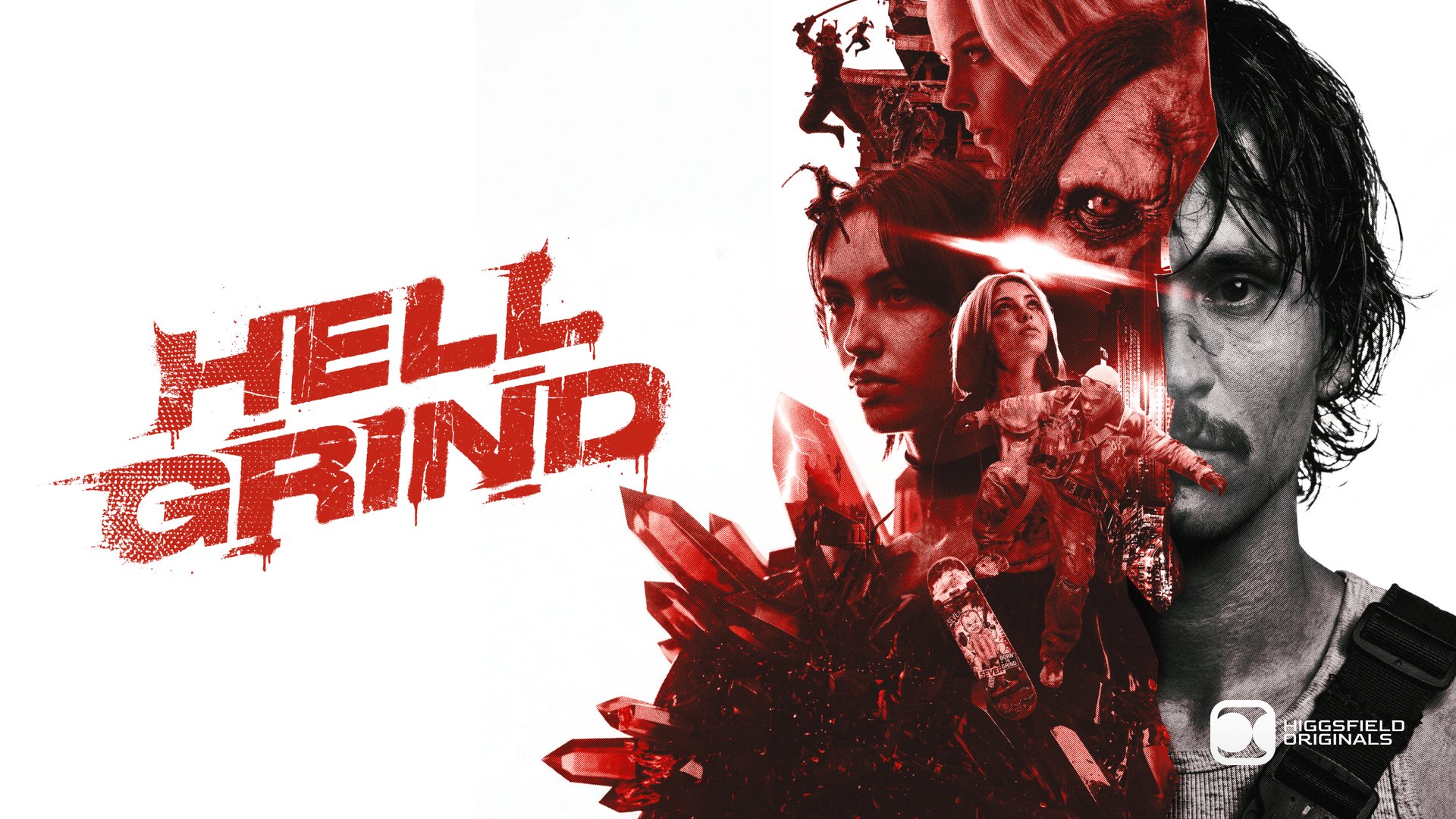
Higgsfield open-sources every prompt and the full production playbook behind its 95-minute AI film, Hell Grind
- They didn't just release the film. They released 115,000+ generation records. Every single prompt is viewable and copyable.
- The most valuable part: the 12-line "technical foundation" shared by all shots — from skin pores to 60:30:10 color — is copy-paste ready.
- That mountain of prohibitions is a user manual read backwards. The model adds extras, duplicates people, and improvises dialogue.
They laid the entire production ledger open.
Higgsfield has open-sourced every prompt and production method behind its 95-minute AI feature film, Hell Grind. All prompts and assets are now public. The film was made for $500,000, screened at the Cannes Market, and has been covered by the Wall Street Journal, Variety, and BBC News.
Here's what's public: 115,446 generation records organized into 108 folders by scene. Clicking any record reveals the full prompt used at the time, the model, the parameters, and a direct link to download the asset. The full film is embedded at the top of the page — 95 minutes 6 seconds, free to watch.
This article isn't a review. It does one thing: reverse-engineers the production method from 40,000+ prompts and hands you the parts you can copy, verbatim.
Every shot used the same 12-line "technical foundation".
When we split those 40,000+ prompts into individual lines and counted repeats, the first thing that surfaced was this. These 12 lines sit at the end of nearly every prompt. The most frequent one appears 8,015 times.
It functions like a shooting spec for the entire crew: regardless of the shot, the standards for image quality, lens, light, color, skin, physics, performance, composition, continuity, frame rate, and audio are locked in.
Style: 8K IMAX. Photorealistic — no 3D render, no game engine,
  no game-cutscene aesthetic.
Cinematography: Emmanuel Lubezki × Roger Deakins.
Camera: Physical cine lens. 180° shutter motion blur.
Lighting: Natural light only — contre-jour backlight, camera on
  shadow side, atmospheric haze throughout. Key light from sky
  and windows only.
Color: 60:30:10 — dominant / secondary / accent.
Skin: Pore-level realism — vellus hair, asymmetric moles,
  capillary flush, pore-shadow matching on-set light.
Physics: Gravity and inertia respected — mass has real weight,
  correct contact shadows. No floating props.
Acting: Hollywood — micro-pauses before reactions, precise
  eye-line, wet living eyes with catch-lights, visible breath
  and chest rise.
Composition: Rule of thirds + golden ratio. Every person moving
  from frame one.
Continuity: Characters, props, environment identical across
  every cut. No identity drift.
Technical: 24fps smooth motion. 8K detail. No jitter.
Audio: Environmental SFX only. No music. No subtitles.
Here's what each line does and how often it appears in the archive:
| Line | What it prevents | Count |
|---|---|---|
| Style: 8K IMAX, photorealistic, no 3D render, no game engine, no game-cutscene aesthetic | The most typical "plastic" look in AI video comes from looking like game CG. Naming and banning these three is more effective than writing "be realistic" a hundred times. | 5,820 |
| Cinematography: Emmanuel Lubezki × Roger Deakins | Using cinematographers' names as style anchors. More precise than adjectives. | 5,219 |
| Camera: Physical cine lens, 180° shutter motion blur | The 180° shutter rule is the physical basis of the film look. Locking it in prevents that overly sharp, electronic look where every frame is crisp. | 6,693 |
| Lighting: Natural light only, contre-jour, camera on shadow side, atmospheric haze throughout, key light from sky & windows only | This is the most critical line. AI's default is flat, bright lighting. This hands control back to the weather and windows. | 4,942 |
| Color: 60:30:10 dominant / secondary / accent | A classic design ratio that prevents visual chaos. | 6,444 |
| Skin: Pore-level realism — vellus hair, asymmetric moles, capillary flush, pore-shadow matching on-set light | Names the four things skin needs. "Realistic skin" is a platitude; these are executable instructions. | 6,822 |
| Physics: Gravity & inertia respected — mass has real weight, correct contact shadows. No floating props. | Objects floating and feet not touching the ground are AI video's most common failure points. | 6,490 |
| Acting: Hollywood — micro-pauses before reactions, precise eye-line, wet living eyes with catch-lights, visible breath & chest rise | Deconstructs "acting human" into four executable details. | 4,146 |
| Composition: Rule of thirds + golden ratio. Every person moving from frame one. | The second half is key: without it, AI tends to give you a group of people standing still. | 7,252 |
| Continuity: Characters, props, environment identical across every cut. No identity drift. | The lifeblood of a feature film. | 7,706 |
| Technical: 24fps smooth motion, 8K detail, no jitter | Frame rate and quality baseline. | 8,015 |
| Audio: Environmental SFX only, no music, no subtitles | The model will score your film and add subtitles on its own. You have to turn it off explicitly. | 7,513 |
A 15-second shot's prompt has seven sections before the foundation.
The technical foundation is shared. The large block before it is shot-specific. The median prompt length is 16,501 characters — roughly 3,000 English words. The longest is 39,801 characters. All of that text follows a fixed skeleton.
Current injuries, where clothes are torn, facial expressionLargest
What state this shot picks up from34%
Director's intent, an anchor for the model16%
Who is where, distance, direction37%
Even silent shots need wind and footsteps detailed36%
15 seconds split into 6 beats, one sentence each48%
What must be there, what must never appear33%
Stats based on 4,748 prompts over 3,000 characters; sections can co-exist so percentages don't sum to 100%
Why the first section is longest: the model has no memory
Video models don't know what happened in the previous shot. They don't know this person was stabbed three minutes ago. If you don't write it, the model makes something up. So every shot re-establishes the character's current state from scratch — to this level of detail:
FACE: BROKEN NOSE BLEEDING - bright red/dark blood streaming
from nose down past mouth and chin, smeared on lips. DARK
BRUISING under both eyes (smudged kohl + hematoma) -
"raccoon eyes".
...
The blood is LIQUID and FRESH (not dried/clotted) - this is an
active bleeding wound.
That last line is the key detail: without "blood is fresh," the model will likely render a dried, scabbed wound, because its training data contains more old wounds than fresh ones.
What this prompt produced
Comparing the prompt's hard requirements to the actual frame shows why this is hard. KEY RULES contains an all-caps mandate: heavy fog and blizzard in every frame as the dominant visual element, visibility 2–4 meters, 1,800–2,200 snowflakes per frame. The result shows light fog and an overcast day, with distant rocks and fire clearly visible. The staging, however, works: Rein ends up lying on his side, head next to Jax's, looking up at Roco — matching the GEOMETRY section.
This is one generation from the archive; it's unclear if it's the one that made the final cut (the folder has 76 attempts). It demonstrates another point: even with all-caps instructions and exclamation marks, the model might only execute half.
People, props, sets, and monsters all become three-view asset sheets first.
Of the records we pulled, 90% of prompts carry a <<<ID number>>> marker. When writing a shot, they don't describe appearance — they write "<<<ID>>> kneeling in the snow." Behind that reference system is an entire asset library.
The standard format: front + back + close-up, one image
Each character gets a 5504×3072 image: front full-body on the left, back full-body in the middle, face close-up on the right, shot against a grey studio backdrop. This is the cast's character reference sheet — just made for a model to read.

The same format applies to monsters:

The key step: a separate sheet for every state
They made a separate character reference sheet for every state a character can be in. Put these two side by side: same layout, same pose, same camera position — only the person is beat up:
 jax
Normal: goggles, clean jacket, face paint intact
jax
Normal: goggles, clean jacket, face paint intact
 jaxbroken
Severely injured: no goggles, blood on face, torn muddy jacket, bloodstained abdomen
jaxbroken
Severely injured: no goggles, blood on face, torn muddy jacket, bloodstained abdomen
The second image was created by editing the first with an image editing model. Same source, so the face doesn't drift. The archive contains the prompt used for this — Nano Banana Pro:
Edit this character reference sheet image to produce a subtle
post-mortem version of the character with restrained realistic
injury detail and the protective glasses removed. Apply the
following three changes while keeping...
So one character maps to an entire family of entries:
jaxNormal statejax_shoulder_woundAfter shoulder injury (includes full description of wound and blood flow)jaxbrokenSeverely injured, near deathjax_27Look for Scene 27JAX_HOMECasual clothes at homeJAX_LATELater storyline lookyoungjaxChildhoodProps and sets get sheets too
The archive has an Assets folder with 8,986 records across 14 subfolders organized by scene: pizza shop, Tibet sanctum, final battlefield, hand scanner, Roko's shield, home clothes... everything becomes an independent asset with reference images.


In the records we pulled, we counted 263 distinct referenced elements: 200 character types, 49 props, 14 environments. The average prompt references 3.8 elements; the maximum is 8. The crystal sword is referenced 895 times; the wasteland environment 298 times.
That mountain of prohibitions is a model-failure list, written backwards.
25% of prompts contain a NEGATIVE section. Rank these prohibitions by frequency and you have a list of what the model gets wrong. Every prohibition is a scar from a past failure.
1,160 occurrences
1,160 occurrences
1,148 occurrences
1,160 occurrences
1,147 occurrences
There's an even more aggressive approach: at the very top of the prompt they write EXACT 3 CHARACTERS NO DUPLICATES, immediately followed by the IDs and appearance of those three characters, with a note that "only IDs injected in the characters below are allowed." Declaring the count first, then naming each one works far better than a vague "no extra people."
Focal length is chosen by emotion, and the camera never crosses the line.
The archive includes a focal length reference table written into the prompts, directly binding lens choice to emotion:
Lens-as-emotion: 15mm anamorphic for spatial drama and kid-POV;
24–35mm for medium dynamic group action; 50mm for intimate
2-shots; 85mm for tight emotional CU. Dutch tilts 10–20°
available for kid-perspective excitement, comedic energy,
looming threat. Low angles at child eye-level read peer /
idolize / threat depending on subject.
The same section lists six films as reference anchors: Sean Baker's The Florida Project, Harmony Korine's Gummo, Larry Clark's Kids, Sean Baker's Tangerine, Chloé Zhao's The Rider, and Hirokazu Kore-eda's Nobody Knows. Naming films beats using adjectives — this is a recurring trick throughout the method.
Even the axis rule is written into the prompt
Filmmaking has a basic rule called "don't cross the line": when two people talk, the camera must stay on one side of the imaginary line between them. Cross it, and the audience feels the two suddenly swapped sides. They hard-coded this rule directly into the prompt:
CAMERA AXIS — always shoots from the Jax/Rein side of the triangle toward Roco at the tree. NEVER cross past Roco.From the archive, appears 446 times.
The handheld feel is also written out, very specifically:
CAMERA OPERATION — HEAVY HANDHELD, SHOULDER-MOUNTED,
OPERATOR-PRESENT: the camera is clearly carried on a human
body — constant organic shoulder sway...
Camera body: handheld shoulder-mount. Operator chest-cycle
breath visible in frame every shot. Reactive jitter on body
impacts and on sharp turns.
"Operator chest-cycle breath visible in every shot" turns the abstract "handheld feel" into a concrete, executable action for the model.
Film grain works the same way — they name the stock directly: SHOT ON 35MM KODAK VISION3 500T FILM, ARRI cine lenses, appearing 1,325 times.
Snow and fog are built in three layers.
Much of the film takes place in a blizzard, and weather effects eat up a huge amount of prompt space. They split snow into three layers by distance from the camera, each with its own particle size and focus. The phrase "heavy snow" never appears once:
1) FOREGROUND LAYER - large snowflakes (8-15mm) drifting close
   to camera, soft-focused into bokeh, some passing very close
   to lens.
2) MID LAYER - medium snowflakes (3-6mm) sharp-focused at
   character distance, streaking horizontally across the frame.
3) DEEP BACKGROUND LAYER - fine snow particles forming a dense
   atmospheric haze veiling everything beyond ~10 meters.
Fog follows the same three-layer logic: knee-high rolling ground fog, mid-ground horizontal fog bands, and a fog wall that swallows the background. There's also an entire section on how snow behaves on a person: real-time accumulation on the head and hair, wet snow sticking to the face and melting to leave a watery sheen, small snowflakes catching on eyelashes, visible breath, and the wind blowing snow into eyes, causing characters to squint and wipe their faces.
The rationale here is very practical: "snow" is a single word; the model gives you an average. Write it in layers and the image has depth. Foreground blur, mid-ground focus, background haze — that's just the physical behavior of a real lens.
They generate the image first, then strip it back to a 3D clay model.
While going through the image model records, we found a batch of calls with prompts like this:
Edit this image. Convert this photographic shot into a SIMPLE
LIT 3D CLAY RENDER PREVIEW in the style of an untextured
Unreal Engine viewport or a 3D animation pre-visualization
clay render. The composition stays exactly the same, all
geometry stays exactly...
The result looks like this:

This "preview" — known as previz in the industry — is standard practice in traditional filmmaking: a rough 3D animation made before the shoot to plan camera moves and blocking. Like an architectural render before you pour the foundation.
They use this process in reverse: generate a photorealistic image first, then strip it to a clay model to check the spatial relationships. Why the extra step? Because in a photoreal image, lighting, texture, and haze hide spatial errors. Stripped to clay, who's in front of whom and whether the distances work becomes instantly clear.
A large portion of the archive's prompts were written in Chinese.
This one is especially useful for Chinese readers: of the 41,132 records we pulled with prompts (41,083 total), 4,561 (11%) contain Chinese, and 3,840 have over 200 Chinese characters. That means a significant portion of this film was directed in Chinese — and it worked.
There's a specific technique at play. Look at this original character description for Jax:
<<<image_1>>> (Jax · 主角) — ⚠️20多岁年轻黑人男性,
⚠️身高182厘米, ⚠️精瘦运动结实体型(宽肩窄腰),
⚠️⚠️非常短的金黄色漂白平头(bleached buzz cut), 深色皮肤,
五官清晰锐利, 严肃专注表情。
⚠️⚠️⚠️黑色wraparound运动战术安全眼镜⚠️⚠️推到头顶上
(wraparound tactical safety glasses, Oakley-style sport
eyewear), ⚠️镜片朝上+架在短发顶部(lenses facing UP, sitting
on top of short bleached hair like a crown),
⚠️绝不遮盖眼睛(NOT covering eyes — eyes fully exposed).
Two tricks are worth learning:
1. Chinese for meaning, English keywords in parentheses
"非常短的金黄色漂白平头(bleached buzz cut)" and "绝不遮盖眼睛(NOT covering eyes — eyes fully exposed)" — the Chinese carries the full meaning, the bracketed English ensures the model doesn't misunderstand. This style appears in 2,313 prompts we counted (defined as having three or more such parentheticals). For Chinese creators, this is the most efficient path: no need to write the whole thing in English, just add English for the ambiguous nouns.
2. ⚠️ as a severity marker, with levels
⚠️ appears 188,000 times in the archive; 21% of prompts carry it. Its function is to mark "this cannot be wrong" — and stacking them signals intensity:
In the excerpt above, "20多岁年轻黑人男性" gets one ⚠️, "非常短的金黄色漂白平头" gets two, and "黑色 wraparound 运动战术安全眼镜" gets three — because those glasses, pushed up on the head with lenses facing up, are the most likely thing for the model to get wrong.
The bill for this method: 115,000 generations for 95 minutes
Now the cost. Screen Daily got the official numbers: the first 25 minutes used 16,181 generations to produce 253 final shots — a curation ratio of 64:1. "Curation ratio" means how many generations it takes to find one usable shot — here, one in every 64.
Extrapolating that ratio, the whole film should have cost around 60,000 generations. The actual archive contains 115,000 — nearly double the projection.
Which shots cost the most: the archive has a folder that spells it out
Among the 108 folders is one called Regenerations — 14,593 records across 14 subfolders, named after the shots that wouldn't come out right:
The pattern is clear: everything reworked over a thousand times is a multi-person fight scene. "Lulu's death" was redone 1,201 times; "Museum Roko vs. Dagon" 1,048 times. Meanwhile, single-person dialogue and empty shots often have only tens of records — Scene 73.3 has 15, Scene 73.6 has 20. In the same film, the hardest shots take nearly 400 times the work of the easiest ones.
Higgsfield's CEO Alex Mashrabov described the process as "definitely a bit like playing the slots," noting that complex multi-person shots "still require hundreds of iterations" to get spatial logic, blocking, and action right. The chart above is the bill for that statement.
What this archive actually buys you
One more reality check: 64:1 is the ratio for the smoothest 25 minutes. The full archive suggests nearly double that. If you're quoting a client based on this workflow, don't use the official number. And don't estimate by shot count — weight by "how many people are physically interacting in this shot."
Where to watch the film and how to dig through the archive
Everything discussed above can be verified in the original archive, and there's plenty we didn't cover waiting to be explored. Everything lives at one address:
Watch the film: the player at the top
The full 95:06 film is in the player at the very top of the project page. Hit play. We tested logged out: no login needed, up to 1440p, with playback speed, volume, quality, and fullscreen. The film is 21:9 widescreen — note for Chinese viewers: there are no Chinese subtitles, only English dialogue and environmental sound.
Browsing the archive: three steps
Right below the player. The left column lists folders — "All assets 115,451" at the top, then 108 folders organized by scene or purpose, each with a record count. The right side is a thumbnail grid.
A panel slides in from the right showing: author, PROMPT (with a Copy button; click "See all" for long prompts — reference image thumbnails are listed above), and DETAILS (model, quality, bitrate, dimensions, date).
Downloads the asset directly. Works for both video and images.
Which folders to start with
Browsing 115,451 records from the top isn't realistic. Pick by goal:
| What to learn | Which folder | Count |
|---|---|---|
| How to build asset sheets (the most copyable section) | Assets and its 14 subfolders — character sheets, props, sets, monsters | 8,986 |
| How hard shots were iterated | Regenerations, especially Lulu Death and Museum Roko vs Dagon — thousands of attempts for one shot, showing exactly what changed each iteration | 14,593 |
| What a full long prompt looks like | Any Scene folder; pick a high-count one (Scene 67 has 5,798) | — |
| Chinese prompts | Scene 64, Scene 61-66, Scene 21, Scene 19 have the highest Chinese content | — |
| How end credits were generated | Credits, with five color-coded versions | 1,683 |
One caveat: this is a live project page. Higgsfield can add or remove content at any time (the API marks this project as "in progress"). All prompt quotes and statistics in this article reflect the state as of August 5, 2026. If something looks different, trust the live page.
The complete prompts behind a 95-minute AI film, laid bare — every one clickable and copyable
Higgsfield published 115,000+ generation records for Hell Grind. We've decoded the method into a few directly usable takeaways, all on one page with visuals.
↓ Read in one page · includes an animated chart
Higgsfield laid the entire production ledger for this 95-minute AI feature open. Beyond the film itself, all 115,000+ generation records live on the same page: click any one to see the full prompt, the model used, and to copy or download the asset. The film requires no login to watch. Total production cost: $500,000. Screened at the Cannes Market.
Video models have no memory. They don't know what happened in the last shot, or that this person was stabbed three minutes ago. If you don't write it, they invent it. So every shot prompt in this film is a complete document written from scratch — median length 16,501 characters (~3,000 words), and all following the same skeleton.
Rein crawling toward him.
Cinematic, 4K, blizzard.
Blood is liquid, fresh, actively bleeding
② Continuation from previous shot
③ What this shot is about (director's intent)
④ Blocking: she's left, 5–8m from body
⑤ Dialogue + sobbing, dragging, footsteps
⑥ 15 sec split into 6 beats, one sentence each
⑦ Hard rules: heavy fog + blizzard throughout,
lead doesn't speak or help this shot
── end with the 12-line technical foundation ──
Style: 8K IMAX, no 3D render, no game engine
Lighting: natural light only, camera on shadow side
Skin: pore-level realism, vellus hair, asymmetric moles
Physics: gravity respected, no floating props
Audio: environmental SFX only, no music/subtitles
That final 12-line block is content-agnostic — it works for any subject. The most frequent line appears 8,015 times in the archive (our count from 41,132 records). Save it, paste it at the end of every shot.
A character appears over a hundred times in 95 minutes. The face can't drift. Their solution happens before writing the shot: build a standard reference sheet for every character — and a separate one for every state.
A quarter of prompts carry a NEGATIVE section (the "what must not appear" block). Rank these prohibitions by frequency and you get a list of exactly what the model gets wrong: every prohibition is a scar from a past failure.
Start by declaring "exactly 3 characters, no duplicates," then name each with IDs
"Read the words in quotes exactly, no improvising"
"Each piece of furniture and prop appears once: one bed, one ..."
"No music, no score, no subtitles"
Draws the same person twice in one frame, adds unnamed extras
Ad-libs, mumbles, or treats dialogue as scene description
Copy-pastes furniture — two sofas in one room
Scores its own background music, burns in subtitles
Screen Daily reported Higgsfield's numbers: the first 25 minutes took 16,181 generations for 253 final shots. At that rate, the full film should have cost ~60,000 generations. The actual archive: 115,000+. It gets harder as you go. Where the difficulty lives is spelled out in a folder called Regenerations.
Everything reworked over a thousand times is a multi-person fight scene. In the same film, the hardest shots take nearly 400 times the work of the easiest ones. Estimate schedules by "how many people are in physical contact here," not by shot count.
heroine crawling to him.
Cinematic, 4K, blizzard."
opens the books on
a 95-minute
AI film
every prompt
clickable
Keeps scrolling.
Still scrolling.
~3,000 English words
② What state we're continuing from
③ What this shot is about
④ Blocking: she's left, 5-8m from body
⑤ Dialogue + sobbing, dragging, footsteps
⑥ 15 sec = 6 beats, one line each
⑦ Hard rules: heavy fog + blizzard, no talking
12-line technical
foundation at the end
Props: no floating
Audio: no music, no subs
Copy it for anything.
8,015 times
don't describe. Just ID.
lying in the snow
carry these IDs
- × Draws the same person twice in one frame
- × Adds unnamed extras to the background
- × Ad-libs, mumbles, gibberish
- × Two sofas in one room
- × Adds its own music & subtitles
one multi-person fight shot
single-person static,
only 15 total
is a multi-person fight
Members can copy or download the full Markdown, and let their AI subscribe and ask.
Found this useful? Leave your email — every new explainer, the moment it's out. Unsubscribe anytime.