Google Launches Nano Banana 2 Lite and Video Model Omni Flash: 4-Second Image Generation, the Fastest and Cheapest in the Series
- Google has launched Nano Banana 2 Lite (model codename gemini-3.1-flash-lite-image), the fastest and cheapest image generation model in the Nano Banana series so far: 4 seconds per image, $0.034 per thousand images.
- Google has opened the video model Gemini Omni Flash (gemini-omni-flash-preview) to developers for the first time. It supports video generation and conversational editing with mixed text, image, and video input, priced at $0.10 per second of video — the same as Veo 3.1 Fast.
- The two models can be chained together: generate an image with Nano Banana 2 Lite first, then hand it to Omni Flash to turn into a dynamic video, with the Interactions API preserving session context for up to 3 consecutive rounds of edits.
- Nano Banana 2 Lite is now live across AI Studio, the Gemini API, the Gemini Enterprise Agent Platform, and consumer products including Search AI Mode, the Gemini App, NotebookLM, and Google Photos.
- Omni Flash currently only supports generating 10-second videos, doesn't yet support uploading audio references or scene extension, and character consistency across shot changes is still unstable.
Google Shipped Two New Models at Once
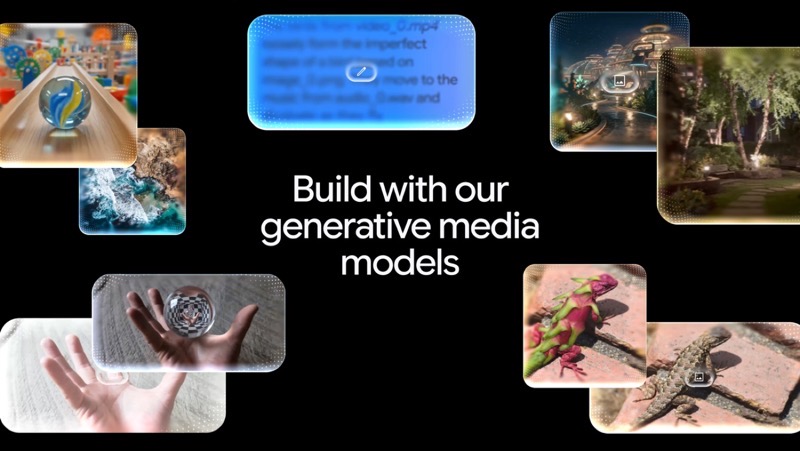
On June 30, 2026, Google announced it was opening two new models to developers: the image generation model Nano Banana 2 Lite, and the video generation/editing model Gemini Omni Flash.
One Official Chart Shows Just How Much Faster and Cheaper This Is
In this official benchmark animation, price sits on the x-axis and latency on the y-axis — the further down-left Nano Banana 2 Lite sits, the faster and cheaper it is.

Google adds that despite the speed focus, Nano Banana 2 Lite still holds up on prompt adherence, character consistency, and text legibility in images — it's not trading quality for speed.
Nano Banana Now Has Four Tiers — Which One to Use
With Lite added, Nano Banana now spans four tiers. These aren't simple high/mid/low configurations — they trade off "speed, quality, controllability" differently, so it's worth knowing what each one is for before picking.
| Tier | Model codename | Positioning |
|---|---|---|
| Nano Banana 2 Lite | Gemini 3.1 Flash Lite Image | Speed-first. Optimized for near-real-time, high-throughput batch scenarios, with latency pushed to a minimum |
| Nano Banana 2 | Gemini 3.1 Flash Image | General-purpose workhorse. High quality at low latency — the best balance of performance and cost |
| Nano Banana Pro | Gemini 3 Pro Image | For complex professional scenarios. Strongest control and reasoning, for jobs where accuracy matters more than speed |
| Nano Banana (original) | Gemini 2.5 Flash Image | Officially marked legacy; Google recommends upgrading to Lite for gains in quality, speed, and cost all at once |

Lite isn't a stripped-down version — it's Google's recommended replacement for users of the original Nano Banana. The official text states: "you can swap it out now for immediate benefits across key performance dimensions" — in other words, upgrading original-Nano-Banana users to Lite is the officially recommended default move.
A Video Model You Can Finally "Edit by Talking To"
Omni Flash is the model Google previewed at I/O, now handed to developers via API for the first time. It connects Gemini's multimodal understanding with video generation and editing, letting it revise video while listening to natural-language instructions. Google calls out four capabilities — let's go through them one at a time below.
Previously, "generate a video, then edit it" often meant stitching together two separate systems. Omni Flash folds generation and conversational editing into a single model: you give it an instruction in plain language, and it keeps editing the already-generated clip — no need to rewrite the full prompt.
After generating a video, you don't need to rewrite the full prompt — just give a single natural-language instruction to edit the clip you already have.
You can feed images, text, and video into the generation step all at once as reference material, keeping a character's look or scene details consistent throughout.
Omni draws on Gemini's grasp of history, biology, narrative logic, and more, to keep scenes plausible and stories coherent.
With a simple prompt, text and graphics can be mapped directly onto the timing of actions in the video.
It's like chatting with an editor who's already seen the footage: you say one line, they revise accordingly — no need to restate the full brief every time. That's the difference between "conversational editing" and the old way of "rewriting the prompt for every single edit."

How the Two Models Connect
Google says the real payoff is chaining the two models: generate an image quickly with Nano Banana 2 Lite, pass that image as a reference to Omni Flash to bring it to life as video, then use the Interactions API to hold onto context and keep editing conversationally.
The key here is the Interactions API's multi-turn session context: the model remembers which image or video clip came from which earlier turn, so you can keep editing step by step like a conversation — up to 3 consecutive rounds — without rewriting the prompt each time.
Think of Photoshop's history panel: say "add a filter to this one" and the model knows which "this one" you mean, without you having to point it out again. Three rounds of editing is how far back that history panel can go.
Google Shipped Three Demos You Can Try Directly
These three demo apps are this chain put into practice — all editable directly in AI Studio.
What This Actually Unlocks for Builders
Putting the capabilities above into practice, this release unlocks three kinds of use cases.
One, image generation cost drops to about $0.034 per thousand images (roughly ¥0.24 RMB), 4 seconds each. Batch image generation and rapid prototyping can now run on a much smaller budget — the marginal cost of trying things becomes very low.
Two, video generation plus conversational editing is now directly available via API for the first time. Developers no longer need to stitch together a separate "generation model" and "editing tool" — one API now does both.
Three, image-to-video can be chained. Generate an image, turn it into video, and keep editing for up to 3 rounds — this is what enables interactive apps like renovation previews, landmark tours, and e-commerce showcase videos, and Google's three demos are exactly that kind of template.
What It Can't Do Yet
Omni Flash is currently a public preview, and Google lists a few limitations itself — worth knowing the edges before diving in, so expectations stay in check.
- Single video generations are capped at 10 seconds; Google says longer durations are coming soon.
- In the Gemini API, this model doesn't yet support uploading audio references or scene extension.
- Video references under 3 seconds fit the API schema, but the model can't process them yet.
- Character consistency is still limited across shot changes or panning moves; Google says it's being improved.
Side note: watermarking and content provenance
How the New Prices Stack Up
Closing with the actual numbers. Nano Banana 2 Lite lands as "the fastest and cheapest in the series," and Omni Flash lands as "same price as Veo 3.1 Fast" — these are the two hardest pricing signals from this launch.
Per-Second Video Pricing: Omni Flash Matches Veo 3.1 Fast
In other words, Google priced this newly-opened video model at exactly the same per-second rate as the existing Veo 3.1 Fast. On the image side, Nano Banana 2 Lite is the tier Google explicitly names as its recommended replacement for original Nano Banana users — the fastest, cheapest option.
It's our recommended replacement for developers currently using our first version of Nano Banana, you can swap it out now for immediate benefits across key performance dimensions. Google official blog, 2026-06-30
Google Cuts Image Generation to 4 Seconds a Shot, Opens Video Model to Developers for the First Time
Two launches, one day: the fastest and cheapest image model yet, Nano Banana 2 Lite, plus the first-ever open video model, Omni Flash — and the two chain together. Here's the whole story in one page, with visuals.
↓ Read it in one page · includes an animated figure
These two things: one handles "type a prompt, get an image," the other handles "turn an image or text into a moving video." Google could already do both — the block wasn't capability, it was usability.
✘ But the video model only ever lived inside Google's own apps, out of developers' reach; "generate first, then edit the video" meant stitching together two separate systems yourself; the main image model was still the slow, pricey original
The capability existed — it just hadn't been packaged into something developers could pick up directly and use cheaply. That's the gap this launch fills.
This time, Google opened its video model through the API (the interface developers use to call a model) for the first time, and swapped in the fastest, cheapest image model in the series. Laid side by side, the change is clearest.
The video model only lived inside Google's own apps — developers couldn't touch it; editing a video meant rewriting the whole request from scratch, plus stitching together a separate editing tool; the main image model was the slow, pricey original.
The video model Omni Flash is open via API for the first time — one line like "pull the camera back" is enough to edit it; image generation switched to Nano Banana 2 Lite, 4 seconds a shot, about ¥0.24 per thousand images, and Google directly recommends it as a replacement for the original.
Google says the real payoff is chaining these two models together. So how exactly do they connect, and how does "one line, three rounds of edits" actually work? See the figure below.
Take Google's own "Anywhere" demo as an example: XiaoHu wants to turn a selfie into a video of standing in front of the Eiffel Tower.
"Fast and cheap" sounds abstract until you put a number on it. A cup of bubble tea makes the image-generation cost easy to feel.
All these numbers come from Google's official blog and self-reported benchmarks — no third-party reproduction yet. And don't take every claim at face value: video is currently capped at 10 seconds per generation, and character likeness still isn't stable across shot changes or pans, though Google says it's improving.
into a video...
- × Video model only lives
inside Google's own apps - × Editing means stitching
together two systems - × Main image model is
slow and expensive
about 3 cents (¥0.24) per thousand
That's fast
and it becomes video?
then bring it to life.
it remembers what came before.
it remembers what the last step generated.
- × Characters drift across shot changes
- × Speed and price are all self-reported
no third-party reproduction yet.
Members can copy or download the full Markdown, and let their AI subscribe and ask.
Found this useful? Leave your email — every new explainer, the moment it's out. Unsubscribe anytime.