Grok Bot 团队复盘:他们如何设计 Grok Bot 的,以便让机器人能够在多个会话之间持续工作
从聊天历史到 Bot 名册,从头像状态到独立电脑与主动触发:SpaceXAI 团队逐步解决一个机器人如何跨会话持续负责的问题。
- Grok Bot 的设计起点是把跨会话责任绑定到稳定的 Bot,而不是继续让一次次 Chat 充当产品主对象。
- 头像同时承担身份、六种工作状态和最低限度的进度确认;执行细节只在用户需要时逐级展开。
- 独立电脑、结构化结果和分层协作边界都服务于同一目标:让 Bot 负责执行,让人只在判断与异常时介入。
- Routine 把工作的起点从用户 Prompt 扩展到时间、外部事件和另一只 Bot;团队随后继续删除会增加监督负担的界面。
Grok Bot 团队从早期探索到产品上线,连续面对同一个问题:当机器人能够记住此前的工作、跨越多次会话继续负责、在后台使用自己的电脑,并在用户离开后主动开工,产品还应该围绕一段段聊天来组织吗?SpaceXAI 的官方设计复盘《Designing Grok Bot for a world of persistent agents》给出了他们的一组界面取舍。
他们的设计理念有一条清晰的推进线:先把“谁在负责”放到界面中心,再为这个长期负责者补上身份、状态、工作空间、产物与主动触发机制;每增加一种能力,同时删掉一层会诱导用户持续监督的控制界面。
传统 AI 产品默认用户始终在场。人发出 Prompt,看着模型执行,收到回答,一轮会话结束。Grok Bot 团队要设计的对象却会长期存在。它今天接下任务,明天仍应记得上下文;没有新消息时,也可能因为时间或外部事件继续工作。于是,团队必须重新回答四类基础问题。
- 01 身份还是同一只 Bot
- 02 状态它正在做什么
- 03 工作空间电脑由 Bot 使用
- 04 产物结果可直接检查和使用
- 05 主动触发没有新 Prompt 也能继续
起点:机器人要跨会话负责,聊天记录就不再是主角
聊天列表适合保存一次次问答,却不适合保存一项持续责任。一次对话解决后会被新会话往下推;隔一周再回来,用户通常重新开一个窗口。对于只回答眼前问题的模型,这种行为完全合理。对于理应认识用户、记得之前的工作并继续负责的 Agent,它却会把同一件事切成互不相连的历史记录。
Grok Bot 团队在开场原型中展示了另一种关系:侧边栏里不是“昨天的对话”“上周的对话”,而是 Kenny、Justin、Luke、Tyler 等不同 Bot。每个名字旁边直接出现最新进展或等待确认的事项,例如全员会议材料需要批准、销售引荐已经写好、收件箱还剩两封要回复。用户回来时先看到“谁在负责什么”,再进入与这名负责者的对话。
这成为后续设计的判断基准。只要 Bot 要跨天延续工作,产品的主对象就必须稳定存在;否则所谓记忆、自动化和工具都只能挂在一堆会不断下沉的会话上。
第一步:把产品的基本单位从 Chat 换成 Bot
持久 Agent 背后有模型、上下文窗口、系统提示、沙箱、连接器、权限和自动化等大量技术对象。全部暴露出来,用户就得先理解系统架构,才能交代一项工作。团队先做了一次概念压缩,只留下五个必须被用户理解的对象:
| 对象 | 在产品中的职责 |
|---|---|
| Bot | 持续存在的 Agent,拥有身份、记忆、运行环境和工具 |
| Chat | 用户与某只 Bot 沟通的窗口 |
| Prompt | 提供上下文或指令;可只用一次,也可保存为 Skill,或由 Routine 自动触发 |
| Tool | 让 Bot 通过软件、API、连接器、Shell 或电脑读取信息并采取行动 |
| Artifact | Bot 创建或修改的文档、设计、代码、数据等持久结果 |
五个对象中,团队最终选择 Bot 来组织产品。Bot 有名字、头像和角色称谓,记得与用户的对话,拥有自己的电脑与工具。第二天回来,用户面对的仍是同一个负责者。Chat 没有消失,只是从主界面的组织单位退回为与 Bot 沟通的入口。
请求 A · 请求 B · 请求 C
按时间下沉,责任被切成多段这个调整改变了侧边栏回答的问题。聊天历史回答“我聊过什么”,Bot 名册回答“谁在负责”。一旦工作需要跨越多次会话,第二个问题才是用户首先需要确认的事。
第二步:让用户一眼认出它是谁、正在做什么
Bot 变成长期对象以后,名册必须同时回答三个问题:这是谁?它在做什么?我现在需要知道多少?Grok Bot 团队把三道题都集中到头像与它周围的一小块界面里。
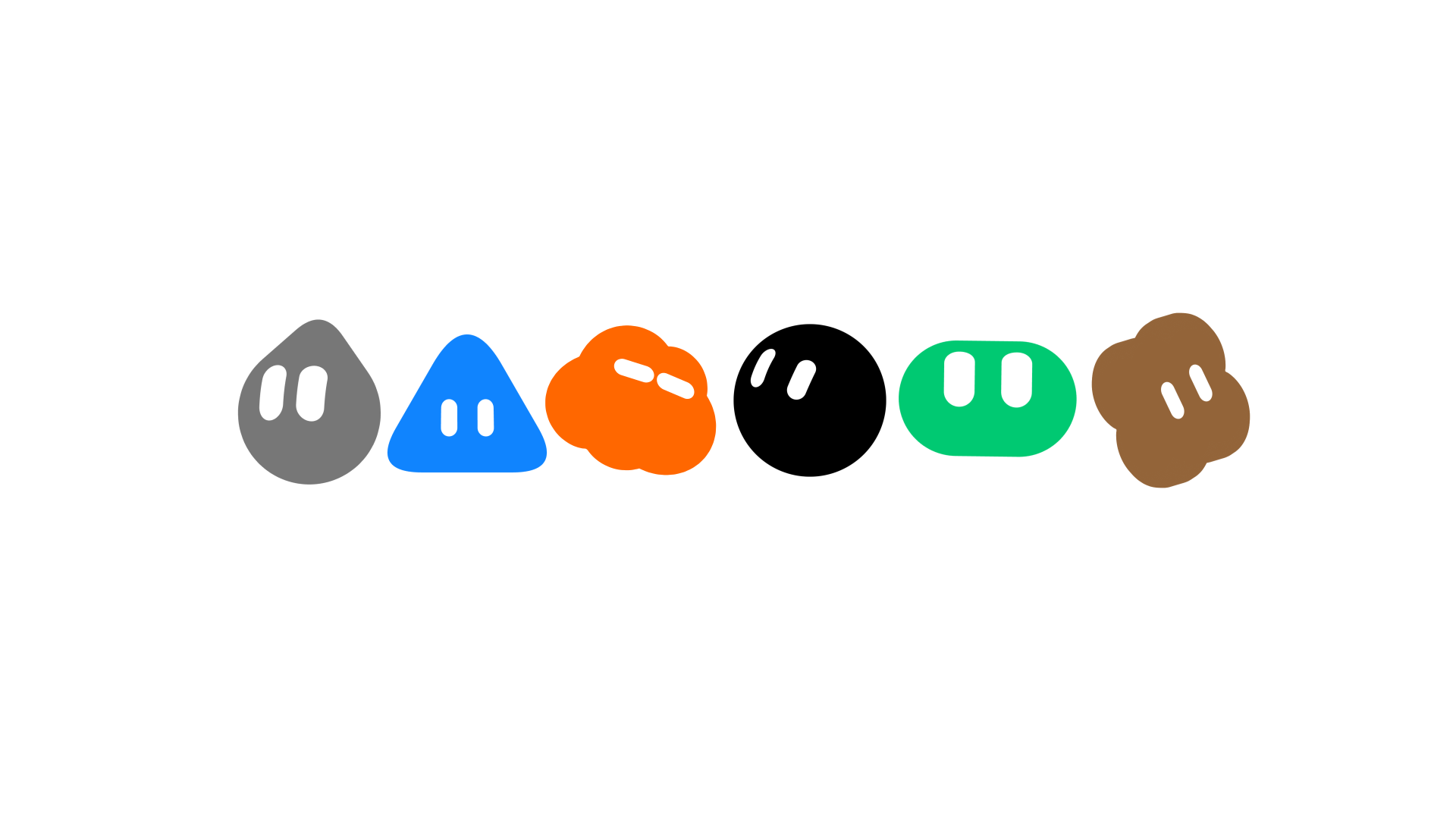
为了让几十只 Bot 既容易区分、又像来自同一个系统,团队试过首字母、Emoji、像素画、水彩、黏土、Noritake 风格线稿、剪影和 identicon 等多套视觉系统。水彩和黏土有个性,但缩到侧边栏尺寸后细节过重;更简单的系统能融入界面,却容易让不同 Bot 看起来可以互换。最终方案保留统一的简单几何结构和富有表情的眼睛,再通过受控变化与配件形成差异。

头像随后承担了第二项任务:表达生命周期。团队列出六种状态——Idle、Working、Waiting、Blocked、Thinking、Done。Bot 接到工作时先作出响应,开始执行后进入更明显的运动;等待外部条件或需要帮助时,动作再次变化;完成后恢复稳定。状态不再需要额外的一排徽章,用户看同一个视觉对象就能同时识别身份与进度。
第三项任务是控制执行细节的可见度。标准的“三个跳动圆点”信息太少,用户无法判断 Bot 仍在工作还是已经卡住;持续展示完整活动日志又会把人拉回监工位置。团队的用户研究显示,人们追问更多细节,主要是想确认 Bot 还在工作、方向没有跑偏。最终界面先用头像运动给出最低成本的确认;需要进一步检查时,悬停才显示当前动作。
这里形成了第一条完整的设计路径:稳定头像负责“是谁”,动作状态负责“是否仍在推进”,按需出现的当前动作负责“方向是否正确”。信息量随着用户的担忧逐级增加,默认界面保持安静。
第三步:电脑归 Bot 使用,人只保留查看与接管权
每只 Grok Bot 都有自己的电脑,可以浏览网页、处理文件和运行软件。团队很快遇到一个反直觉的问题:电脑画面越醒目,产品越像远程桌面,用户越容易把时间花在观看和操控上。
他们比较了四种布局:浮窗容易打开,却会遮住对话;并排视图持续暴露执行过程,鼓励用户盯着看;模态窗口适合短暂查看,却把 Bot 的工作空间变成一次打断;全屏给电脑足够空间,但会完全挤走对话。四种方案都没有解决所有权问题——界面仍在暗示这是一台需要用户照看的电脑。
最终方案把介入拆成三层:
- Status:电脑运行时,标题栏图标变成紫色;用户只知道工作区正在使用。
- Preview:需要上下文时,打开固定侧栏观察工作,不离开当前对话。
- Takeover:Bot 碰到必须由人处理的问题时,用户全屏接管,完成操作后再把控制权交还。
Status 还可以按需展开 Bot 的当前动作。于是,三层介入按信息量拆成四级检查路径:状态、当前动作、预览、接管。
- 1 · 状态头像运动:它仍在工作
- 2 · 当前动作悬停查看:方向是否正确
- 3 · 预览固定侧栏:观察 Bot 的电脑
- 4 · 接管需要帮助时全屏控制,完成后交还
三层访问把“随时可检查”和“必须持续围观”分开。Bot 电脑还拥有随时间变化的壁纸,早晨更亮、夜间更暗。这个细节不是单纯装饰,它帮助用户把工作区理解为 Bot 自己的环境,而不是自己桌面的远程镜像。

第四步:让答案长成可以直接使用的界面
早期 Grok Bot 几乎用散文回答所有请求:五天天气被写成一段话,一组任务也由文字逐项描述。信息可能没有错,重新整理日期、状态、负责人和下一步操作的负担却回到了用户身上。
团队因此把“信息的形状”视为答案的一部分。适合解释的内容继续用文字;需要比较、扫描或直接操作的内容改用内联卡片和组件。邮件组件同时呈现收件人、主题、正文,以及发送和放弃按钮。创建 Routine、修改设置、向另一只 Bot 发消息等动作,则可以作为系统事件直接进入对话时间线。
时间线由此不再只有自然语言。对话、系统事件、交互对象和可视化共享同一段上下文。用户既能看到双方说了什么,也能确认动作是否真的发生、结果处于什么状态、下一步是否需要自己处理。Artifact 也因此不只是一个附件,而是把聊天里的承诺变成可检查成果的界面单位。
第五步:给多只 Bot 划清能力、记忆与协作边界
用户创建多只 Bot 后,系统需要解决两组相反的需求:浏览网页、处理文档和发送邮件等能力应当复用;法律、财务、设计等角色的长期上下文又不能混成一大块记忆。
Grok Bot 最终让能力与上下文遵循不同边界:
- Tools 与 Skills 属于账户层,多只 Bot 可以共享通用能力。
- Memory 与 Routines 属于 Bot 层,长期知识和持续职责跟着具体角色走。
- Group Chat 属于共同任务,跨角色项目只共享完成协作所需的上下文。
一些用户还会建立类似 Chief of Staff 的协调 Bot,把方向交给它,由它调度多个专业角色。团队考虑过仪表盘、任务分派板和显式交接控件,但这些界面会把路由工作重新交给用户。最终方向是让协调 Bot 处理日常分发,只在需要判断时把人叫回来。
这一步决定了多 Agent 究竟是一个团队,还是六个需要分别照看的聊天窗口。能力可以广泛共享,角色记忆保持隔离,共同项目只交换必要事实,人的注意力才不会被日常搬运耗尽。
第六步:让工作由时间、事件或另一只 Bot 主动启动
一个 Bot 即使能记住过去,只要每次都等用户发 Prompt 才开始,仍然没有真正承担持续责任。Routine 让用户预先定义一项长期工作,在时间到达或事件发生时自动唤醒 Bot。
触发器覆盖固定时刻、工作日、每周和每月周期,也包括 GitHub 的 Issue、PR、Push、检查失败与工作流事件,Slack 的新消息和表情反应,以及项目管理工具中的状态变化。另一只 Bot 同样可以发起工作。Prompt 仍能启动会话,但不再垄断工作的起点。
团队最初把 Routines 放在次级设置里,后来将它移进 Bot 的主界面。原因很直接:既然主动工作是核心能力,用户就必须看到哪些持续职责正在运行、最近执行了什么、结果留在哪里,以及哪个异常需要处理。对话时间线于是也成为一份责任记录,既容纳人发起的请求,也容纳无人在线时发生的工作。
记忆让 Bot 第二天还认识这项工作,Routine 让它第二天能够自己继续。跨会话持续工作需要两者同时成立。
收尾:删掉会把用户重新变成管理员的界面
复盘的最后,团队写到项目后期的大量工作其实是删除:窗口与面板控制、电脑视图选项、Agent 元数据都被压缩或拿掉。他们还设置了约 50 只 Bot/账户、6 只 Bot/群聊的实际上限。每个决定都接受同一个测试:它是否帮助用户委派,还是只增加一个需要管理的对象?
沿着这条标准回看,前面的设计选择并非一组孤立功能。Bot 名册建立稳定责任;头像让进度可见;按需披露减少查日志;独立电脑把执行留给 Bot;结构化组件让结果可直接使用;分层边界降低多 Bot 协调成本;Routine 让工作无需等待下一条 Prompt。它们共同服务于同一件事:用户离开以后,责任、上下文和工作仍然能够继续。
这份官方复盘没有证明 Grok Bot 已经能在所有场景可靠地承担长期任务。它给出的价值是一套具体的产品判断:如果界面仍以一次会话为中心,如果用户还要不断追问进度、翻看完整日志、搬运上下文并手工触发下一步,那么机器人即使具备更强模型能力,也还没有在产品层面成为一个跨会话工作的长期负责者。
Grok Bot 怎样跨会话负责
让 Bot 获得稳定身份、工作空间和主动触发;让人退出日常监工,只在异常与判断时介入。
从 Chat 列表到 Bot 名册
Chat 会沉入历史;Bot 则把身份、记忆、工具、电脑、持续任务和当前状态绑到同一负责者。主界面因此改为回答“谁在负责什么”。
先看信号,担心时再展开
头像同时表达身份和 Idle、Working、Waiting、Blocked、Thinking、Done 六种状态。用户的介入深度按需上升,无需默认面对完整日志。
- 状态先确认它仍在工作
- 当前动作再判断方向是否正确
- 预览需要上下文时查看工作区
- 接管只在必须由人处理时全屏介入
电脑归 Bot,人保留接管权
浮窗、并排、模态和全屏都会诱导人照看电脑。团队改用 Status、Preview、Takeover 三层访问;天气、任务、邮件等结果也按信息形状变成可用组件,不再全部塞回散文。
能力共享,角色记忆隔离
Tools 与 Skills 在账户层复用;Memory 与 Routines 跟随具体 Bot;Group Chat 只分享共同任务所需上下文。协调 Bot 做日常路由,判断才交回用户。
没有新 Prompt,Routine 也会开工
Prompt、时间、外部事件或另一只 Bot 都可触发 Routine。结果写回时间线,异常或判断才向人升级。记忆让 Bot 第二天还认得工作,Routine 让它自己继续。
能力向上,默认监督向下
团队后期删除或压缩窗口控制、电脑视图选项与 Agent 元数据,并设置约 50 只 Bot/账户、6 只 Bot/群聊的实际上限。每个界面都接受同一检验:它在帮助委派,还是又增加一个需要管理的对象?
人管方向、异常与取舍;Bot 管责任、上下文与持续执行。
你离开以后,Bot 还在负责吗?
Bot窗口关了,责任也要消失吗?
聊天记录保存问答,却会把持续责任切成一段段历史。
Bot把任务交给我,Chat 只负责沟通。
主界面开始回答“谁在负责”,而不只回答“我聊过什么”。
Bot先看我是否在推进,需要时再看动作。
身份、进度和执行细节按担忧程度逐级展开。
Bot电脑归我用;你保留查看与接管。
可检查不等于必须持续围观。
Bot答案要长成能直接使用的结果。
时间线同时记录对话、动作与产物。
协调 Bot能力共享,记忆分开,项目只交换必要事实。
日常路由交给协调 Bot,判断再交还给人。
Bot没有新 Prompt,职责也会把我叫醒。
记忆让 Bot 认识昨天的工作,Routine 让它今天自己继续。
用户责任留下了,我不用一直当管理员。
设计方向已经清楚;它不等于证明 Bot 在所有场景都可靠。
Designing Grok Bot for a world of persistent agents
How we designed Grok Bot for agents that persist beyond a single session — from a chat history to a Bot roster, presence, a computer of the Bot’s own, and work that starts without a prompt.
When we started designing Grok Bot, one of the central questions was how the interface should shape the relationship between user and agent. Most AI interfaces are organized around a chat session the user operates. Each session begins with setup, unfolds as the user looks on, and ends when the conversation stops.
We wanted to design for an agent that persists beyond any one session and can carry responsibility on its own. That meant reconsidering some of the basic objects and signals of the interface, including what belongs in the sidebar, how an agent shows progress, and when its work should become visible.
Rethinking the primitives
AI products have accumulated a large vocabulary in a short time. Chats, sessions, models, context windows, memories, system prompts, projects, skills, connectors, agents, tools, sandboxes, permissions, and automations all describe real parts of these systems.
But exposing each one as a separate product concept asks users to understand more than they need to. We started by asking which concepts a person actually needs in order to work with an agent.
We kept coming back to five:
- Bots are persistent agents with their own identity, memory, runtime, and tools.
- Chats are the conversational interface for working with a Bot.
- Prompts give a Bot context or instructions. They can be used once, saved as Skills, or triggered automatically as Routines.
- Tools let Bots access information and take action through software, APIs, connectors, the shell, or computer use.
- Artifacts are the documents, designs, code, data, and other durable outputs that Bots create or modify.
Everything else could remain beneath the interface until the user had a reason to care about it. The next question was which of these five objects should organize the product.
From chat history to a Bot roster
Chats are disposable. We start a conversation to solve a problem. It gets pushed down the sidebar. A week later, we start another one. You rarely go back beyond the most recent five.
That behavior is perfectly reasonable when the unit of interaction is a question. It becomes strange when the thing on the other side of the interaction is supposed to know you, remember previous work, and take responsibility over time.
So the main objects in Grok Bot are Bots, not conversations. A Bot has a name. It has an avatar and a title. It remembers its conversations with you. It has its own computer and tools. When you come back tomorrow, you are coming back to the same Bot.
Presence as interface
Once a Bot was something you maintain over time rather than a session you start, the way Bots appear in the product had to answer three questions at once:
- Who is this?
- What are they doing?
- How much do I need to know?
Who is this
A roster only works if it can be scanned quickly. As the roster grows, we did not want people to have to read every name each time they opened the product. They should be able to recognize a Bot from its avatar almost peripherally.
Bot avatar visual style explorations
At the same time, we wanted to keep the avatars consistent enough to read as one system. We studied character systems across illustration, animation, games, and interface design, exploring everything from initials and emojis to pixel art, watercolor, claymorphism, Noritake-style line art, silhouettes, and identicons.
Most approaches solved one side of the problem better than the other. Watercolor and clay gave individual Bots plenty of character but carried too much detail at sidebar scale. Simpler systems sat more naturally in the interface, but often left the Bots looking interchangeable.
The system we landed on keeps the basic construction consistent, using simple shapes and expressive eyes, then introduces distinction through controlled variations and accessories. Each Bot remains recognizable at a glance without appearing to come from a different visual world.
What are they doing
Once the avatar became the Bot’s identity, it was also the natural place to show state. A Bot may be idle, thinking, working, waiting, blocked, or done. We could have represented each state with a separate indicator, but that would have added another layer of UI for the user to interpret.
Instead, we explored how much of the lifecycle the avatar itself could carry.
At rest, the Bot is calm and slightly curious. When work arrives, it acknowledges the task. As work begins, it kicks into gear. Its motion changes again when it is waiting or needs help, then settles once the work is done. The avatar now shows what the Bot is doing as well as which Bot it is.
Avatar motion system
How much do I need to know
A related design question was how much of the Bot’s execution to show. One approach would have been the standard “three animated dots” but that would have been too little information, making it hard for users to tell whether the Bot was working or stuck.
We also tried showing a short written description of the Bot’s current action, but once people could see one step, they wanted to see the rest. User research showed us that they were asking for that detail mainly for reassurance that the Bot was still working and on the right track.
In the final design, the avatar’s motion provides the first bit of reassurance by showing that the Bot is active. If someone wants to check what it is doing, they can hover to see its current action.
Their computer, not yours
Each Bot has its own computer, which it can use to browse the web, work with files, and run software. This created another interface problem. How visible should that computer be and when should the user be able to control it?
We explored four arrangements:
- Floating window: kept the computer easy to reach but covered the conversation.
- Side by side: made the work continuously visible and encouraged users to watch it.
- Modal: made checking in easy but treated the Bot’s workspace as a temporary interruption.
- Full screen: gave the computer plenty of room but displaced the conversation entirely.
The more prominent we made the computer, the more the product encouraged users to supervise it. We decided it should remain the Bot’s workspace, with the interface providing different levels of access as the user needed them.
The final design has three levels, which allow the user to enter the Bot’s workspace without being drawn into operating it:
- Status: the title-bar icon turns purple while the computer is active.
- Preview: opening it reveals a pinned side panel where the user can follow the work without leaving the conversation.
- Takeover: when the Bot needs help, the user can open the computer full screen, take control, and then hand it back.
We also designed wallpapers that shift throughout the day, becoming lighter in the morning and darker at night. The detail gives the Bot’s computer its own sense of time and makes it feel separate from the user’s desktop.
Dynamic wallpaper
It is closer to working with a coworker than operating a remote machine. You can tell that they are working, glance at their screen when you need context, and sit down when something requires your help.
The shape of information
Early versions of Grok Bot responded to almost every request with prose. It described a five-day forecast instead of showing one and narrated a set of tasks instead of laying them out as a board. The user then had to restructure the answer. This led us to treat the form of a response as part of the answer.
To support this, we built inline cards and widgets into Grok Bot. A Bot can answer in prose when prose fits the information and use structured UI when it does not.
Inline chat widgets
The same principle applies to actions. When a Bot creates a Routine, changes a setting, or messages another Bot, the event can appear directly in the transcript. The user can open it when there is more to inspect.
The result is a heterogeneous transcript in which conversation, system events, interactive objects, and visualizations share one timeline.
Organizing intelligence
Once people create several Bots, the product also has to organize how those Bots work together. We needed to decide which context should belong to each role, how Bots should share context when their work overlaps, and how to coordinate them without turning the user into a dispatcher.
We saw one answer emerge as people created more Bots. Some made a Chief of Staff Bot responsible for coordinating several specialists. They could give direction to one Bot instead of checking each one and routing every task themselves.
Giving Bots distinct roles also forced us to decide what each role should know. A legal Bot may need the history of an ongoing dispute, while a finance Bot may need years of financial records. Combining those histories into one large memory would make it harder to give each Bot the information relevant to its work.
Capabilities and context therefore follow different boundaries in Grok Bot. Tools and Skills live at the account level because many Bots may need to browse the web, work with documents, or send email. Memory and Routines belong to the Bot because they reflect what that particular role knows and does over time. Put another way, capabilities can be shared broadly while context remains with the role that needs it.
Some work crosses those role boundaries. Group chats provide shared context for a project or team while allowing each Bot to retain its specialized memory. A designer, engineer, PM, and data scientist can work in the same conversation, hand work to one another, and share what the project requires.
We considered adding dashboards, assignment boards, and explicit handoff controls to manage these groups. Each one gave the user more coordination work. Instead, coordinating Bots handle routine routing and bring the user in when a decision requires judgment.
Work that keeps moving
Most agent sessions begin when a user sends a prompt. That leaves even a persistent Bot waiting for someone to activate it. Routines let users give a Bot a standing responsibility that runs on a schedule or in response to an event, such as watching an industry or preparing a briefing every morning. The user defines the work once, and the Routine activates the Bot when it needs to happen.
We initially treated Routines as secondary configuration. As they became more important to autonomous work, we moved them into the Bot’s main interface. The transcript shows what ran and gives the user a place to review the result or handle an exception.
This also changes the role of conversation. A prompt can start a session, but so can a schedule, an event, or another Bot. Over time, more work may begin without the user being present at all.
The disappearing interface
By the end of the project, much of the design work involved taking things away. We removed window and panel controls, computer-view options, and agent metadata. We also set practical limits of roughly 50 Bots per account and six per group chat. Each decision came back to the same question: Did this help someone delegate, or did it give them one more thing to manage?
The line between operating an AI and delegating to a coworker keeps moving as models improve. Grok Bot reflects where we think it sits today. Designing Grok Bot from its earliest explorations through launch has been about finding that line and helping the interface change with it. As agents take on more responsibility, the interface should ask less of the person.