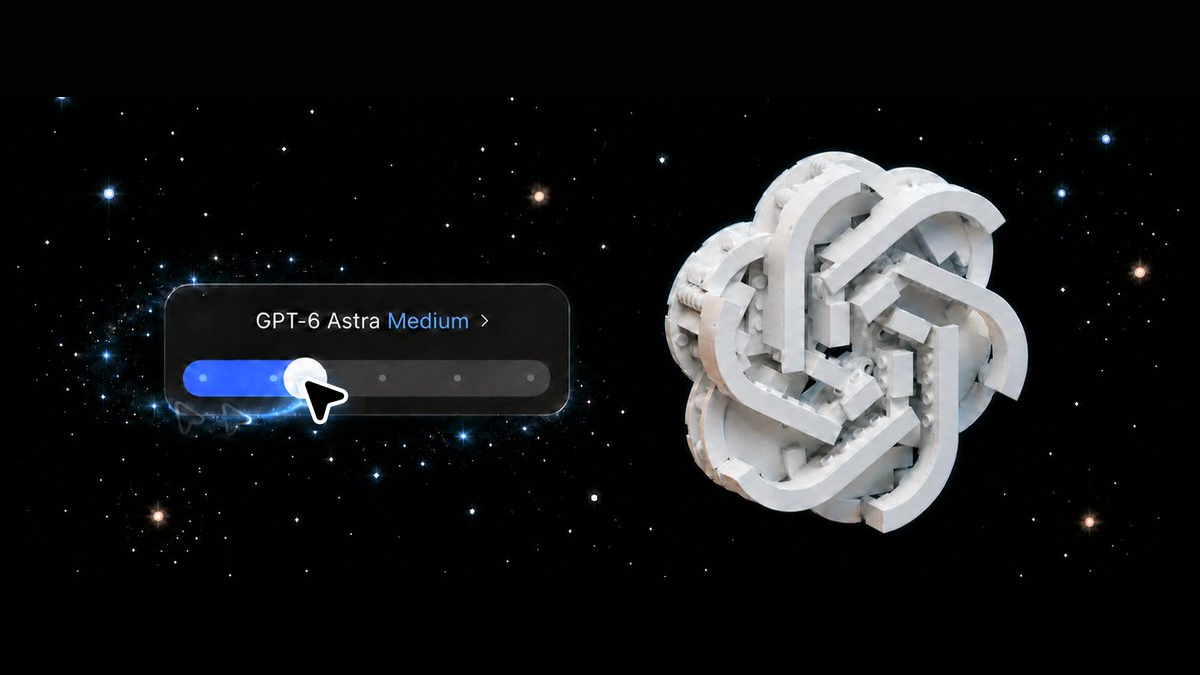
OpenAI 内部员工告诉你:如何用好GPT 6 Astra,要重新分配人与 AI 的工作
从 LEGO 桥、图像编辑器到三维酒吧,Dominik Kundel 的五项经验揭示:让 GPT 6 Astra 自行补全细节,同时把方向、工具和验收终点交代清楚。
- GPT 6 Astra 能接手的工作已扩展到找材料、制作、打开检查和整合,过去不值得委派的任务可以重新试。
- 省下逐项交代操作细节的精力,需要用清楚的用途、背景和参考换来;人的方向感仍决定成品是否合用。
- 可操作的初版和具体位置上的反馈,让自用软件更容易逐轮改进;旧 Skill 和高推理档位也应按成品重新选择。
- 模型会检查自己的工作,人的任务是明确检查范围和交还条件,让结果与未解决问题一起交回来。
用 GPT 6 Astra 做实际项目时,哪些细节可以交给 AI,哪些方向、工具和验收标准仍需要人来定?这篇文章想通过五项实操经验,讲清楚模型变强以后,我们的工作方法该怎样跟着调整。 GPT 6 Astra 是模型,Codex 是交代任务、调用工具的工作环境。
这些经验来自 Dominik Kundel,一位在 OpenAI 从事开发者体验与 SDK 工作、参与 Codex的资深开发者和产品负责人。他此前领导 Twilio 新兴技术与创新团队的产品与设计工作,在开发者体验和开发者关系领域有十年以上经验。这样的背景,让他在“怎样把 AI 用进真实项目”这个问题上很有参考价值:他既做开发工具,也亲自用它们制作应用和三维作品。
他的 LEGO 金门大桥项目,能直观说明这种用法变化。此前,他为这件事准备专门的 Skill——一套可复用的任务指导——再加上复杂指令,来回折腾数小时,效果仍不理想。换用 GPT 6 Astra 后,他让 Codex 访问数字积木设计软件 BrickLink Studio,给出一句建桥要求。约十分钟后,第一版模型就出来了,桥面上还有小车。后面仍需继续打磨,但第一次拿到可修改作品的门槛已经变了。
给它合适的工具,让作品能继续检查和修改
金门大桥的初版,是 Astra 配合两种工具做出来的:先了解 BrickLink Studio 自带零件库里有什么,用 Python 代码组装模型,再打开 Studio 查看效果、继续修改。代码负责批量生成,制作软件让它看见生成的东西是否合适。

作者给出金门大桥目标,并指定 Studio。 来源:Dominik Kundel。

金门大桥初版;这张图片是后来加上棚拍灯光的渲染。 来源:Dominik Kundel。

桥面近景:车道、小车与积木连接细节。 来源:Dominik Kundel。
Kundel 拿到了能在 Studio 中打开检查的积木模型,桥面近景还可以看到车道和小车。全景图采用了后来设置的棚拍灯光;约十分钟指取得初版,后面还要打磨。看到代码和软件配合得这么自然,他甚至开始重新判断:这件事由自己亲手操作,还会不会更快?
这让“交给 AI 做”有了更实际的含义。它可以在一个地方制作,到另一个地方检查,再把各部分合起来。选择工具时,可以从你自己会用什么软件想起:做 LEGO 用 Studio,做三维用 Blender,剪视频用 DaVinci Resolve 一类专用软件。有合适的剪辑软件时,也不必把全部视频处理都限制在 FFmpeg 命令里。
三维房间重建把这种工作方式表现得更清楚。Kundel 给了 Astra 十张随手拍的家庭酒吧照片,没有提供测量尺寸。Astra 借照片中的调酒书等参照物估算尺度,在 Blender 这款三维制作软件中,逐个建立物件、单独检查,再放进同一个场景继续调整。它既能操作软件界面,也能使用命令行。

由十张照片重建的家庭酒吧:吧台、座椅、壁架、灯具与瓶杯处在同一三维场景中。 来源:Dominik Kundel。
房间里有家具、壁架、酒瓶和玻璃杯,连角落的椅子与零散电线也得到处理。把这些东西保留为独立对象,意味着修改可以落到局部:椅子不合适就改椅子,灯光不合意就调灯光。Kundel 后来继续修改材质和灯光,也能打开场景,从不同角度查看。
即使最终作品要放在网页里,部分三维内容也可以先在 Blender 中制作。对用户而言,工具选择会影响拿到的是怎样的成果:能否打开检查,能否继续修改某个物件,能否把它接进后续工作。
你说清要做什么,操作细节可以让它补
工具让 Astra 有条件动手,需求则决定它朝什么方向做。Kundel 想做 Thumbnail Studio,一个用来制作创意素材的浏览器图像编辑器。他用口述交代想法,让模型参考与同事的交流。
视频里的输入其实给了不少背景:Slack 里的讨论、网站代码库、品牌指南,以及上传背景图、重排元素、使用模板等主要能力。他还要求界面保持简洁。表达可以随意,用途、参考和重要要求仍然要讲清楚。
Astra 补出的是未被逐项规定的操作细节,例如撤销快捷键、图层,以及隐藏图层的能力。这些是图像编辑器应当怎样被人使用的判断。
播放视频,查看口述需求与编辑器初版。
22 秒:从口述需求到 Thumbnail Studio 初版。 来源:Dominik Kundel。

继续迭代后的 Thumbnail Studio:左侧编辑与图层,中间画布,右侧缩略图预览与反馈。 来源:Dominik Kundel。
对想给自己做专用软件的人,这种分工很有用:先说明工作中要解决什么问题、希望软件接近什么样子,拿到可操作的版本后再试用,决定保留什么、修改什么。每个按钮怎样响应,不必都在动手前写成完整规格。
LEGO 模型展示站体现了更进一步的产品考虑。Kundel 要求访客能三维浏览模型、下载搭建文件,Astra 还补了上传新模型的界面。按他的描述,这个管理入口用 Sign in with ChatGPT 限制为他本人使用。
播放视频,查看模型集合与三维详情。
26 秒:从作品集合进入模型详情,查看不同角度的 LEGO 造型。 来源:Dominik Kundel。
上传与管理入口解决了网站以后如何继续添加作品、由谁维护的问题。模型考虑的不只是一位访客眼前看到的页面,还包括作者后续怎样使用这套软件。
不过,具体审美仍要由人给方向。为了得到心中的太空主题,Kundel 继续提供参考,并明确要求可交互、会旋转的行星。已经确定的功能和视觉要求,要直接告诉它;可以交出去的是你愿意让它判断的细节。
拿到初版后,围绕具体结果反复修改
初版把想法变成了可以指出问题的对象。下一轮反馈可以具体到一个按钮、一块画面或一段动画,用户不用仅靠文字设想最终效果。
Kundel 后来要求加入“产品反馈模式”,并设置定期查看、排序和实施反馈的自动化。Astra 为这个方向补全了界面:选中应用中的位置,把评论固定在那里,设置优先级、编辑反馈,再标记问题已解决。
播放视频,查看评论如何绑定界面位置。
22 秒:选中界面位置、添加评论、设置优先级,并查看反馈状态。 来源:Dominik Kundel。
这样,用软件时发现的问题就能留在对应位置。下一轮要改哪里、先处理哪条、哪些已经处理过,都有明确对象。原演示展示了这些界面操作;定期处理是作者提出的自动化要求。
动画案例进一步说明了参考与反馈怎样配合。Kundel 喜欢 Nick Baumann 的动画风格,就把带有截图和上下文的 Appshot、正在写的文章,以及 Codex 应用代码的访问权限交给 Astra。
原图中的要求还很具体:先给出两个动画方案,方便他反馈;其中一个要说明,AI 用鼠标点击界面,与直接调用专用工具做事有什么区别。作者已经指定了动画要解释的内容。

动画需求同时附上参考画面,并说明希望解释的三维操作场景。 来源:Dominik Kundel。
Astra 读懂文章中的三维演示,重建可动画化的界面,补上构图、镜头角度和解释文字。它还额外做了一个预览工具,让 Kundel 播放、暂停、重复观看,并从不同角度检查,再用内置浏览器的标注工具指出问题。
播放视频,对照动画首版与发表版本。
32 秒:动画预览工具、首版与发表版本;左右对照体现后续迭代。 来源:Dominik Kundel。
对照视频能看到具体变化:首版以单个建模窗口配合对话呈现,发表版把两个建模窗口并排摆放,下方各有说明区。两种操作方式放在同一画面里,区别更容易对照。预览工具的价值,也在于让人看着实际的呈现方式继续提要求。
连准备这段对照视频的材料,也被交进了任务。Kundel 让 Astra 从旧对话找回早期动画,在桌面找录屏,再从 X 文章取回最终版本;它找到这些材料并合成了视频。他可以说明想得到什么结果,让模型处理已给定位置中的查找与整合,减少逐个定位文件的准备工作。
从简单配置开始,按成品调整指导和推理档位
看到这些成品后,另一个习惯值得重审:以前为了让模型做好工作而加上的指导,新模型还需要多少?
团队让 Astra 剪发布视频时,一些为早期模型编写的 Skill 反而妨碍了它;在那个任务上,去掉视频编辑 Skill 的简单配置表现更好。如果某份 Skill 主要用来补旧模型的短板,可以在同一任务上比较不用它的结果,再决定是否保留。
推理档位也适合这样试。Low、Medium、Max 等档位表示不同推理强度。Kundel 在部分 Blender 实验中,更喜欢 Astra 在 Low 档位做出的结果,而非另一模型 GPT-5.6 Sol 在 Max 档位做出的结果。他还注意到,Astra 在较低档位也会认真检查工作。
播放视频,比较两个模型在各推理档位的成品。
18 秒:上排 Sol、下排 Astra;每排从左到右是 Low、Medium、High、Extra high、Max,轮换三个建模题材。 来源:Dominik Kundel。
视频把 Sol 放在上排、Astra 放在下排,每排从左到右按推理档位排列,并轮换角色、建筑和房间三个题材。可以观察同一题材的造型、构图和细节,比较哪种结果更接近自己的要求。
实际尝试可以从 Low 或 Medium 开始,先做一轮,再向高或低两个方向调整。Kundel 提供的 Model Observatory也能作为查看更多比较的入口。旧 Skill 和最高推理档位都不必自动沿用;是否需要更多指导和推理,应回到具体任务与成品上判断。
让它检查实际效果,并约定何时交还
放手让模型实施以后,最后要明确的是:怎样判断它完成了任务,检查到什么程度就该交回来。
Kundel 观察到,Astra 做游戏时可能开始试玩,做优化时可能搭建环境测量效果,处理视频时可能查看单帧画面或声音波形。检查会落到作品的实际表现上。
封面演示给了一个更具体的过程。Astra 注意到,自己上一轮虽然修好了裁切,却让预览比例变得过高。搜索得到的信息指向 5:2,但 X 帮助页没有给出尺寸,于是它继续核对实际文章页的代码,确认当时的比例为 5:2、尺寸为 1200 × 480 像素,并说明要按此调整比例与居中,让主体完整显示。
播放视频,看 Astra 如何确认封面的显示要求。
6 秒:Astra 为封面确认 X 文章的显示比例与尺寸。 来源:Dominik Kundel。
这次检查追问了两件事:原来的裁切问题是否解决,刚才的修改是否又引入了比例问题。成品将要使用的实际页面,给了它纠正自己改动的依据。
检查也需要终点。只想要一个自己试玩的原型,就说明先做到可玩版本;希望模型完整玩一遍并修复问题,就把这轮工作交代进去。还可以约定:按你关心的项目检查一轮,报告发现的问题和仍未解决的事项,然后交还。
把这些经验用到自己的任务里,可以交代下面几件事:
| 交代什么 | 交代到什么程度 |
|---|---|
| 成品目标 | 要得到什么可打开、可运行或可编辑的结果 |
| 工具与参考 | 可以使用的制作软件、材料位置,以及希望接近的样例 |
| 明确要求 | 已经确定的功能、视觉方向和不应自行扩展的范围 |
| 检查与交还 | 希望验证哪些地方,完成哪一轮后报告结果与未解决问题 |
Kundel 最后的建议,是重新拿出一项曾经让你放弃的任务。给 Astra 合适的工具、参考和完成标准,从低或中等推理档位开始,先看它能做到哪一步,再补指导。这次尝试既是在检验模型,也是在重新判断:哪些准备、制作和检查工作,已经值得交给它。
人定方向,
Astra 制作与检查
OpenAI 开发者体验与 SDK 从业者 Dominik Kundel 用模型 GPT 6 Astra,在 Codex 工作环境里制作应用、积木与三维场景。经验指向同一件事:重新分配人与 AI 的工作。
从折腾数小时,到拿到可修改初版
专门 Skill +复杂指令
数小时仍不理想
一句建桥要求+Studio
约十分钟得到初版
金门大桥案例:Astra 用 Python 组装零件,再打开 BrickLink Studio 查看、修改。约十分钟指初版,后续仍需打磨。
人定方向,模型把工作接起来
人交代任务
目标、工具、参考、明确要求
- 目标与边界
- 要什么成品?哪些要求已确定?
- 工具与参考
- 软件、材料位置、希望接近的样例
- 检查与交还
- 检查哪些项目?哪一轮后交回来?
Astra 实施
制作 → 打开 → 检查 → 修改
能打开、运行,或修改局部
指出按钮、画面或对象的位置,继续修改。
操作细节可以让它补:图像编辑器里,它自行加入撤销、图层与隐藏功能;已确定的用途和审美仍要人说清。
先试简单配置,再按成品调整
比较不用它的结果,再决定保留多少
从 Low / Medium 试一轮,再向高或低调整
部分任务里,旧指导会妨碍发挥;更高推理档位也不保证更合自己的要求。
把工作交出去,把判断拿回来
01先把想法变成能试的东西
我想做个图像编辑器……
工作流示意:依据文章经验绘制,人物和过程为示意。
02交清方向,留出判断空间
用途、参考和工具都在这里。
明确目标与已定要求;操作细节可以让 Astra 补全。
03拿到能操作的初版
先做出来,你来试。
文章中的 Thumbnail Studio 补出了图层、隐藏与撤销等细节。
04反馈落到具体位置
这块挡住主体了,先改这里。
示意:对着实际结果指出位置与期望,下一轮才有明确对象。
05修改之后,检查实际效果
按约定检查一轮,再交还。
先约定检查范围与终点,确认修改有效,也检查有无新问题。
06把结果与剩余问题一起交回
这一轮完成,剩余问题也列好了。
方向与验收由人负责。能打开、能修改的成品,才是下一轮判断的起点。
Five things I learned from using Astra

Back in February, getting Codex to build LEGO models took a custom skill, complicated instructions, and hours of iteration. And it was still not great. I came away thinking it wasn’t something models were good at.
With GPT-6 Astra, I gave it access to BrickLink Studio and asked for the Golden Gate Bridge. About ten minutes later, I had a first version, complete with little cars on the road. I kept refining it afterward.
Experiences like that have made me reconsider how I use Codex: which apps I give it, how much I specify, and how much reasoning a task needs. Here are five things I learned from using Astra.
1. Astra can use all your apps (sometimes, better than you do) 2. Astra does more of the product thinking 3. Astra excels at Blender 4. Astra doesn’t need Max to impress 5. Astra keeps checking its work
1. Astra can use all your apps (sometimes, better than you do)
Let’s go back to that LEGO bridge. I’d already seen Astra work in other apps, so I wanted to see how it would handle BrickLink Studio, the app for designing digital LEGO models.
I gave it a simple request:

Here’s that first version:

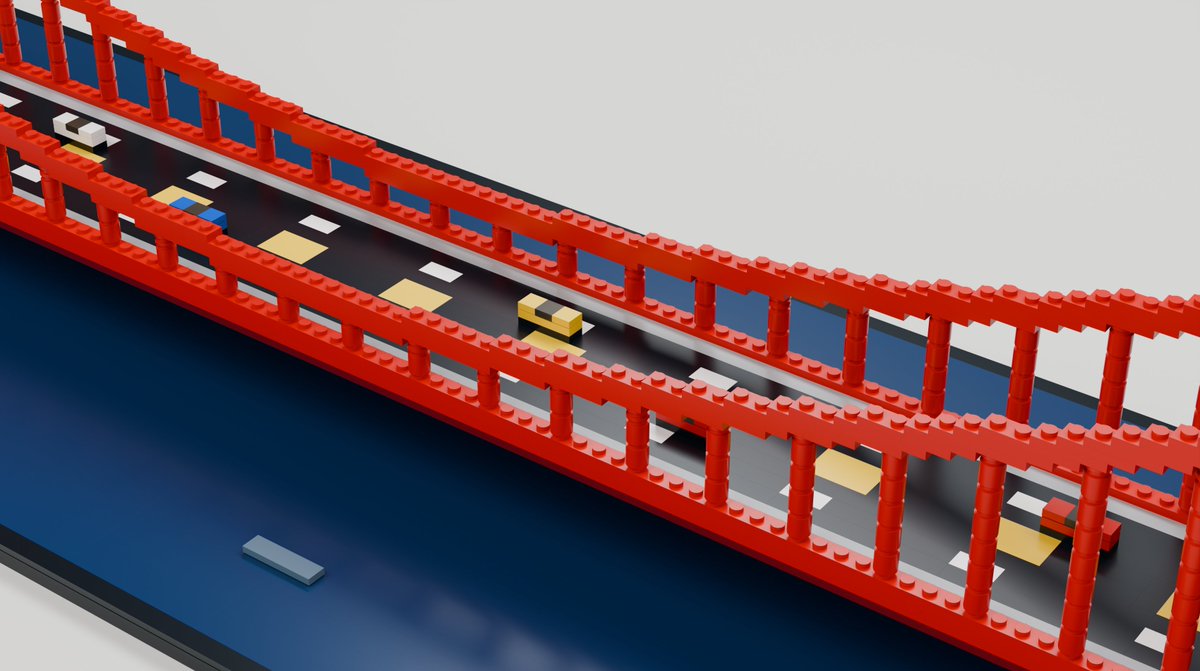
Astra figured out what parts were available in Studio’s bundled library, used Python to assemble the model, then opened it in Studio to inspect and iterate on it.
What surprised me was how naturally it combined code and the app. It’s fast enough that I’m starting to question whether doing the task myself would actually be quicker.
It’s also made me revisit the skills we have built for previous models. When we were having Astra edit videos for the launch, some of our old skills were getting in its way. A more vanilla setup, without the video editing skills, worked better for that task.
If you have a skill built around something an older model couldn’t do, try the task without it and see whether you still need it.
Computer use also lets Astra connect work across apps. It can create something in one place, inspect it somewhere else, and bring the pieces together. Giving it that access has helped it verify its own work and complete more of the task.
So think about which app you’d use for the job and give Astra access to it. That could be Bricklink Studio for LEGO, Blender for 3D, or DaVinci Resolve or a similar editor for video. It doesn’t have to do all of its video work through FFmpeg if there’s a dedicated app that can help.
Tip: Give Astra the apps you’d use for the job and try it without extra skills first. It may need less guidance than you think.
2. Astra does more of the product thinking
For one test I wanted to build Thumbnail Studio to help make creative assets. I was able to quickly ramble through some ideas and reference conversations I’d had with a colleague. Astra figured out a lot of the detailed interactions you’d expect from an image editor in the browser, including ⌘-Z and other familiar shortcuts, layers, and the ability to hide them. I didn’t have to be as prescriptive as I would have been previously.

Later, I asked for a Product Feedback mode and an automation to check, rank, and implement the feedback. What surprised me was how thoroughly Astra thought through the feedback interface. I could highlight parts of the app, pin comments to them, set priorities, edit feedback, and mark it as resolved. I hadn’t described any of those interactions in detail.
I could quickly fire off a task for a capability I wanted, and Astra would work through what the experience should look like. That’s making it much easier for me to build personalized software. I can react to what it builds instead of planning every interaction before I start.
The animations in my WebMCP article and in this article are another example. I liked Nick Baumann’s animation on X, so I gave Astra an Appshot of it, the article I was writing, and access to the Codex app codebase. The Appshot included a screenshot and context from the app.

Codex read the article, understood the 3D demo I was referring to, and recreated a full 3D interface it could animate. It thought through the composition, the camera angles, and the text explaining what was happening. Then it built me a little preview tool where I could play, pause, repeat the animation, and view it from different angles.
I hadn’t asked for that preview tool, but it made it much easier to iterate. I could give it detailed feedback using the Annotations tool in the in-app browser.
In some cases this behavior might back fire for you, if you have very specific things in mind make sure you are prescriptive with your expectations.
I’m also spending less time preparing everything the model needs before I ask it to do something. To make the comparison above, I asked Astra to go through the old conversation and recover an earlier version of the animation, find a screen recording somewhere on my desktop, and get the final animation from the X article.
It found the pieces and combined them into a video without me having to point it to every file. I could describe the result I wanted and let it figure out how to bring everything together.
When I asked for a site to showcase its LEGO models, I wanted people to browse them in 3D and download the build files. Astra also added an interface for uploading more models. It gated that interface with Sign in with ChatGPT so only I could use it as the admin.
I still need to know what I want and give it a direction to get the most out of Astra. For the showcase, I gave it more examples and asked for interactive, rotating planets to get the space theme I had in mind. But I don’t have to be pedantic about every feature. The better the references I give it, the more Astra surprises me with how carefully it thinks through the experience.
Tip: You don’t have to spell out every interaction up front. Give Astra the idea and a few good references, if you want it to act narrowly tell it the requirements, then refine the experience it builds.
3. Astra excels at Blender
Our team had already been impressed by the 3D experiences Astra could build with Three.js or even raw WebGL. But one thing that stood out was how well it could use Blender, both through computer use and the command line. Even when the final result belongs in a browser, I’ve found it useful to let Astra build parts of it in Blender.
To test that, I gave it ten quick photos of a home bar and asked it to rebuild the room in Blender. I didn’t give it any measurements.
Astra was meticulous about the proportions. It found reference objects in the photos, such as the cocktail books, and used them to estimate the scale. It modeled individual objects, checked them separately, placed them in the scene, and kept iterating. It built the room, furniture, shelves, bottles, and glassware. It even nailed the chair in the corner and random wires in the room.
Having the individual objects in Blender let it inspect and refine each part of the scene. I kept iterating on the materials and lighting, and I could open the scene and look around from different angles.

Tip: If you are working on a project with 3D ask Astra to use Blender for better results.
4. Astra doesn’t need Max to impress
How far I can get on Light/Low reasoning has been one of the biggest surprises. With every new model generation, the temptation is high to try to use the highest level of reasoning. Especially if that’s what you were using before. In my Blender experiments, I’ve had results from Astra on Low that I prefer to Sol on Max. Astra is also very thoughtful in verifying its work regardless of reasoning level, making Low reasoning incredibly powerful.
If you’ve been using Sol on high reasoning, don’t assume you need to crank Astra up too. Try something like Medium first, then experiment in both directions and see what works for the task. If you need some inspiration of more comparisons, check out our Model Observatory.
Tip: Start with Light/Low or Medium reasoning. Look at what you get before deciding you need more reasoning.
5. Astra keeps checking its work
Astra tends to check that it actually completed the task. If you are building a game and it might start playtesting it. Ask it to optimize something and it might set up an environment to measure whether the optimization worked. For a video, it might inspect individual frames or even sound waveforms to check what it’s doing.
When I had Astra work on the title image for this article, it used browser use to check the code behind X’s live article page and confirm the header image requirements. It found a 5:2 aspect ratio and a 1200 × 480 cover.
That can be useful, but I need to be clear about how far I want it to go. If you want a prototype you’ll playtest yourself, say that. If you want it to play through the game and fix what it finds, say that too. For a final check, you could ask it to make one pass through the checks you care about, then report what it found and anything still unresolved.
Tip: Tell Astra what the finished result should be, what you want it to verify, and when it should hand the work back.
Try the task you gave up on
I’d spent hours trying to get Codex to build LEGO models and came away thinking it wasn’t very good at it. With Astra, I had a first version of the bridge in about ten minutes.
Give it the apps you’d use for the job and a few good references. Start with Light or Medium reasoning. Tell it what the finished result should be and what you want it to verify, then see how far it gets before adding more guidance.
If you’ve got a task you tried with an older model and gave up on, give it another go with Astra.